43
ENGLISH
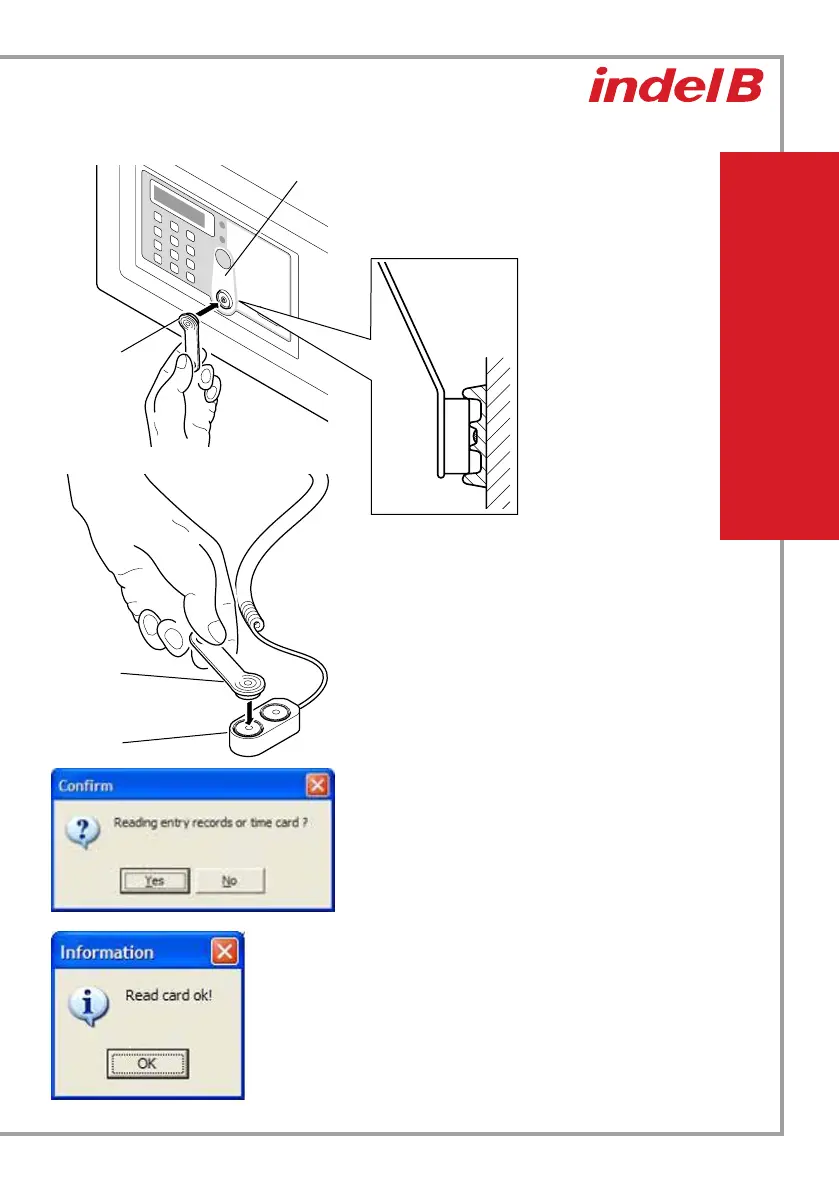
Place the data card (yellow) on the receiver.
A series of intermittent acoustic signals (“beep”) will
confirm that the data transfer is in progress.
At the end of these signals the transfer will have
taken place.
Click on the Yes button.
The data transfer from the data card (yellow) to
the computer will then begin; this will take some
minutes. Once the data transfer has taken place, a
confirmation window will appear.
Click on the OK button.
Receiver
Data card
(yellow
Encoder
Data card
(yellow)
Place the data card (yellow) on one of the two
encoder ports and click on the Read button in
the operator panel. At this point a window opens
asking to confirm your choice



 To Next Page