EasyManua.ls Logo

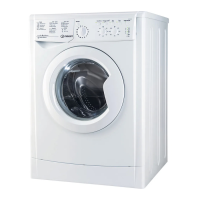
Indesit DOCTOR 2 - User Manual

Indesit DOCTOR 2
39 pages
Print Icon
To Next Page IconTo Next Page
Loading...
Information
Indesit Company UK Ltd
© 2006 Reg. Office: Peterborough PE2 9JB. Registered in London: 106725
Service
WASHING
MACHINE
DOCTOR 2
A Guide
for use with
EMIT
Model Types Covered:
EVO 2 Laundry
5407182 Issue 3 June 2006
Question and Answer IconNeed help?

Do you have a question about the Indesit DOCTOR 2 and is the answer not in the manual?

Summary

Safety and Servicing Advice

Electrical Safety Precautions

Warns about residual charge on the heatsink and waiting period before work.

Introduction to WM Doctor

Programme Purpose and Uses

Explains how WM Doctor is used for diagnostic testing of appliances.

System Requirements

Low End Adaptor

Connecting the System

Starting the Software

Wash Doctor Main Screen Interface

Main Screen Sections

Explains key areas: Appliance Details, Test Components, Connection, and Buttons.

Performing Single Component Tests

Successful Single Test Results

Confirms an item is okay; printing is disabled.

Unsuccessful Single Test Results

Displays failed tests and provides access to a help file for faults.

Performing Automatic Tests

Successful Automatic Test Results

All components tested and passed, confirming items are okay.

Unsuccessful Automatic Test Results

Indicates components not tested due to related issues or actual failures.

Interactive Test Procedures

Selector and Knob Interactions

Guides on rotating selectors and knobs for testing.

Display and LED Confirmation

Confirms display segments and LEDs are functioning correctly.

Test Controls and Data Saving

Covers Stop/OK buttons, customer info, and test statistics.

Temperature Monitoring During Tests

Example Test Scenarios

Common Failure Causes Explained

Illustrates failures from wiring, pressure switch, and open circuits.

Extra Test Functionality

Spin Test Procedure

Performing a spin test with an empty drum and checking achieved speed.

Troubleshooting Common Errors

Error Message Explanations

Explains common errors like 'Comm Port Closed', 'Communication Error', and 'Impossible to read key'.

Notes

Summary

Safety and Servicing Advice

Electrical Safety Precautions

Warns about residual charge on the heatsink and waiting period before work.

Introduction to WM Doctor

Programme Purpose and Uses

Explains how WM Doctor is used for diagnostic testing of appliances.

System Requirements

Low End Adaptor

Connecting the System

Starting the Software

Wash Doctor Main Screen Interface

Main Screen Sections

Explains key areas: Appliance Details, Test Components, Connection, and Buttons.

Performing Single Component Tests

Successful Single Test Results

Confirms an item is okay; printing is disabled.

Unsuccessful Single Test Results

Displays failed tests and provides access to a help file for faults.

Performing Automatic Tests

Successful Automatic Test Results

All components tested and passed, confirming items are okay.

Unsuccessful Automatic Test Results

Indicates components not tested due to related issues or actual failures.

Interactive Test Procedures

Selector and Knob Interactions

Guides on rotating selectors and knobs for testing.

Display and LED Confirmation

Confirms display segments and LEDs are functioning correctly.

Test Controls and Data Saving

Covers Stop/OK buttons, customer info, and test statistics.

Temperature Monitoring During Tests

Example Test Scenarios

Common Failure Causes Explained

Illustrates failures from wiring, pressure switch, and open circuits.

Extra Test Functionality

Spin Test Procedure

Performing a spin test with an empty drum and checking achieved speed.

Troubleshooting Common Errors

Error Message Explanations

Explains common errors like 'Comm Port Closed', 'Communication Error', and 'Impossible to read key'.

Notes

Indesit DOCTOR 2 Specifications

General IconGeneral
BrandIndesit
ModelDOCTOR 2
CategoryWasher
LanguageEnglish

Related product manuals