EasyManua.ls Logo

Indesit IB7030A1D - User Manual

Indesit IB7030A1D
2 pages
Print Icon
To Next Page IconTo Next Page
Loading...
EN
Quick guide
THANK YOU FOR BUYING AN INDESIT PRODUCT
In order to receive a more complete assistance, please
register your product on www . indesit . com/ register
Before using the appliance carefully read the Safety
Instruction.
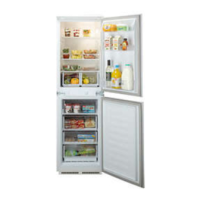
PRODUCT DESCRIPTION
FIRST TIME USE
Wait at least two hours, after the installation, before connecting
the appliance to the power supply. Connect the appliance to the
power supply it starts the operation automatically. The ideal storage
temperatures for the food are preset in the factory.
After turning the appliance on, you must wait for 4-6 hours for the
correct storage temperature to be reached for a normally lled
appliance. Position the antibacterial anti-odour lter in the fan as
demonstrated in the lter packaging (if available). If the audible signal
sounds, it means that the temperture alarm has intervened: press the
button to switch o the acoustic alarms.
CONTROL PANEL
1. Thermostat control reference
2. Freezer and refrigerator compartment
temperature knob
3. LED light bulb
1.
2.
3.
FREEZING FRESH FOOD
Place the fresh food to be frozen in the FREEZING ZONE in the freezer
compartment avoiding the direct contact with the food that is already
frozen. To optimize the freezing speed, the lower drawer can be
removed and the food can be placed directly on the bottom of the
compartment.
FAN*
You can turn the Fan on/o by pressing the button on the base (as
shown in the gure). If the ambient temperature
exceeds 27°C, or if drops of water are present on the
glass shelves, it is essential that the fan is on to ensure
the proper preservation of the food. Deactivation of the
fan allows energy consumption to be optimised.
FREEZER AND REFRIGERATOR COMPARTMENT TEMPERATURE
This Fridge/Freezer is switched on using the thermostat located inside
the refrigerator compartment. The temperature of both compartments
is adjusted by turning the thermostat knob.
Thermostat set to 1/2 : minimum refrigeration (less cold)
Thermostat set to 3-5 : medium refrigeration
Thermostat set to 6/7 : maximum refrigeration (colder)
Setting the Thermostat knob to • turns the whole appliance o (no
refrigeration, no light).
* Available only on certain models

Other manuals for Indesit IB7030A1D

Questions and Answers

  • D
    deannagarciaJul 27, 2025
    Why is my Indesit IB7030A1D Refrigerator not cold enough?
    • A
      Alex ByrdJul 27, 2025
      Several factors might be at play. Ensure the doors are properly sealed, the refrigerator isn't near a heat source, the temperature is correctly set, and that nothing is blocking the ventilation grilles at the base of the unit.
  • K
    Kara WalshAug 2, 2025
    Why is there excessive frost in my Indesit Refrigerator freezer compartment?
    • N
      nelsoncaseyAug 2, 2025
      Excessive frost could be due to the freezer door not closing correctly. Check for obstructions preventing a proper seal, defrost the freezer, and ensure the appliance was installed correctly.
  • K
    Kevin HoustonAug 8, 2025
    How to fix water at the bottom of Indesit IB7030A1D?
    • B
      brandonrodriguezAug 9, 2025
      If you find water at the bottom of the refrigerator compartment, it's likely that the defrost water drain is blocked. You should clean the defrosting water drain.
  • C
    Craig PottsAug 14, 2025
    What to do if Indesit Refrigerator compartment is too cold?
    • S
      Stacy PowersAug 14, 2025
      If the refrigerator compartment is too cold, it could be due to a temperature setting that's too low or because a large amount of fresh food was recently placed inside. Try setting a warmer temperature. If you've added fresh food, allow time for freezing to complete. Also, turn off the fan (if present).
  • W
    Whitney EdwardsAug 20, 2025
    What to do if my Indesit IB7030A1D is not working?
    • R
      Robert Parker Jr.Aug 21, 2025
      If your appliance isn't working, check these potential causes: confirm there isn't a power outage, ensure the plug is correctly inserted into the socket and that the double-pole switch (if equipped) is on. Also, verify that your home's electrical protection devices are working correctly, the power cable isn't damaged, and the thermostat knob isn't set to the '•' position.

Summary

Product Description and First Time Use

First Time Use

Guidance on initial setup and operation after installation, including waiting periods for temperature stabilization.

Control Panel Operation

Freezing Fresh Food

Instructions for placing fresh food in the freezing zone for optimal speed and efficient freezing.

Fan Operation

Information on operating the fan for temperature control, especially in high ambient temperatures or for condensation.

Compartment Temperature Adjustment

Details on adjusting the thermostat knob to set different cooling levels for refrigerator and freezer compartments.

How to Store Food and Beverage

Troubleshooting Guide

Indesit IB7030A1D Specifications

General IconGeneral
Appliance placementFreestanding
Product colourWhite
Door hingeRight
Reversible doorsYes
Climate classSN-N-ST-T
Fridge interior lightYes
Lamp typeLED
Number of shelves/baskets in fridge4
Number of vegetable drawers1
Freezer net capacity60 liters
Freezing capacity4 kg/24h
Number of shelves/baskets in freezer3
Energy efficiency classA+
Number of Door Bins3
Weight60 kg
Total gross capacity320 liters
Width595 mm
Height185 cm

Related product manuals