GB
15
Care and maintenance
Switching the appliance off
Disconnect your appliance from the electricity
supply before carrying out any work on it.
DO NOT TOUCH HOT SURFACES. ALLOW
COOKTOP AND ALL OVEN SURFACES TO COOL
COMPLETELY BEFORE CLEANING.
Cleaning the appliance
! Do not use abrasive or corrosive detergents (for
example, products in spray cans for cleaning
barbecues and ovens), stain removers, anti-rust
products, powder detergents or sponges with
abrasive surfaces: these may scratch the surface
beyond repair.
! Never use steam cleaners or pressure cleaners on
the appliance.
To extend the life of your oven, it must be cleaned
frequently, keeping in mind that:
The self-cleaning panels (if present) and the
enameled parts should be washed with warm
water - abrasive powders and corrosive
substances should be avoided;
The inside of the oven should be cleaned
immediately after use with warm water and soap;
the soap should be rinsed away and the interior
dried thoroughly;
Stainless steel can be stained if it remains in
contact with agressive detergents (containing
phosphorus) or water with a high lime content. We
recommend that you rinse these parts thoroughly
and dry them well after cleaning. It is also a good
idea to dry any water spills;
Never line the bottom of the oven with aluminium
foil because the buildup of heat will not only
impede the cooking process, but could also
damage the enamel.
Do not use harsh abrasive cleaners or materials,
or metal scrapers to clean the oven door glass
since these can scratch the surface, which may
result in shattering of the glass.
Never use steam cleaners or pressure cleaners on
the appliance.
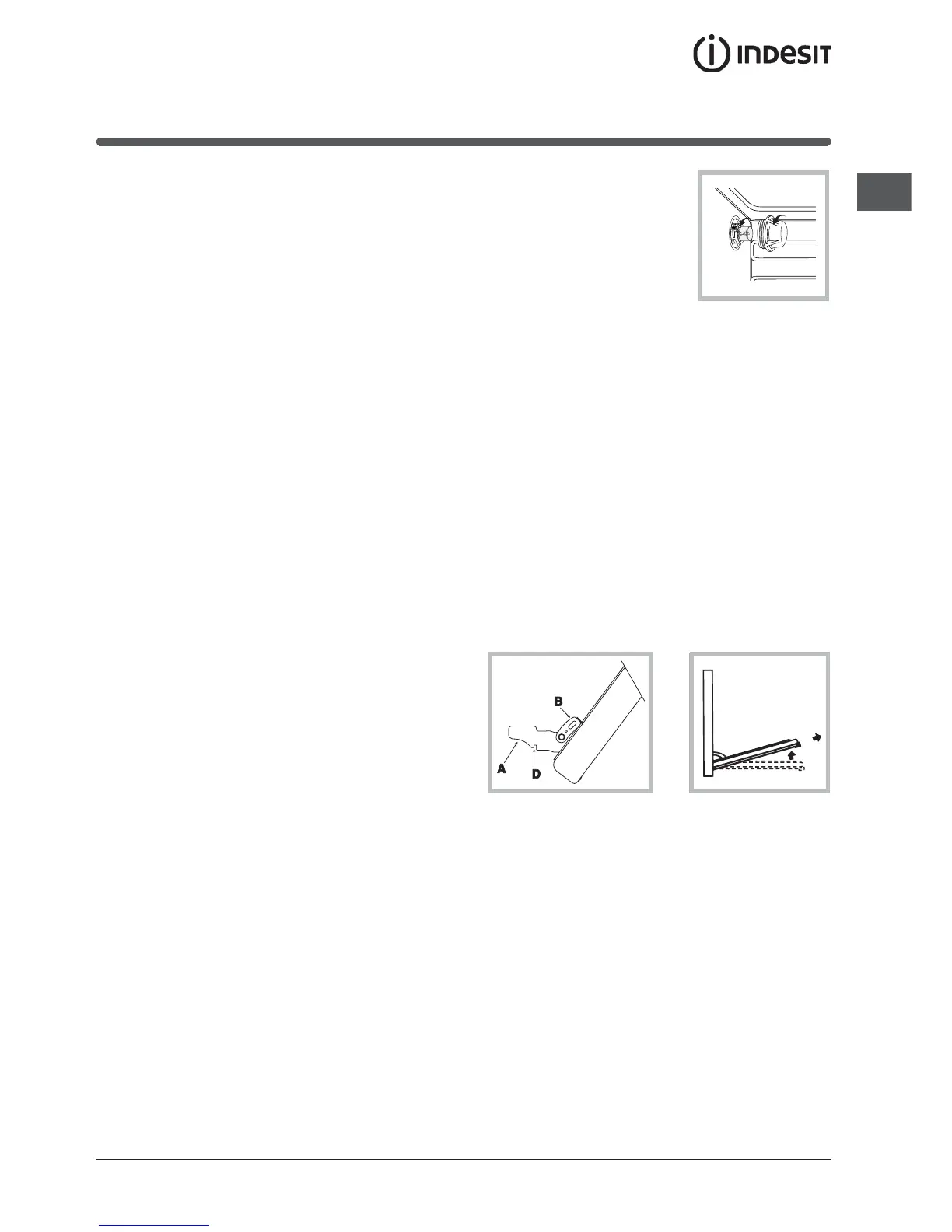
Changing the oven light bulb
Cutoff the supply of power to the oven by turning
off the omni-polar switch connecting it to the
mains, or by removing the plug if it is accessible;
Unscrew the glass cover attached to the lamp
holder;
Unscrew the lamp and replace it with another
high-temperature lamp (300°C) with the following
characteristics:
- Voltage: 230/240 V
- Wattage: 15W
- Socket: E14
Remount the glass cover
and reconnect the
appliance to the power
supply.
Disassembling/assembling the oven door
To make it easier to clean the inside of your oven,
the oven door can be removed, by proceeding as
follows:
Open the door completely and lift the 2 levers B;
Now, shutting the door slightly, you can lift it out
by pulling out the hooks A as shown in figure.
To reassemble the door:
With the door in a vertical position, insert the two
hooks A into the slots;
Ensure that seat D is hooked perfectly onto the
edge of the slot (move the oven door backwards
and forward slightly);
Keep the oven door open fully, unhook the 2
levers B downwards and then shut the door
again.
Inspect The Oven Seals
Check the door seals around the oven door
regularly.
If the seals are damaged, please contact your
nearest Ariston Service Centre. We recommend that
the oven is not used until worn seals have been
replaced.
Cleaning The Cooktop
Always wipe spills up when they occur. Do not leave
spills to dry onto the surface of the hob.
It is usually enough to wash the hob with a damp
sponge and dry it with absorbent kitchen roll.
NOTE: Do not put hot components in cold water. The
sudden temperature shock could cause the
component to crack.
Do not use abrasive or corrosive detergents such as
stain removers, anti-rust products, powder


 To Next Page
 Loading...