194
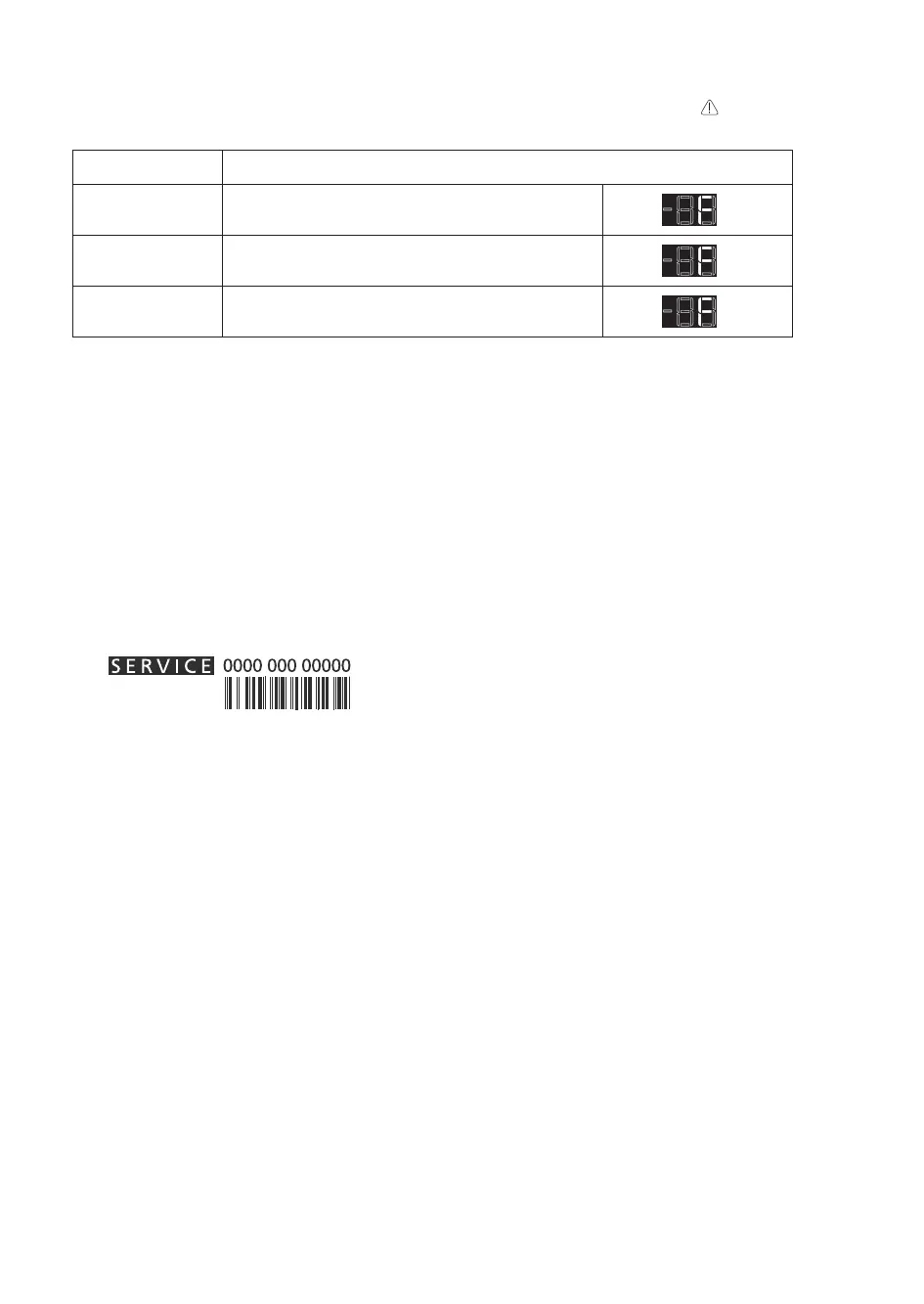
Intheeventofoperationalarms,theywillalsobedisplayedinthedigitsLEDs,(e.g.Failure1,Failure2,etc...)call
After-salesServiceandspecifythealarmcode.Theacousticalarmsounds,theAlarmicon
lightsupandtheF
letteronthedigitdisplayblinksaccordingtofailurecodedescribedbelow:
Error2
Fletterblinkon/offat0,5sec.BlinksON2times
then remain off for 5 seconds. Pattern repeats.
x2
Error3
Fletterblinkon/offat0,5sec.BlinksON3times
then remain off for 5 seconds. Pattern repeats.
x3
Error6
Fletterblinkon/offat0,5sec.BlinksON6times
then remain off for 5 seconds. Pattern repeats.
x6
Switchtheapplianceonagaintoseeiftheproblemhasbeensolved.Ifithasnot,disconnecttheappliancefrom
thepowersupplyandwaitforaboutanhourbeforeswitchingonagain.
If,afterperformingthechecksdescribedintheTroubleshootingGuideandswitchingtheapplianceonagain,your
appliancestilldoesnotworkproperly,contacttheAfter-salesService,explaintheproblem.
• themodelandapplianceserialnumber(statedontheratingplate),
• thenatureoftheproblem,
• theServicenumber(thenumberafterthewordSERVICEonthedataplateontheinsideoftheappliance),
• yourfulladdress,
• your telephone number and area code.
Thedirectionofdooropeningcanbechanged.IfthisoperationisperformedbyAfter-salesServiceitisnot
coveredbythewarranty.



 To Next Page