EasyManua.ls Logo

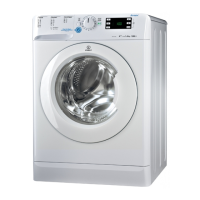
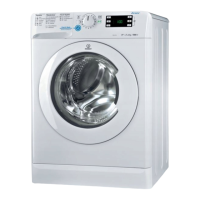
Indesit XWE 81252 - User Manual

Indesit XWE 81252
28 pages
Go to English
Print Icon
To Next Page IconTo Next Page
Loading...
FR
1
Français,1
FR
LAVE-LINGE
Sommaire
Installation, 2-3
Déballage et mise à niveau
Raccordements eau et électricité
Premier cycle de lavage
Caractéristiques techniques
Entretien et soin, 4
Coupure de l’arrivée d’eau et du courant
Nettoyage du lave-linge
Nettoyage du tiroir à produits lessiviels
Entretien du hublot et du tambour
Nettoyage de la pompe
Contrôle du tuyau d’arrivée de l’eau
Précautions et conseils, 5
Sécurité générale
Mise au rebut
Ouverture manuelle de la porte hublot
Description du lave-linge, 6-7
Bandeau de commandes
Écran
Comment faire un cycle de lavage, 8
Programmes et options, 9-10
Tableau des programmes
Options de lavage
Push & Wash
Produits lessiviels et linge, 11-12
Tiroir à produits lessiviels
Cycle blanchissage
Triage du linge
Programmes spéciaux
Système d’équilibrage de la charge
Anomalies et remèdes, 13
Assistance, 14
XWE 81252
Mode d’emploi
GB
English,15
Question and Answer IconNeed help?

Do you have a question about the Indesit XWE 81252 and is the answer not in the manual?

Summary

Installation Guide

Unpacking and Levelling the Washing Machine

Remove packaging, check for damage, and level the machine on a flat floor for stability and reduced noise.

Connecting Water and Electricity Supplies

Connect water inlet hose to tap and machine. Ensure electrical connections are safe and compliant.

Care and Maintenance Procedures

Water, Electricity Cutoff, and Cleaning

Turn off water tap after use and unplug for cleaning. Clean exterior, pump, and run 'Auto Clean' program.

Detergent Dispenser, Door, Drum, and Hose Care

Wash dispenser drawer regularly. Leave porthole door ajar. Check water inlet hose for cracks annually.

Precautions and Safety Tips

General Safety Guidelines

Appliance for domestic use. Supervise children. Avoid touching with wet hands/feet. Do not pull cable or force door.

Disposal and Manual Door Opening

Follow local regulations for packaging disposal. Learn how to open the door manually if power fails.

Washing Machine Description

Control Panel and Button Functions

Overview of the control panel, including ON/OFF, START/PAUSE, CYCLE SELECTOR, and other buttons.

Detergent Dispenser and Standby Mode

How to use the detergent dispenser and explanation of the energy-saving standby mode.

Display Information

Understanding the Display Segments

Explanation of display sections A (time), B (phases), and C (options) for monitoring the wash cycle.

Door Locked Indicator Light

Meaning of the DOOR LOCKED symbol and when it is safe to open the door.

Running a Wash Cycle

Programming Wash Cycles

Steps for selecting and customizing wash cycles, including rapid and traditional programming methods.

Starting, Pausing, and Ending Cycles

Instructions on how to start, pause, resume, and correctly end a wash cycle.

Wash Cycles and Options

Wash Cycle Table and Details

Comprehensive table detailing various wash cycles, their parameters, and recommended usage.

Explanation of Wash Options

Guide to using additional wash options like Rapid, Fast Forward, and Stain Removal for better results.

Push & Wash Functionality

Using the Push & Wash Feature

Step-by-step guide on how to load, add detergent, and start the convenient Push & Wash automatic cycle.

Detergents and Laundry Preparation

Detergent Dispenser, Bleach, and Laundry Sorting

Instructions on using detergent compartments, bleach, and tips for sorting laundry by fabric and color.

Special Wash Cycle Overview

Details on specific cycles for Sport, Dark, Wool, Duvet, and Coloured items to ensure optimal cleaning.

Specific Cycles and Load Balancing

Cotton, Synthetic, and Rapid Cycle Guides

Information on programmes 12, 13, and 14, detailing their suitability for different fabric types and soil levels.

Load Balancing System Explained

How the machine's load balancing system works to prevent excessive vibrations during the spin cycle.

Troubleshooting Common Issues

Startup, Water, and Draining Problems

Solutions for issues like the machine not switching on, starting, filling, or continuous filling/draining.

Cycle, Vibration, Leaks, and Error Resolution

Troubleshooting draining, spinning, vibration, leaks, error codes, excessive foam, and function errors.

Service and Technical Assistance

Pre-Assistance Checks and Information

Steps to take before contacting technical support, including troubleshooting and gathering appliance details.

Summary

Installation Guide

Unpacking and Levelling the Washing Machine

Remove packaging, check for damage, and level the machine on a flat floor for stability and reduced noise.

Connecting Water and Electricity Supplies

Connect water inlet hose to tap and machine. Ensure electrical connections are safe and compliant.

Care and Maintenance Procedures

Water, Electricity Cutoff, and Cleaning

Turn off water tap after use and unplug for cleaning. Clean exterior, pump, and run 'Auto Clean' program.

Detergent Dispenser, Door, Drum, and Hose Care

Wash dispenser drawer regularly. Leave porthole door ajar. Check water inlet hose for cracks annually.

Precautions and Safety Tips

General Safety Guidelines

Appliance for domestic use. Supervise children. Avoid touching with wet hands/feet. Do not pull cable or force door.

Disposal and Manual Door Opening

Follow local regulations for packaging disposal. Learn how to open the door manually if power fails.

Washing Machine Description

Control Panel and Button Functions

Overview of the control panel, including ON/OFF, START/PAUSE, CYCLE SELECTOR, and other buttons.

Detergent Dispenser and Standby Mode

How to use the detergent dispenser and explanation of the energy-saving standby mode.

Display Information

Understanding the Display Segments

Explanation of display sections A (time), B (phases), and C (options) for monitoring the wash cycle.

Door Locked Indicator Light

Meaning of the DOOR LOCKED symbol and when it is safe to open the door.

Running a Wash Cycle

Programming Wash Cycles

Steps for selecting and customizing wash cycles, including rapid and traditional programming methods.

Starting, Pausing, and Ending Cycles

Instructions on how to start, pause, resume, and correctly end a wash cycle.

Wash Cycles and Options

Wash Cycle Table and Details

Comprehensive table detailing various wash cycles, their parameters, and recommended usage.

Explanation of Wash Options

Guide to using additional wash options like Rapid, Fast Forward, and Stain Removal for better results.

Push & Wash Functionality

Using the Push & Wash Feature

Step-by-step guide on how to load, add detergent, and start the convenient Push & Wash automatic cycle.

Detergents and Laundry Preparation

Detergent Dispenser, Bleach, and Laundry Sorting

Instructions on using detergent compartments, bleach, and tips for sorting laundry by fabric and color.

Special Wash Cycle Overview

Details on specific cycles for Sport, Dark, Wool, Duvet, and Coloured items to ensure optimal cleaning.

Specific Cycles and Load Balancing

Cotton, Synthetic, and Rapid Cycle Guides

Information on programmes 12, 13, and 14, detailing their suitability for different fabric types and soil levels.

Load Balancing System Explained

How the machine's load balancing system works to prevent excessive vibrations during the spin cycle.

Troubleshooting Common Issues

Startup, Water, and Draining Problems

Solutions for issues like the machine not switching on, starting, filling, or continuous filling/draining.

Cycle, Vibration, Leaks, and Error Resolution

Troubleshooting draining, spinning, vibration, leaks, error codes, excessive foam, and function errors.

Service and Technical Assistance

Pre-Assistance Checks and Information

Steps to take before contacting technical support, including troubleshooting and gathering appliance details.

Indesit XWE 81252 Specifications

General IconGeneral
Load Capacity8 kg
Spin Speed1200 rpm
Energy Efficiency ClassA++
Noise Level (Wash)60 dB
Noise Level (Spin)80 dB
Dimensions (H x W x D)85 x 59.5 x 60.5 cm
TypeFreestanding
Loading typeFront
Number of Programs16

Related product manuals