Test
12 - SCR708
Software
For the SCR708 there are 2 tools available each with its specific features. Connect the SCR708 to a computer or laptop and
present a card to the reader. Please note that the reader needs to have the HID RAW Configuration. (See Omni RFID
Program tool manual for more details).
Omni RFID Reader Configuration Tool
This tool is ideal for card investigation of customer cards
With this tool it is possible to change the behaviour of the card reader, for example it is possible to change the read out of
the RFID card but also the LEDs can be switched off or the volume of the beeper can be changed. Once finished it is possible
to store the created settings in a special config file which can be programmed via the Inepro Omni ISO Reader Program tool.
For more information regarding this Reader and Configuration tool please consult it's user manual.
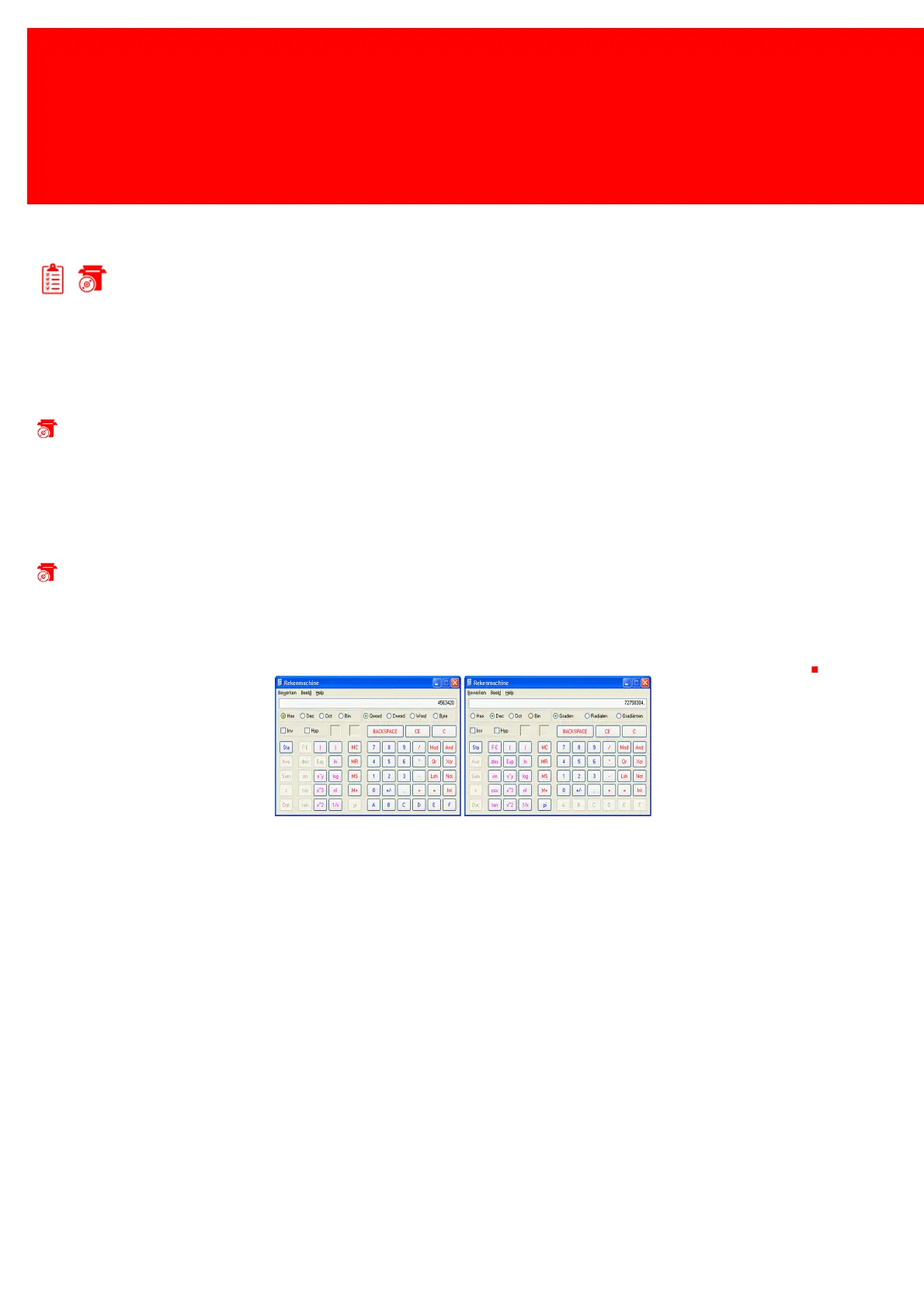
Quick-Test with the Windows Calculator:
1.
Connect to Inepro USB RFID Reader to the USB PC or laptop.
2.
Start the Calculator application on Windows, set de calculator under 'View' in on 'Scientific'.
3.
Set the number system to hex decimal ('Hex').
4.
Present a card to the Inepro USB RFID Reader.
5.
Set the number system to decimal ('Dec') to read out the decimal value of this number. This is the card number


 To Next Page