9
User Manual — Linea Pro Rugged for iPod touch
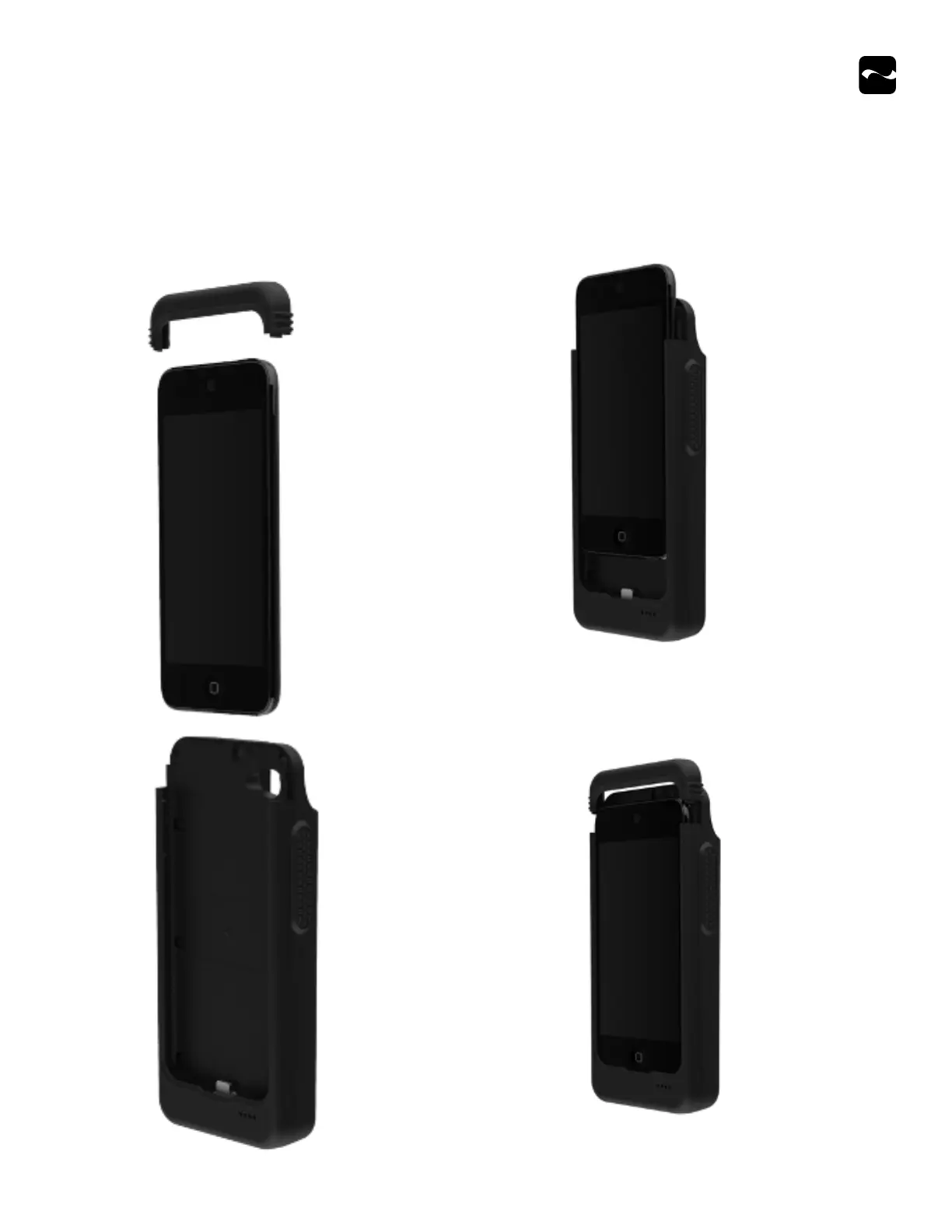
2. Attach your iOS device to the Lightning™ connector by firmly
sliding it into place.
3. Align the top cover with the two hooks, and then slide it down
until it clicks into place.
4. Tighten the security screw onto the back cover.
Assembling Your Linea Pro Rugged
Before assembly, ensure asset tags or labels are not applied onto the back of your iOS device. Any stickers on the unit can interfere with the
performance of the iOS device and/or the assembly/disassembly with the Linea Pro Rugged.
1. Remove the top cover by loosening the security screw with a
screwdriver, and then slide the unit forward and lift it up.


 To Next Page