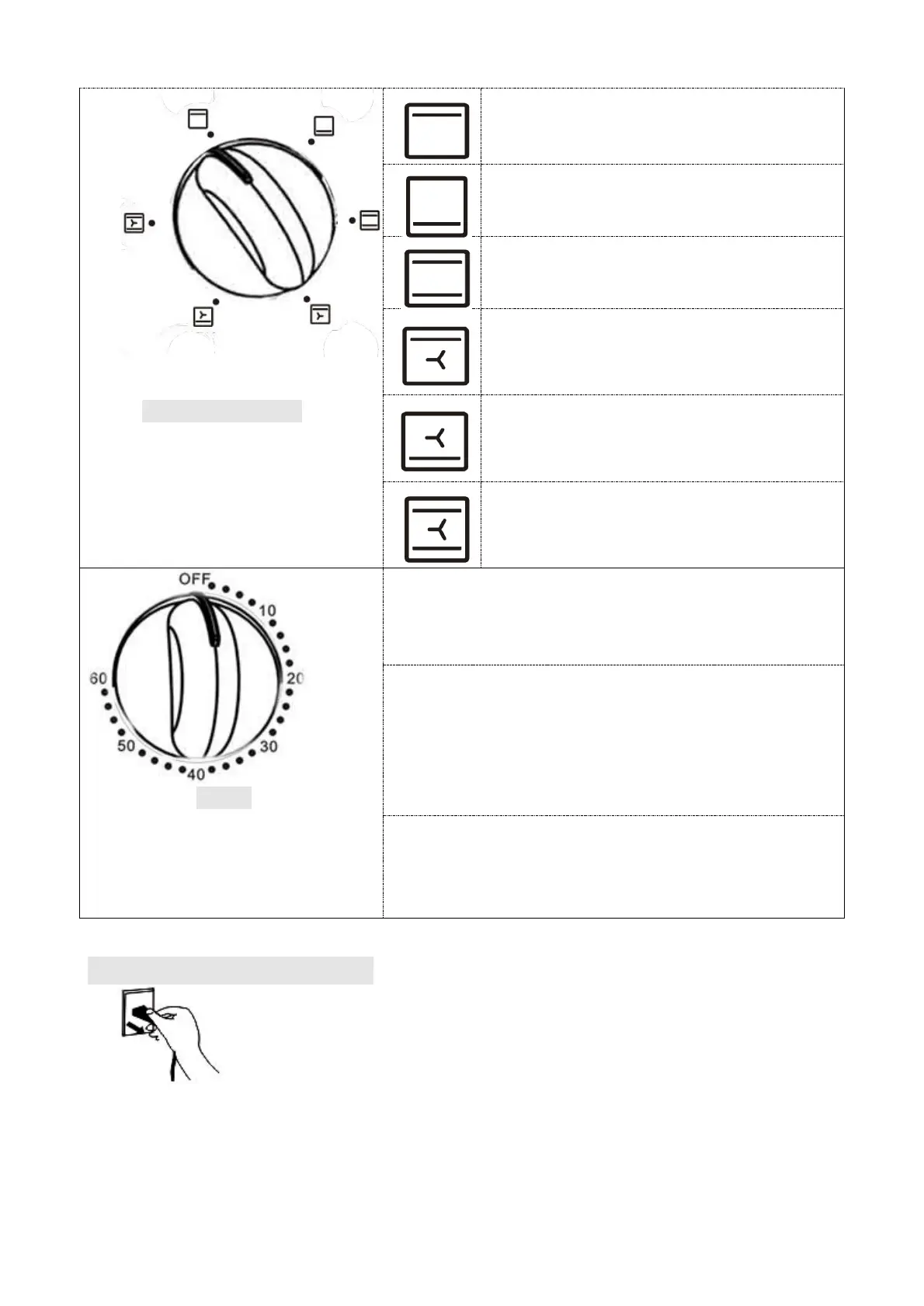
Function Control
Select the suitable heating
element according to the
dishes you are going to
cook.
Upper Heating
Lower Heating
Upper & Lower Heating
Upper Heating
+
Convection
Lower Heating
+
Convection
Upper & Lower Heating
+
Convection
Timer
You can observe whether
the oven is switched on or
not by observing the front
Indicator light.
1. Set the arrow on the “Timer” to the number
which indicates the cooking time (minutes)
according to the dishes you are going to cook.
2. Set the “Timer” by turning it clockwise. The
oven will turn off automatically at the end of
the selected time and a bell will ring.
When setting the Timer to less than 5 min,
turn it to more than 6 min. and then back to the
selected time.
3. The oven can be turned off manually during
cooking by turning the “Timer” anti-clockwise
to the "OFF" position.
METHOD OF CLEANING
Take off the plug and cool down before cleaning.


 To Next Page