Cooling
Mode
Operation
·
Under cooling mode, cooling indicator will light on.
·
Temperature Setting is from 16℃ to 30℃.
·
Press Fan Speed Button to choose from low/ high fan speed.
Fan Mode
·
Under Fan mode, indicator will be on.
·
Press Fan Speed Button to choose from low/ high fan speed.
·
Temperature cannot be set under this mode.
Dry Mode
·
Dry indicator will be on under this mode.
·
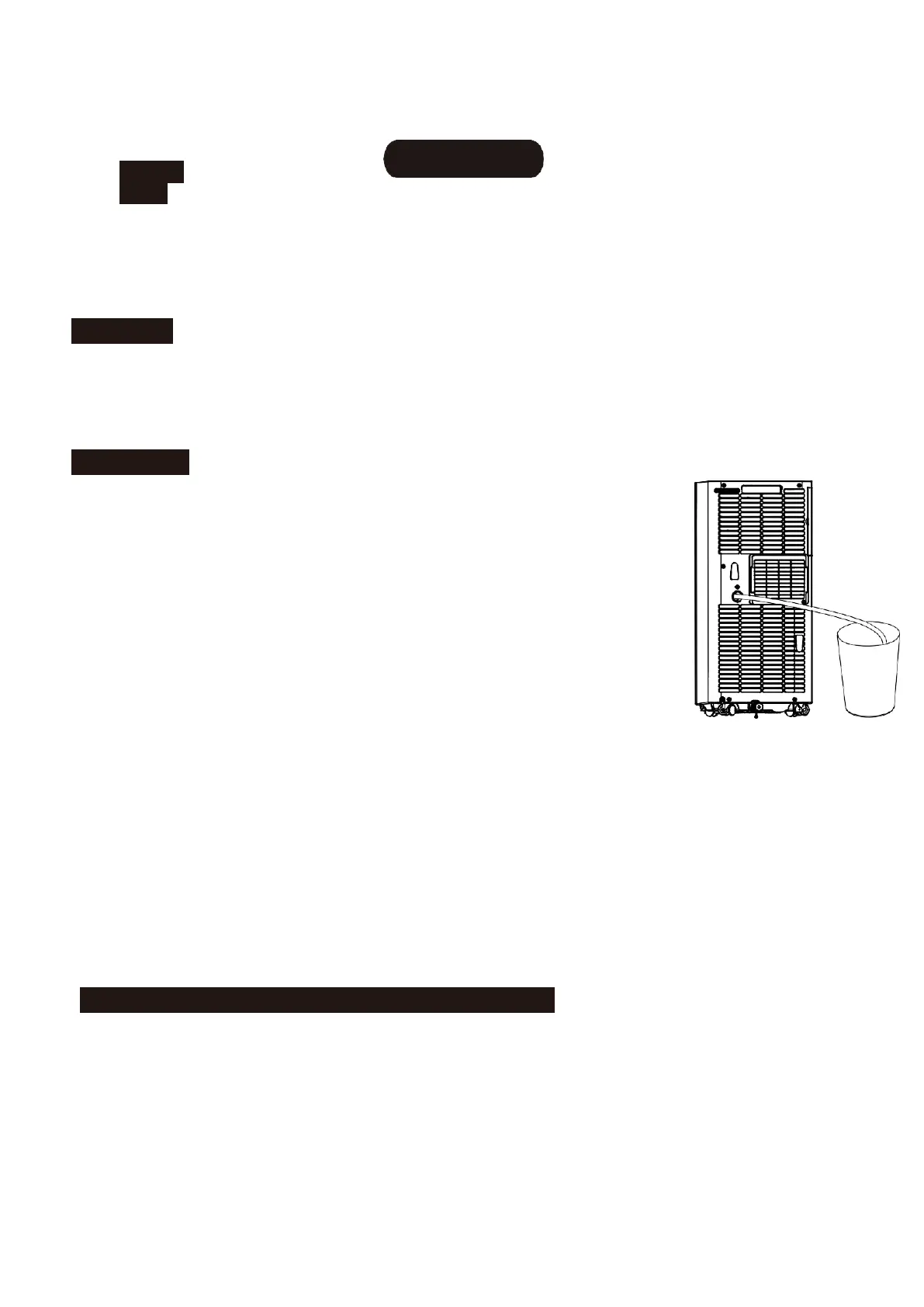
Remove water plug (see right), insert one end of pipe to
drainage hose,the other end would be in water tank or
water channel.
·
If ambient Temp. ≥17℃(or 62℉)compressor starts and
follow below sequence: if ambient Temp. ≤15℃ (or 59℉)
compressor stops;when it reaches ≥17℃,compressor
starts again.(There would be a 3-min delay for
Compressor protection)
·
Fan runs with a fixed low speed.
·
Temp. is fixed.
(Notes:Under dry mode,please dismantle air exhaust duct,or
performance will be affected and water full alarm“FL”will buzz.)
Heating Mode
(not available for cooling only model)
·
Under this mode, heating indicator will light up.
·
Press UP/DOWN button to select Temp. between 16℃ and 30℃.
·
Press Fan Speed button to set low/ high speed.


 To Next Page