11
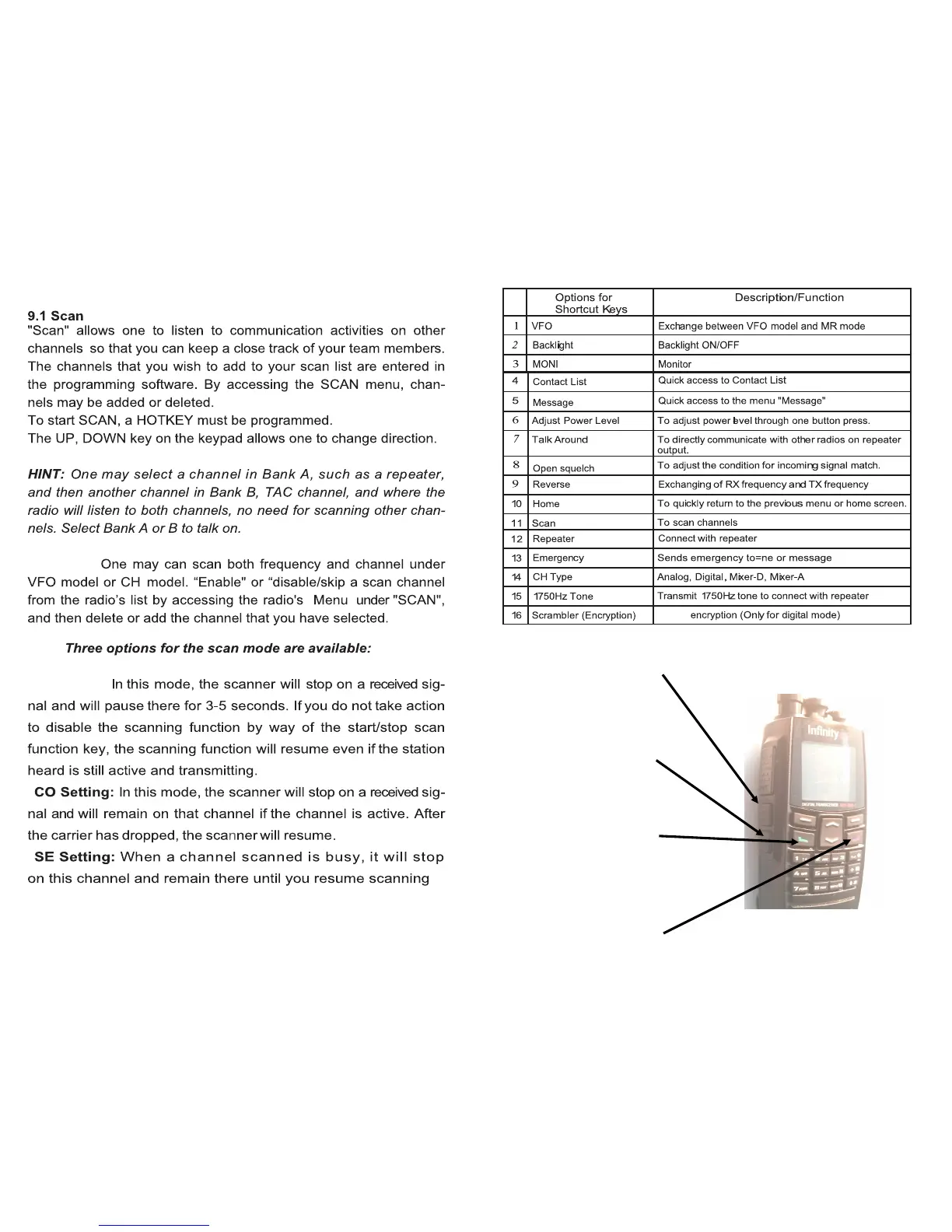
4.0 List of Hot Key (short cuts) available
Key
Enable
YOUR RADIO’S HOT KEYS
Write in the keys as programmed for future
reference. Defaults may change without
notice.
Side Key 1:
Long Press: _______________
(default: MONITOR/MONI )
Short Press: _______________
(default: MONITOR/MONI )
Side Key 2:
Long Press: _______________
(default: TALKAROUND)
Short Press:_______________
(default: BACKLIGHT)
Front Panel Function Key 1:
Long Press; _______________
(default SCAN )
Short Press: _______________
(default: NONE)
Front Face Function Key 2:
Long Press:________________
(default : VFO)
Short Press:________________
(default: NONE)
Note 1: REVERSE and TALKAROUND
NEED TO BE ENABLED IN THE CHANNEL
EDIT SCREEN IN THE PROGRAMMING
SOFTWARE



 To Next Page