2
3
Injection of cleaning solution
Mode settings
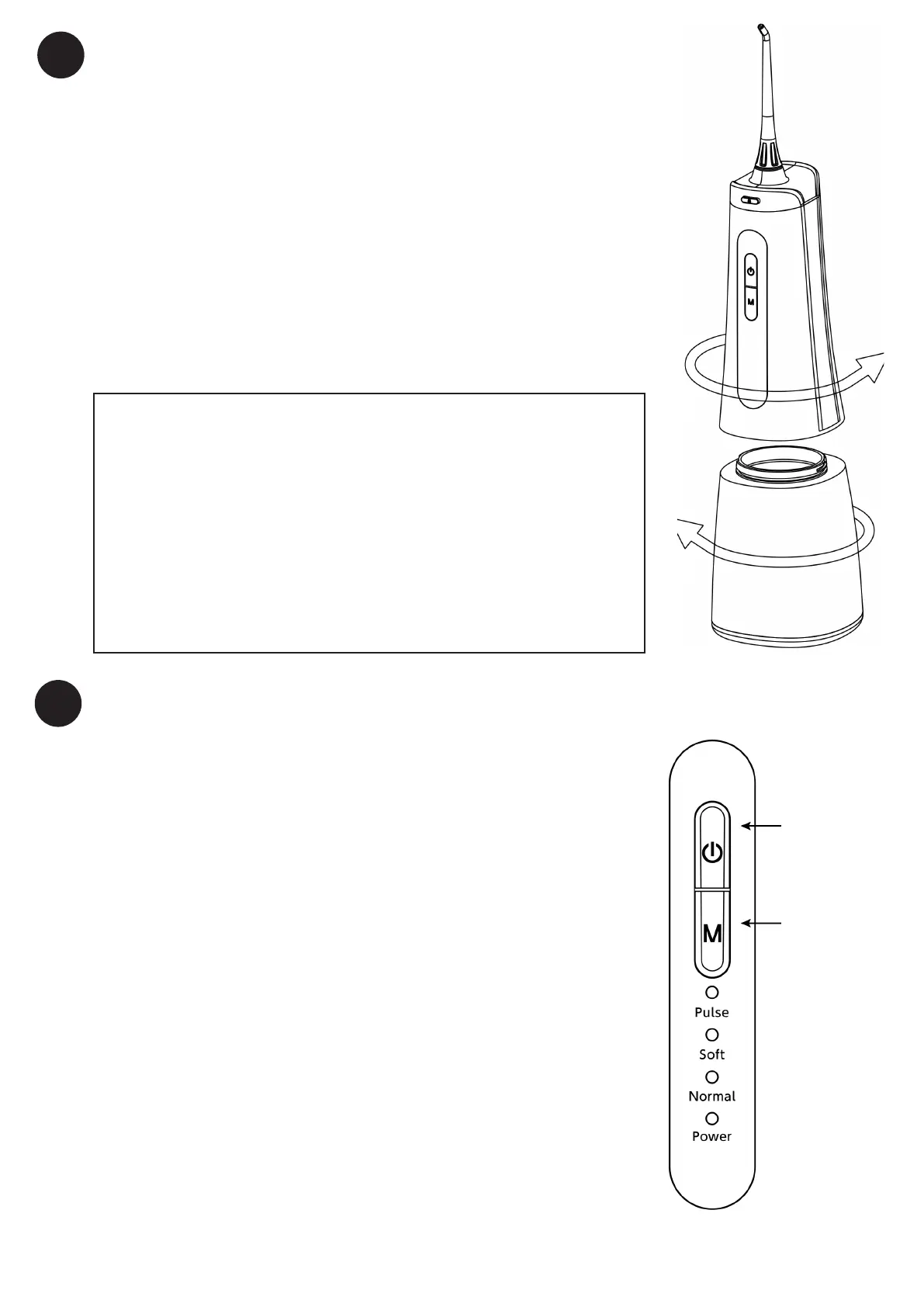
Open the water tank as shown in the method on
the right, ll the tank with water, and close the tank
after lling with water to start using it.
Press the mode switch button on the front of the
main unit and select the desired water pressure.
Every time it is pressed, it switches in the order of
Pulse, Soft, Normal and Power. Check the set mode
with the corresponding mode indicator lamp.
• Tap water
• Warm water
(40° or lower)
• Mouthwash
On the right is a list of liquids
that can be put into the can
and used for cleaning. DO
NOT use any other liquids as
this may cause malfunction.
Power button
Mode switch
button


 To Next Page
 Loading...