Black plate (119,1)
Model "INFINITI_NAVI" EDITED: 2006/ 3/ 20
INV2914
&
1
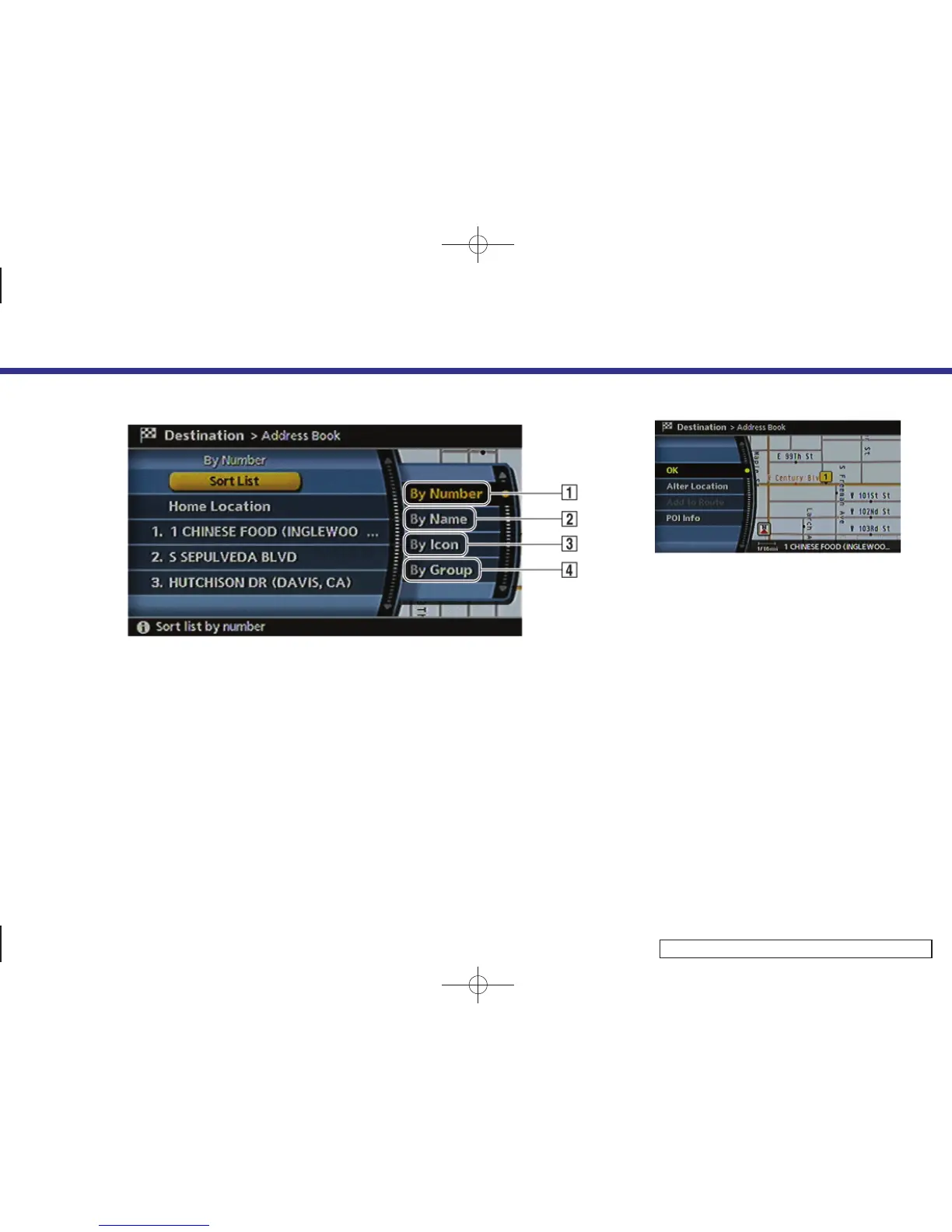
Sort by number:
The Address Book entries are displayed
in ascending numerical order.
&
2
Sort by name:
The Address Book entries are displayed
in alphabetic order.
&
3
Sort by icon:
By selecting a particular icon, a list that
contains only the Address Book entries
associated with that icon is displayed.
&
4
Sort by group:
By selecting a particular group (family,
friends, leisure, etc.), the selected
group is displayed at the top of the list.
INV2915
3. The selected destination is displayed at
the center of the map. Highlight [OK]
after confirming the location of the
displayed destination, and push
<ENTER>.
The system sets the destination to the
selected location and starts calculating
a route.
4. Setting a destination
4-25


 To Next Page
 Loading...