Black plate (125,1)
Model "INFINITI_NAVI" EDITED: 2006/ 3/ 20
INV2494
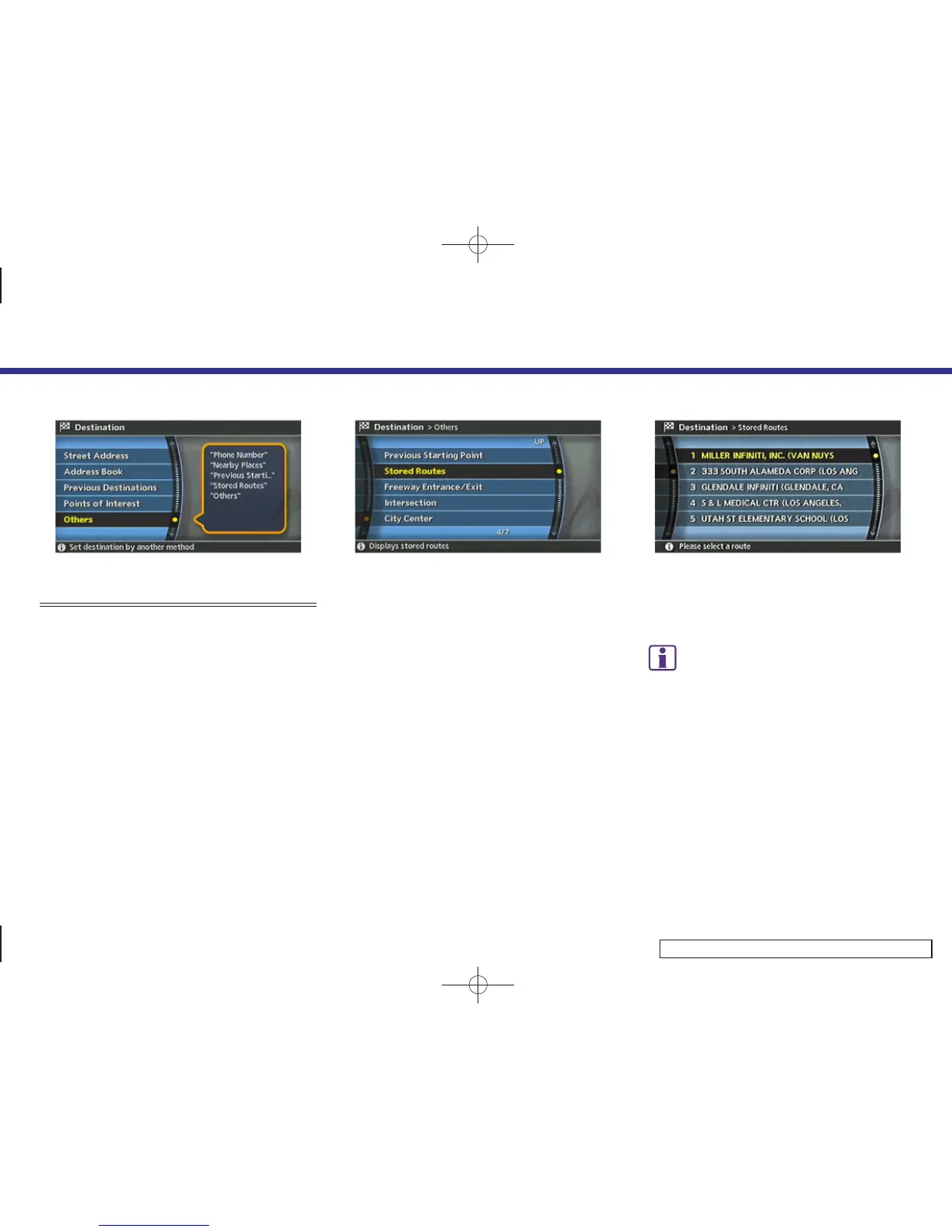
SETTING FROM STORED ROUTES
1. Highlight [Others] and push <ENTER>.
INV2511
2. Highlight [Stored Routes] and push
<ENTER>.
A list screen is displayed.
INV2512
3. Highlight the preferred route from the
list and push <ENTER>.
The route to the destination is set.
INFO:
The stored route includes only locations (desti-
nation and waypoints) and route calculation
conditions, not the route itself. Therefore, when
the destination is set using a stored route, a
different route may be suggested if the current
vehicle location is different from the one when
the route was stored.
4. Setting a destination
4-31


 To Next Page
 Loading...