Black plate (152,1)
Model "INFINITI_NAVI" EDITED: 2006/ 3/ 20
PROCEDURES AFTER SETTING A DESTI-
NATION
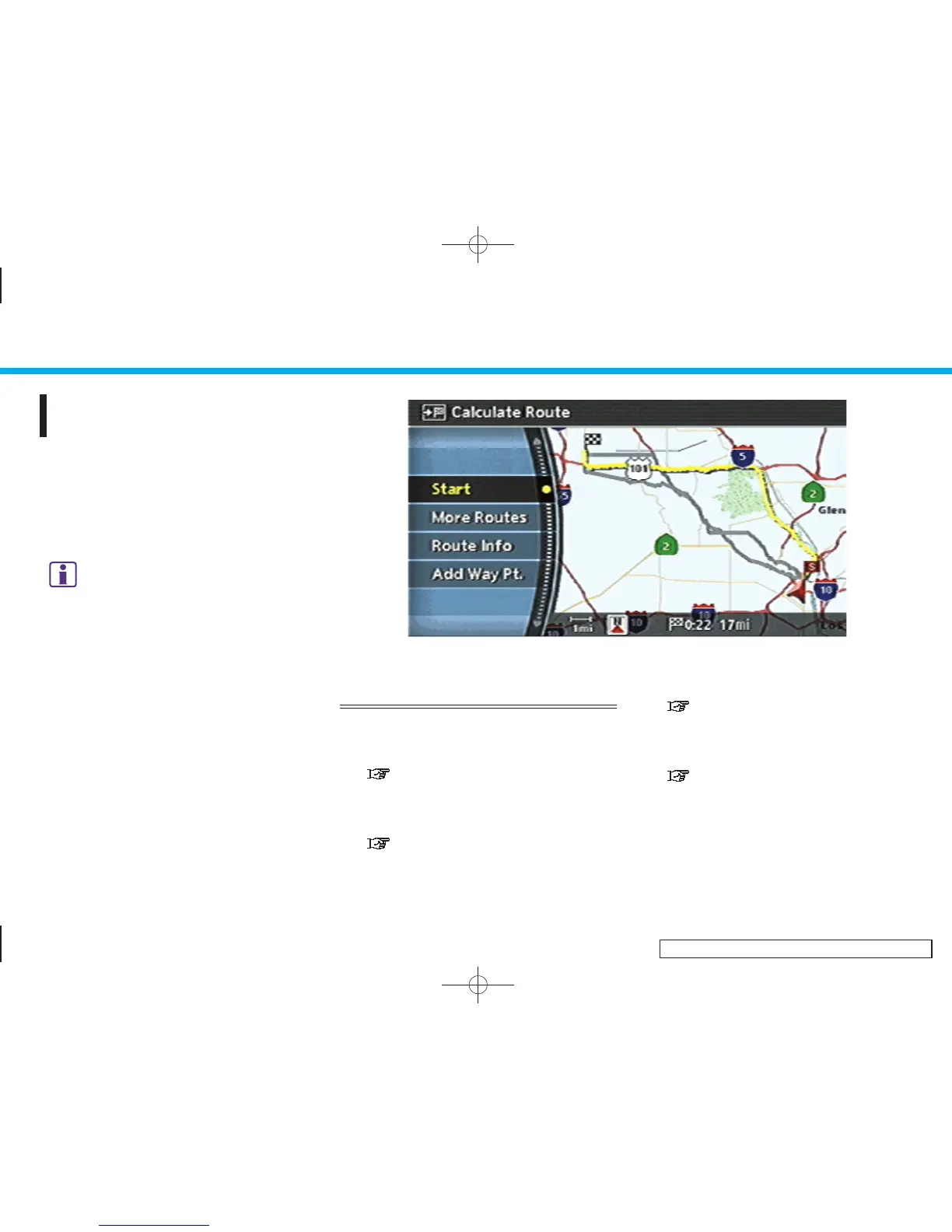
After you set a destination using an
appropriate method and select [OK], the
system starts calculating a route to the
destination.
Select the preferred setting item and push
<ENTER>.
INFO:
If you have not performed any operations on the
system for several seconds, [Start] is automati-
cally selected, and the system starts route
guidance.
INV2582
AVAILABLE ITEMS AFTER SETTING A
DESTINATION
. Start:
Starts route guidance to the selected
destination.
“STARTING ROUTE GUIDANCE”
(page 5-3)
. More Routes:
Displays 3 alternative routes.
“SELECTING A ROUTE” (page 5-3)
. Route Info:
Displays the route information.
“CONFIRMING A ROUTE” (page 5-4)
. Add Way Pt.:
Allows you to edit the route by adding a
destination or waypoint.
“ADDING A DESTINATION OR WAY-
POINT” (page 5-5)
5. Route guidance
5-2


 To Next Page
 Loading...