Black plate (153,1)
Model "INFINITI_NAVI" EDITED: 2006/ 3/ 20
INV2583
STARTING ROUTE GUIDANCE
1. Hig hlight [Start] and push <ENTER>.
Route guidance starts.
INV2584
SELECTING A ROUTE
1.Highlight[MoreRoutes]andpush
<ENTER>.
2. Highlight the preferred route condition
and push <ENTER>.
3. Push <BACK> to return to the previous
screen.
INV2585
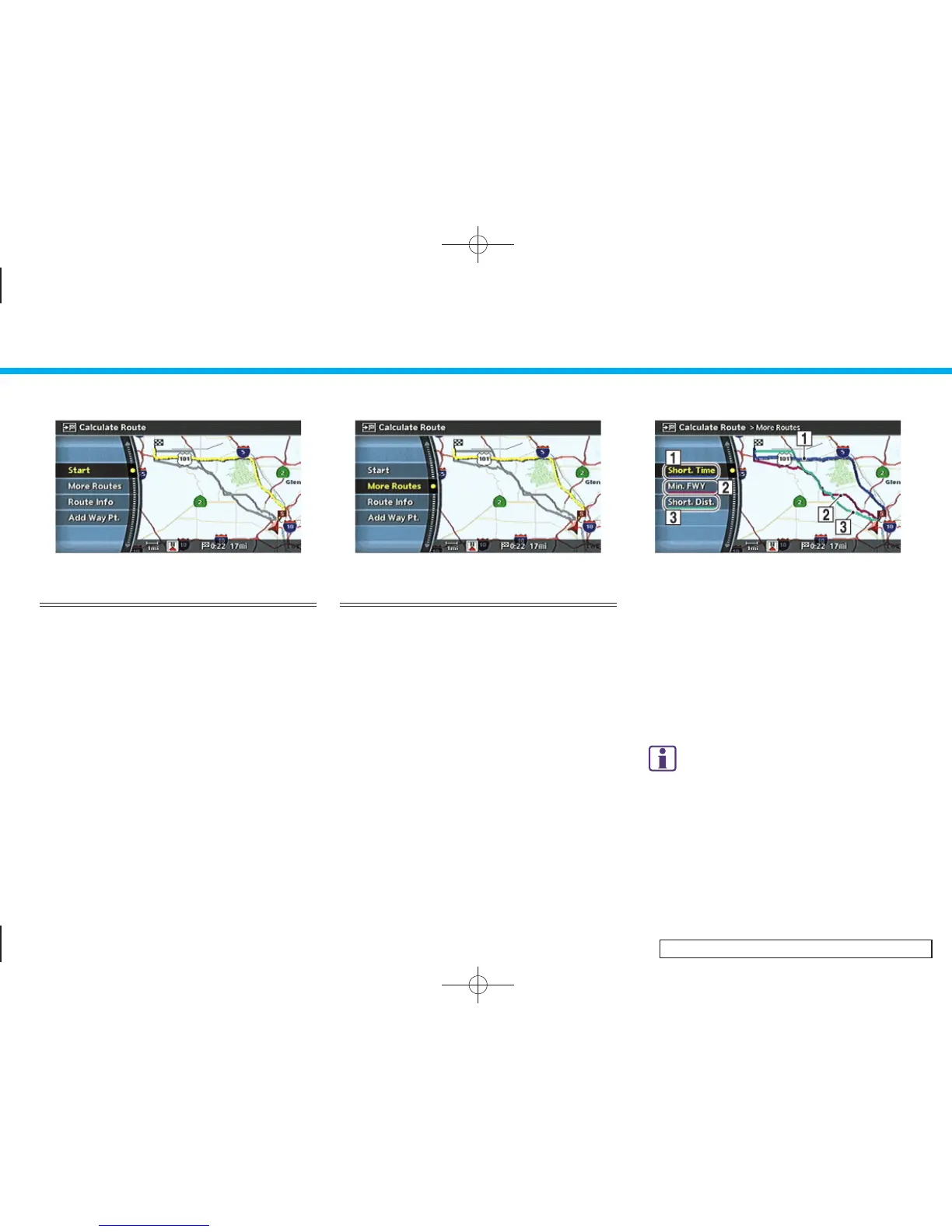
Available route conditions
&
1
Short. Time (Blue):
Prioritizes by the shortest time.
&
2
Min. FWY (Red):
Minimizes the use of freeways.
&
3
Short. Dist. (Green):
Prioritizes by the shortest distance.
INFO:
.
After you select a route, a preview is
displayed on the right side of the screen.
.
The 3 routes may not always be different.
5. Route guidance
5-3


 To Next Page
 Loading...