Black plate (231,1)
Model "INFINITI_NAVI" EDITED: 2006/ 3/ 20
VIEWING GPS CURRENT LOCATION IN-
FORMATION
This allows you to display GPS information,
such as the positioning status, latitude/
longitude, altitude and satellite locations.
BASIC OPERATION
FX45/35, QX56:
1. Push <SETTING>.
2. Highlight [Navigation] and push
<ENTER>.
3. Highlight [GPS Satellite Info] and push
<ENTER>.
4. Push <BACK> to return to the previous
screen.
Push <MAP> to return to the current
location map screen.
G35 Coupe, M45/M35:
1. Push <INFO>.
2. Highlight [GPS Satellite Info] and push
<ENTER>.
3. Push <BACK> to return to the previous
screen.
Push <MAP> to return to the current
location map screen.
INV2705
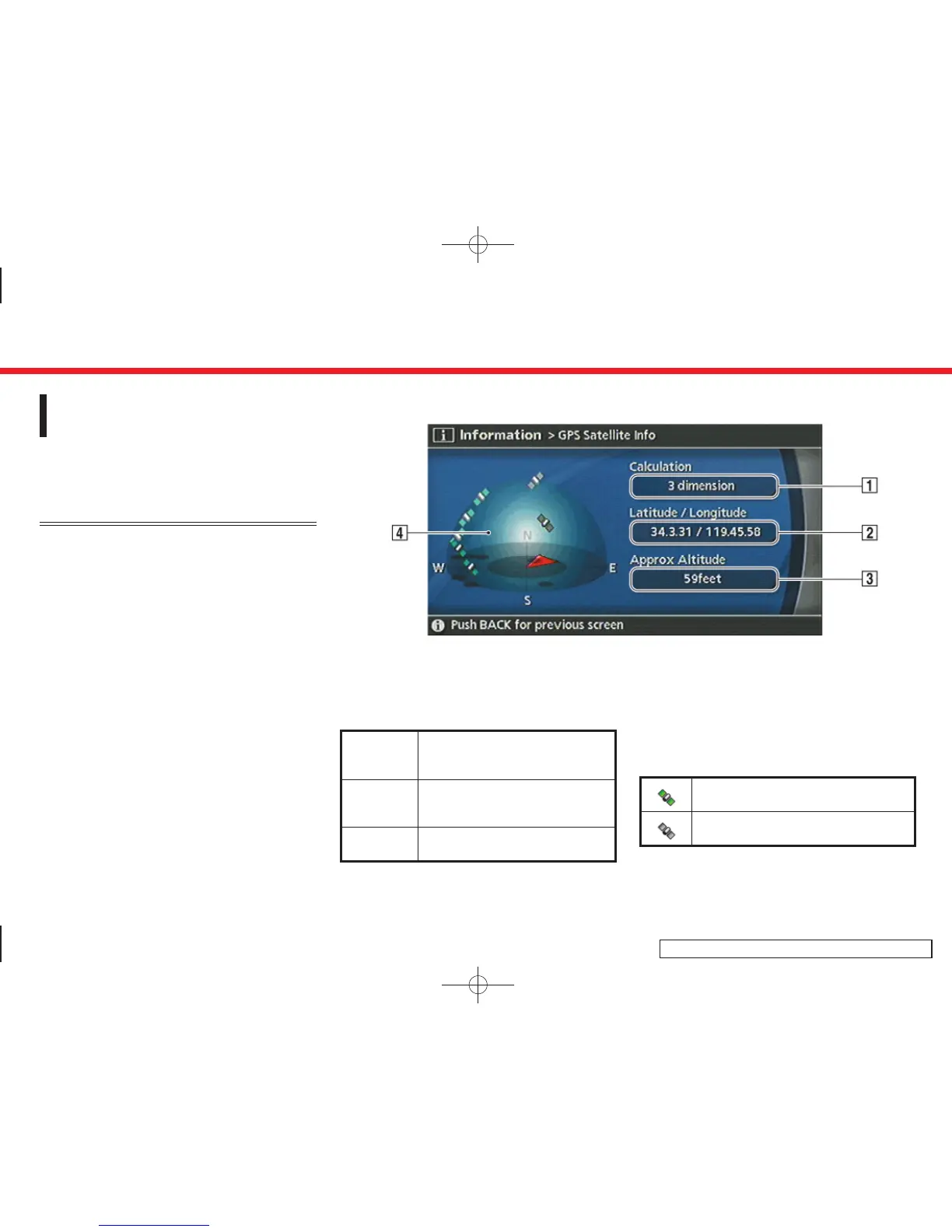
Contents of GPS information
&
1
Calculation:
Displays the GPS positioning method.
3-dimension
Calculating the latitude, longitude
and altitude by four or more satel-
lites.
2-dimension
Calculating the latitude, longitude
and altitude by three or more satel-
lites.
Out of range Cannot calculate because no GPS
satellites can be located.
&
2
Latitude/Longitude:
Displays the latitude/longitude.
&
3
Approx Altitude:
Displays the approximate altitude.
&
4
Positioning status:
It indicates that satellites are available.
It indicates that satellites are being
searched for.
7. Viewing technical information
7-5


 To Next Page
 Loading...