Black plate (22,1)
Model "INFINITI_NAVI" EDITED: 2006/ 3/ 20
MENU SCREEN TYPES AND HOW TO
OPERATE
INI0205
MENU SCREENS AND THEIR PUR-
POSES (G35 Coupe, QX56)
Push <DEST>, <ROU TE>, <TRIP> (QX56),
<INFO> (G35 Coupe) or <SETTING> to dis-
play the corresponding menu screen.
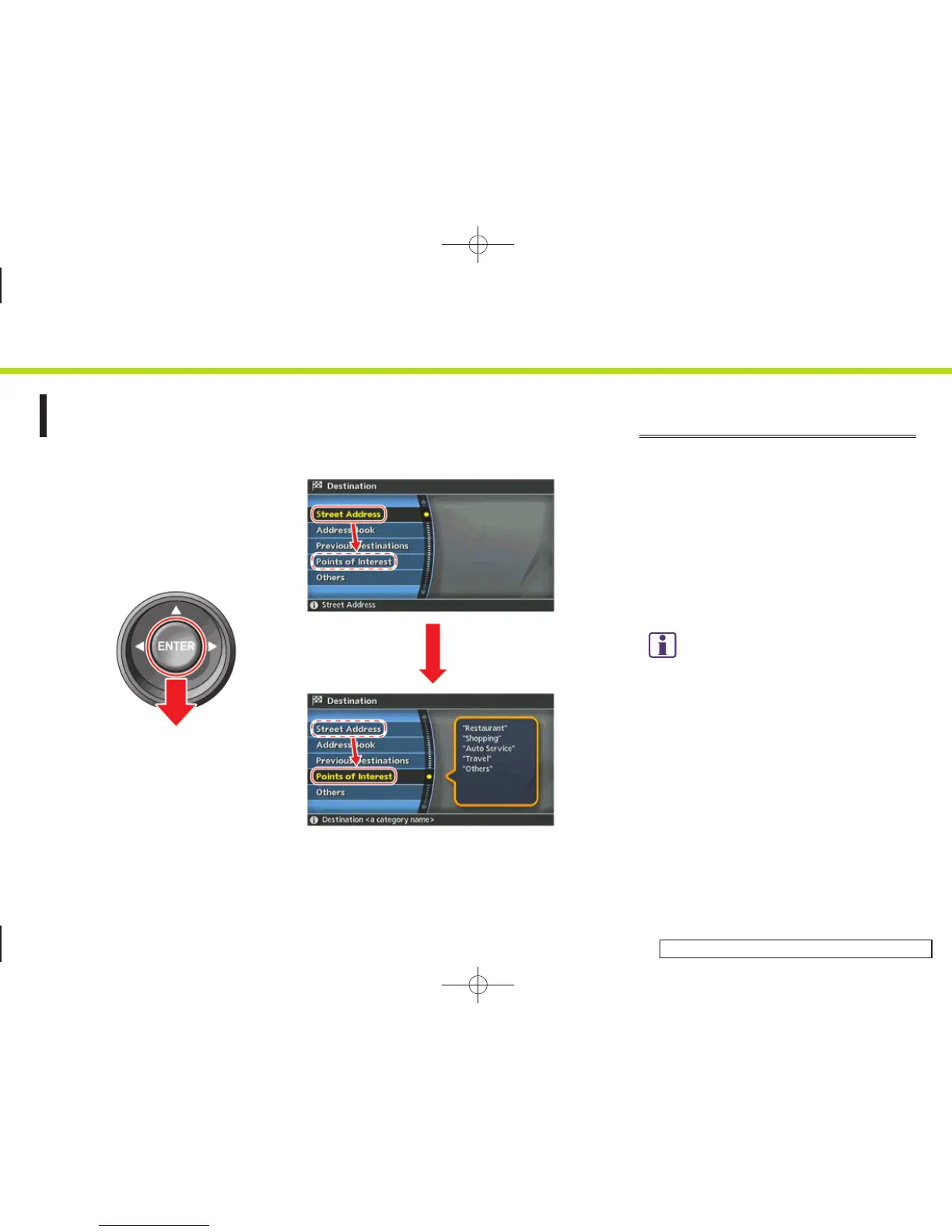
How to select a menu item
Example: <DEST> screen
1. Tilt the joystick up and down. An item is
highlighted accordingly.
2. To select the preferred menu item,
highlight the item and push <ENTER>.
INFO:
Some items in the menu contain further details,
which are displayed on the right side of the
screen when the menu item is highlighted. This
allows you to preview details of the item. These
details appear only on the menu screen
displayed by pushing <DEST>.
2. Getting started
2-14


 To Next Page
 Loading...