Black plate (258,1)
Model "INFINITI_NAVI" EDITED: 2006/ 3/ 20
ADJUSTING THE CURRENT VEHICLE LO-
CATION
If the vehicle icon indicating the current
vehicle location is not located in the correct
position, you can correct the position of
the vehicle icon on the map screen.
INFO:
.
Regardless of the map view setting, the map
is displayed in Plan View when adjusting
the position of the vehicle icon.
.
When you correct the position of the vehicle
icon, the map is automatically displayed in
the North Up mode. After finishing the
correction, the map restores the current
orientation setting.
.
The position and direction of the vehicle
icon may be misaligned depending on the
external conditions and environment.
.
If the vehicle icon is misaligned, drive for a
while in a location where the GPS signals
can b e receive d . Thi s may corr ect t h e
position of the vehicle icon.
“BASIC OPERATIONS” (page 11-3)
INV2723
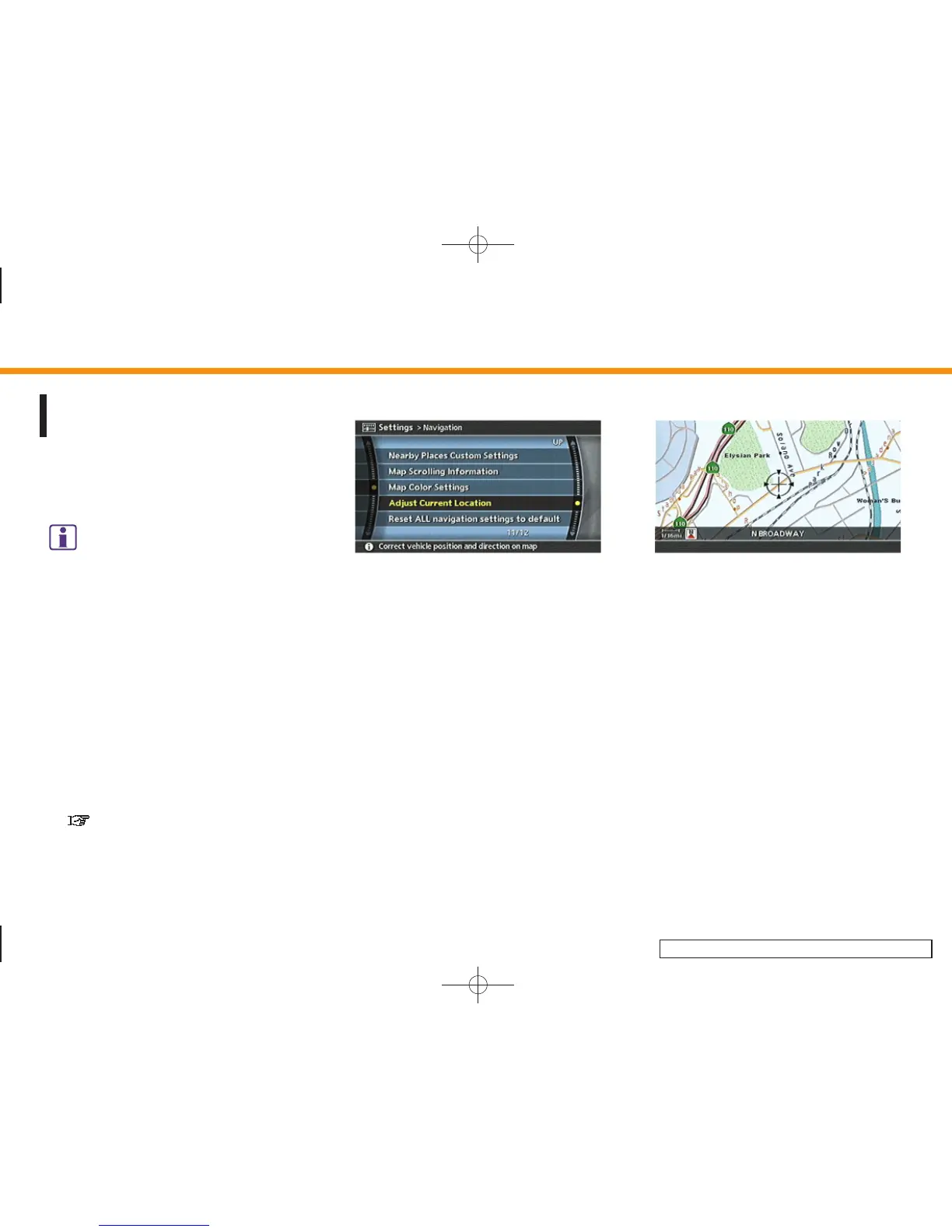
1. Highlight [Navigation] and push
<ENTER>.
2. Highlight [Adjust Current Location] and
push <ENTER>.
The current location map screen is
displayed.
INV2724
3. Adjust the position of the vehicle icon
using the joystick.
After adjusting the position of the
vehicle icon, push <ENTER>.
8. Other settings
8-26


 To Next Page
 Loading...