Black plate (26,1)
Model "INFINITI_NAVI" EDITED: 2006/ 3/ 20
INI0223
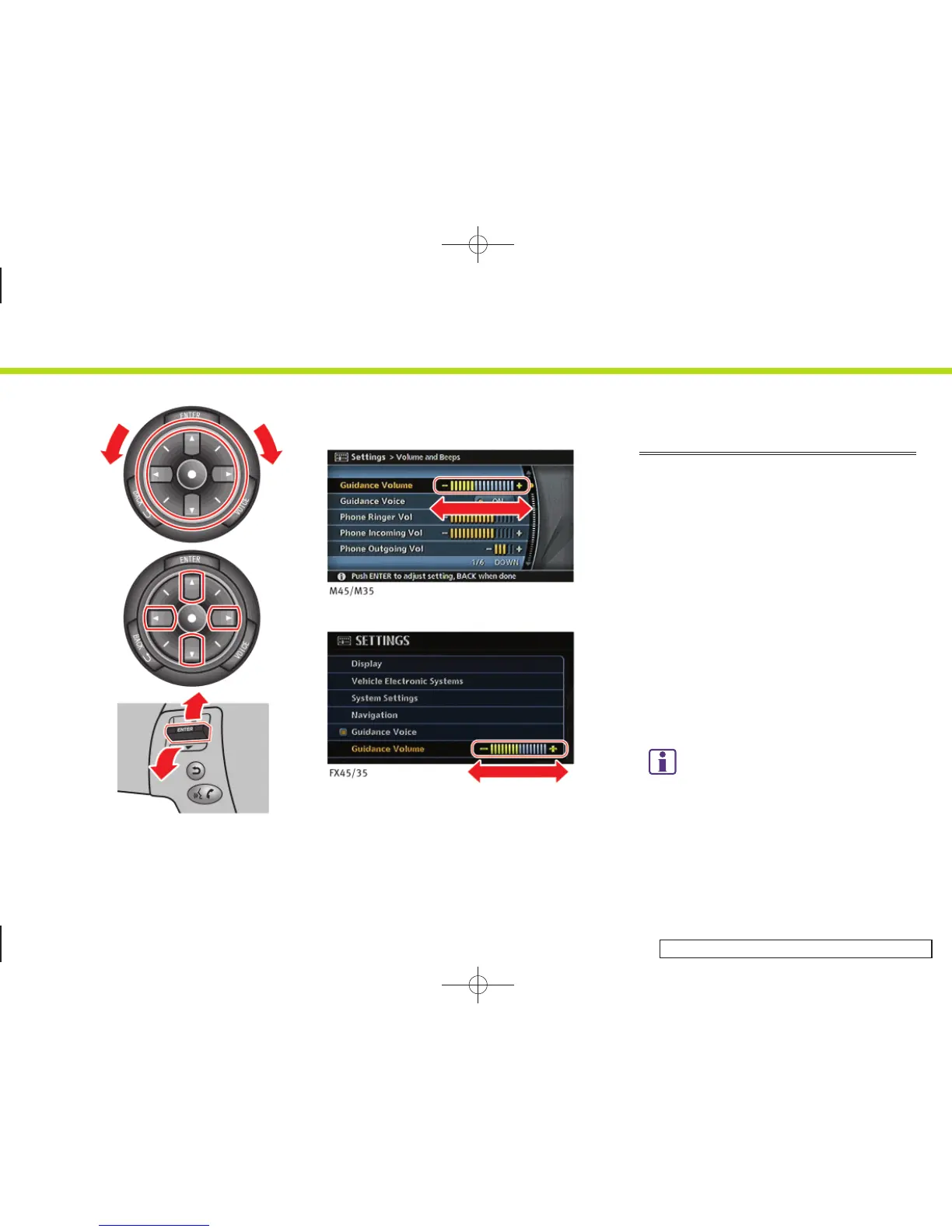
USING CONTROLS TO ADJUST VA-
LUES, LEVELS, ETC. (M45/M35,
FX45/35)
There are two main methods you can use
to control th e navigation syst em: the
center dial and the main directional
buttons. Use these controls to adjust the
volume of phone and voice guidance, the
display brightness, etc.
How to adjust
1. Highlight the preferred setting item and
push <ENTER>. The color of the corre-
sponding adjustment item changes.
2. Use one of the controls, and the value
or bar indicating levels increases or
decreases accordingly.
3. Push <ENTER> or <BACK> to apply the
setting.
INFO:
You can also adjust the volume of phone and
voice guidance, the display brightness, etc. by
tilting the switch up and down. (M45/M35 only)
2. Getting started
2-18


 To Next Page
 Loading...