Black plate (27,1)
Model "INFINITI_NAVI" EDITED: 2006/ 3/ 22
INV2735
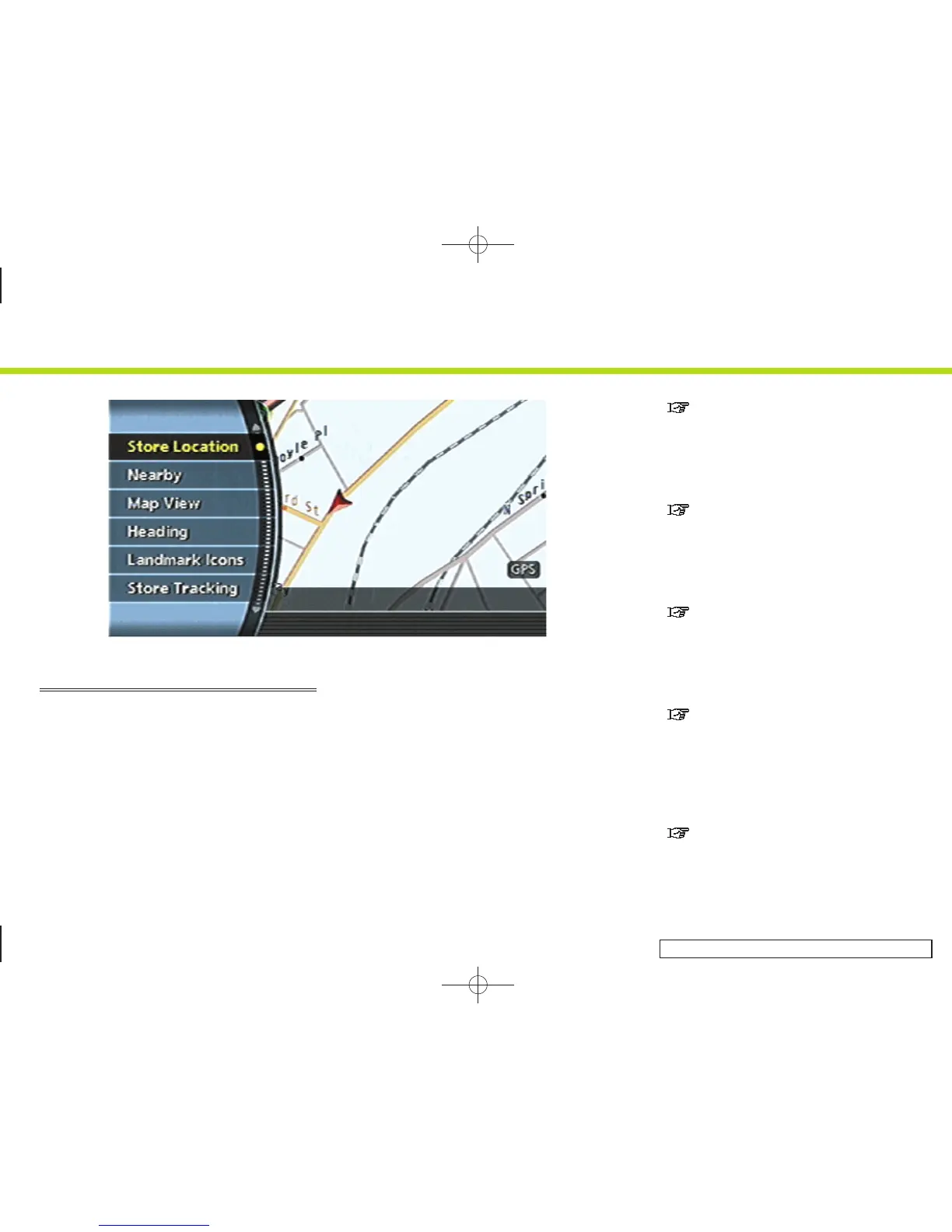
MAP MENU SCREEN
Push <ENTER> while the current location
map screen or a scrolled map screen is
displayed to display the menu correspond-
ing to that screen.
This menu allows you to quickly use
helpful functions, such as setting a desti-
nation easily and searching for Points of
Interest nearby.
To select a menu item, use the method
described in “Menu screen types and how
to operate”.
Current location map screen
If <ENTER> is pushed while the current
location map screen is displayed, the
following options are available.
. Store Location:
Allows you to store the current vehicle
location in the Address Book. The
stored location can be retrieved as
necessary to set it as a destination
(waypoint).
“STORING A LOCATION” (page 6-2)
. Nearby:
Allows you to search for points of
interest near the current vehicle loca-
tion, such as restaurants and gas
stations, etc.
“SETTING A NEARBY PLACE”
(page 4-47)
. Map View:
Switches the map type. It is used to
switch between Plan View and Bird-
view
TM
and set the left screen display.
“SWITCHING THE MAP VIEW”
(page 3-4)
. Heading:
Switches the orientation of the map.
“North Up” or “Heading Up” are the
available options.
“SETTINGS OF HEADING/LONG
RANGE MAP VIEW” (page 3-15)
. Landmark Icons:
Allows you to display certain points of
interest near the current vehicle loca-
tion on the map, such as restaurants
and gas stations, etc.
“DISPLAYING LANDMARK ICONS”
(page 3-22)
2. Getting started
2-19


 To Next Page
 Loading...