Black plate (37,1)
Model "INFINITI_NAVI" EDITED: 2006/ 3/ 20
INI0256
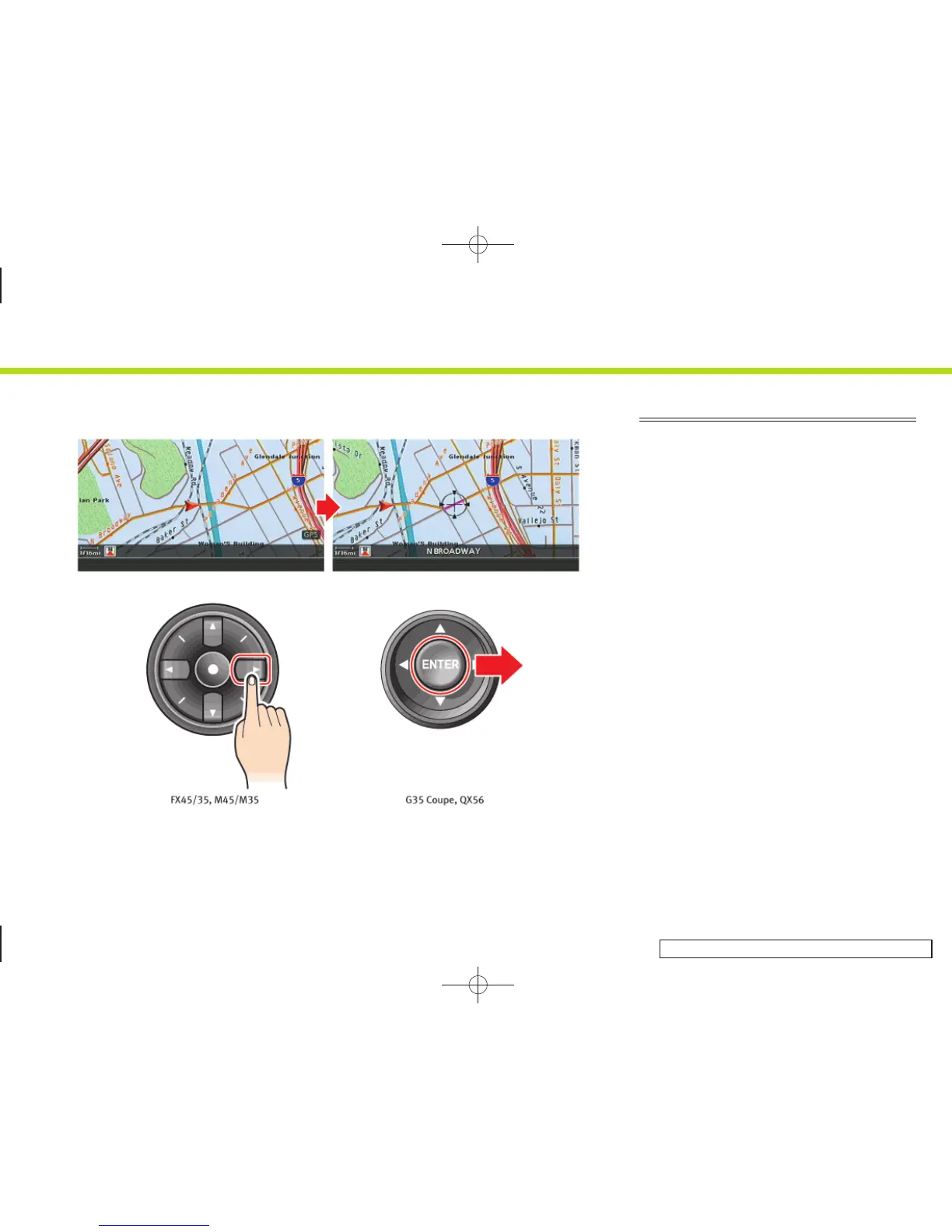
MOVING AROUND WITHIN A MAP
You can manually move across the map to
view the surrounding areas or a preferred
location.
1. M45/M35, FX45/35:
Push one of the main directional
buttons or additional directional but-
tons corresponding to the direction that
you want to move across the map. Hold
down the button to continuously move
across the map in that direction. Once
you start moving on the map, the cross
pointer appears.
G35 Coupe, QX56:
Tilt the joystick corresponding to the
direction that you want to move across
the map. Keep tilting the joystick to
continuously move across the map in
that direction.
2. Returning to the current location map
screen
Push <MAP> or <BACK> to return to the
current location map screen, and the
cross pointer disappears.
2. Getting started
2-29


 To Next Page
 Loading...