[ Edit: 2016/ 6/ 21 Model: 2017MY INFINITI Q50(V37) OM17E00V37U0 ]
5-34 Starting and driving
signal is turned off.)
. When the vehicle speed lowers to less
than approximately 45 MPH (70 km/h).
. When the hazard warning flashers are
operated.
After the above conditions have finished
and the operating conditions are satisfied
again, Active Lane Control will resume
operation.
Temporary disabled status at high
temperature
GUID-3EE77C53-FD1E-4201-9B32-1A74B98D0A83
If the vehicle is parked in direct sunlight
under high temperature conditions (over
approximately 1048F (408C)) and then
Active Lane Control is turned on, Active
Lane Control may be deactivated automa-
tically. The high cabin temperature mes-
sage will appear in the vehicle information
display
*
1
.
Action to take:
When the interior temperature is reduced,
push the dynamic driver assistance switch
again to turn Active Lane Control back on.
SYSTEM MALFUNCTION
GUID-305AE487-F298-40D8-8E37-EAC1321A0909
If Active Lane Control malfunctions, it will
cancel automatically. The chassis control
warning will appear in the vehicle informa-
tion display.
Action to take:
If the chassis control warning appears, pull
off the road to a safe location and stop the
vehicle. Turn the engine off and restart the
engine. If the chassis control warning
continues to illuminate, it is recommended
you have Active Lane Control checked by an
INFINITI retailer.
SSD0453
SYSTEM MAINTENANCE
V37-D-121025-1AE0B264-9E99-4E16-A13F-E0CF9B775F22
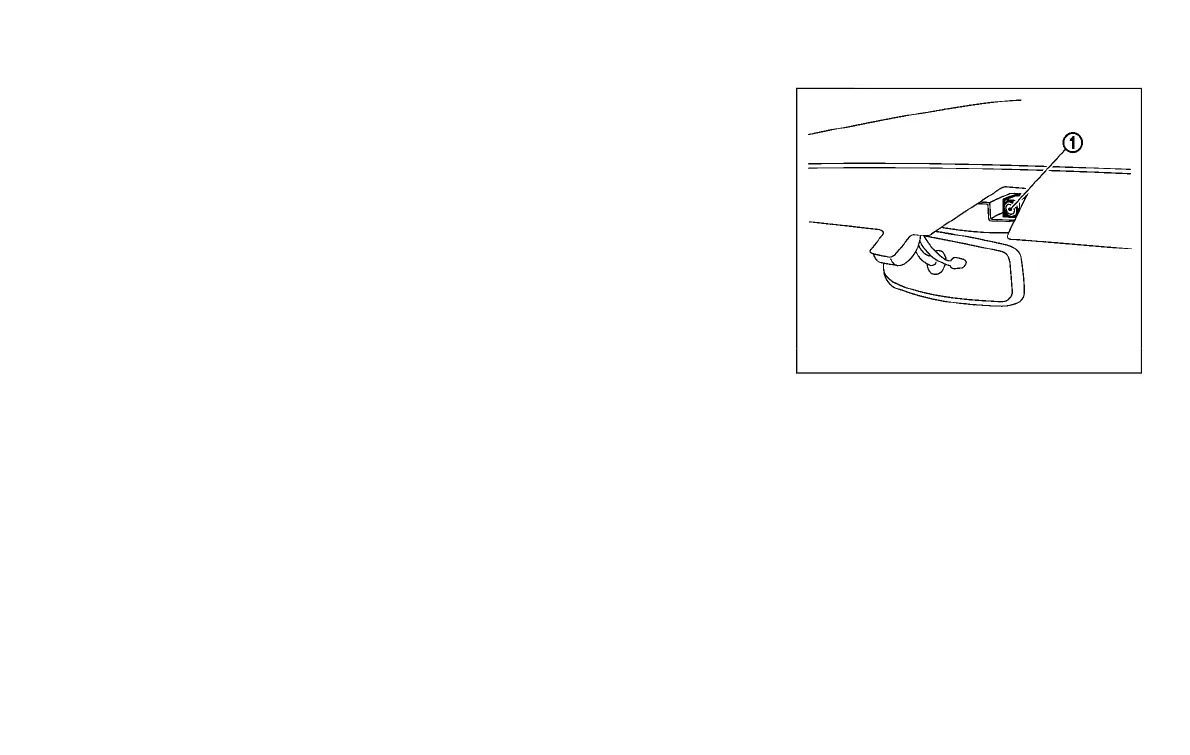
The lane camera unit
*
1
for Active Lane
Control is located above the inside mirror.
To keep the proper operation of Active Lane
Control and prevent a system malfunction,
be sure to observe the following:
. Always keep the windshield clean.
. Do not attach a sticker (including
transparent material) or install an
accessory near the camera unit.
. Do not place reflective materials, such
as white paper or a mirror, on the
instrument panel. The reflection of
sunlight may adversely affect the cam-
Condition:


 To Next Page
 Loading...