[ Edit: 2016/ 6/ 21 Model: 2017MY INFINITI Q50(V37) OM17E00V37U0 ]
5-54 Starting and driving
TURNING THE BSI SYSTEM ON/OFF
GUID-FBECB068-D5E2-494D-9F26-FEBC5C972CBE
To turn on the BSI system, push the
dynamic driver assistance switch
*
2
on
the steering wheel after starting the
engine. The driver assist system blind spot
indicator (green)
*
1
in the vehicle informa-
tion display will illuminate.
Push the dynamic driver assistance switch
*
2
again to turn off the BSI system. The
driver assist system blind spot indicator
*
1
will turn off.
The dynamic driver assistance switch
*
2
is
used for Active Lane Control (if so
equipped), Blind Spot Intervention (BSI),
Lane Departure Prevention (LDP) and Dis-
tance Control Assist (DCA) systems. When
the dynamic driver assistance switch
*
2
is
pushed, Active Lane Control, LDP and DCA
systems will also turn on or off simulta-
neously. The BSI system can be individu-
ally set to on or off on the lower display
*
3
.
If the system is set to off, the system will
not turn on even if the dynamic driver
assistance switch
*
2
is pushed to on. To
set the system to on or off on the lower
display, see “How to enable/disable the
BSI system” (P.5-54).
JVS0246X
HOW TO ENABLE/DISABLE THE BSI
SYSTEM
GUID-3A7A11FA-9F2B-4938-833A-C12414770692
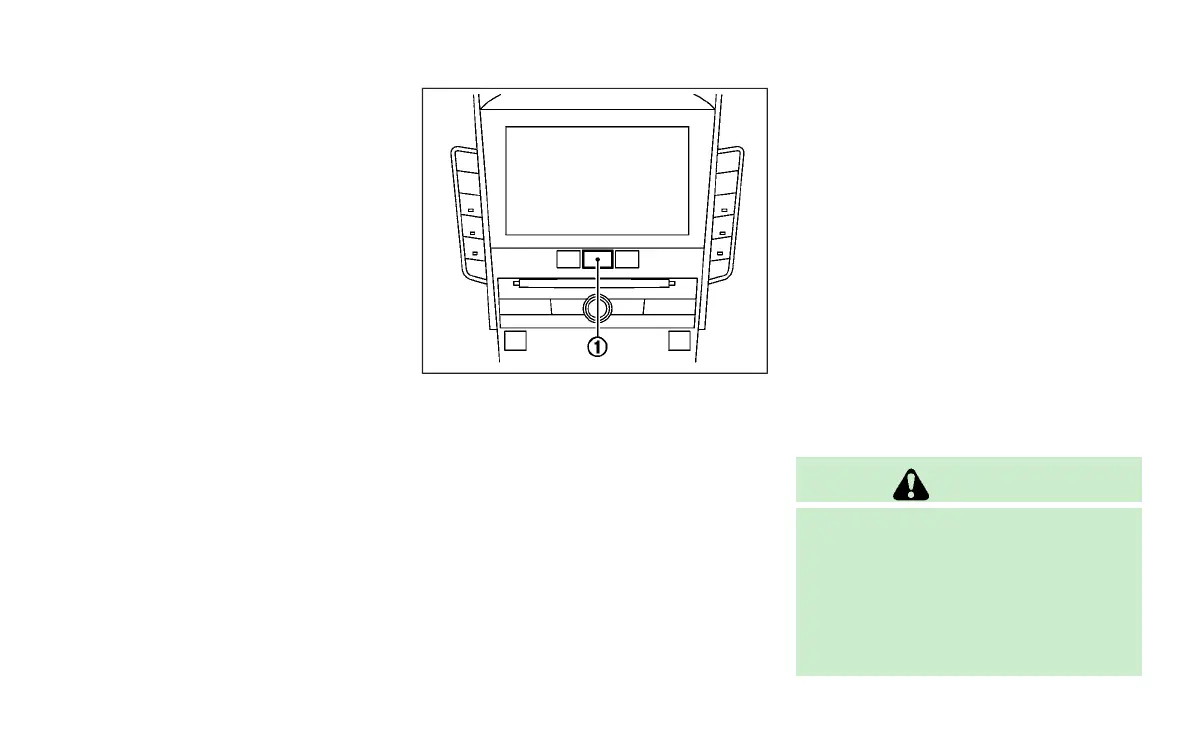
Perform the following steps to enable or
disable the BSI system.
1. Push the MENU button
*
1
and touch
[Driver Assistance] on the lower dis-
play.
2. Touch [Blind Spot Assist].
3. Touch [Blind Spot Intervention] to
enable or disable the system.
Setting the side indicator light
brightness
GUID-8E518ECB-87B5-482C-8E13-477ACE889DB1
The brightness of the side indicator lights
can be changed using the following steps:
1. Push the MENU button
*
1
and touch
[Driver Assistance] on the lower dis-
play.
2. Touch [Blind Spot Assist].
3. Touch [+] or [-] in [Side Indicator
Brightness] to select [Bright], [Stan-
dard] or [Dark].
When the brightness setting is changed,
the side indicator lights illuminate for a few
seconds.
BSI SYSTEM LIMITATIONS
GUID-D3EB355E-5591-4D3B-BF49-C42A29D8401B
WARNING
Listed below are the system limitations for
the BSI system. Failure to operate the
vehicle in accordance with these system
limitations could result in serious injury or
death.
. The BSI system cannot detect all vehi-
cles under all conditions.
Condition:


 To Next Page
 Loading...