[ Edit: 2016/ 8/ 1 Model: 2017MY INFINITI Q70(Y51) OM17E00Y51U0 ]
a dark environment.
. There may be differences in sharpness
between each camera view of the
bird’s-eye view.
. If dirt, rain or snow accumulates on the
camera, the Around View
®
Monitor may
not display objects clearly. Clean the
camera.
. Do not use wax on the camera lens.
Wipe off any wax with a clean cloth that
has been dampened with a diluted mild
cleaning agent, then wipe with a dry
cloth.
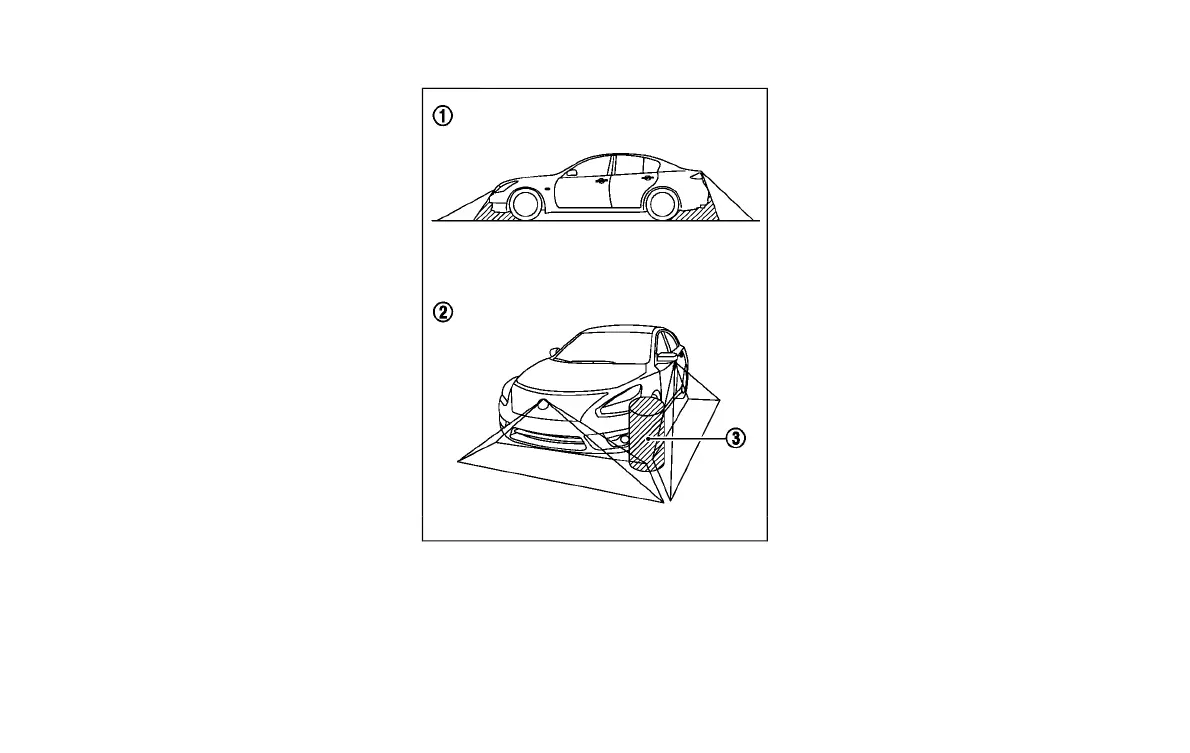
JVH0960X
There are some areas where the system
will not show objects and the system does
not warn of moving objects. When in the
front or the rear view display, an object
below the bumper or on the ground may
not be viewed
*
1
. When in the bird’s-eye
view, a tall object near the seam
*
3
of the
camera viewing areas will not appear in the
monitor
*
2
.
Monitor, climate, audio, phone and voice recognition systems 4-43
Condition:



 To Next Page