[ Edit: 2016/ 8/ 1 Model: 2017MY INFINITI Q70(Y51) OM17E00Y51U0 ]
MOD function setting
GUID-B2E4AE69-6A28-4CFD-BC91-FE2CB5B14B21
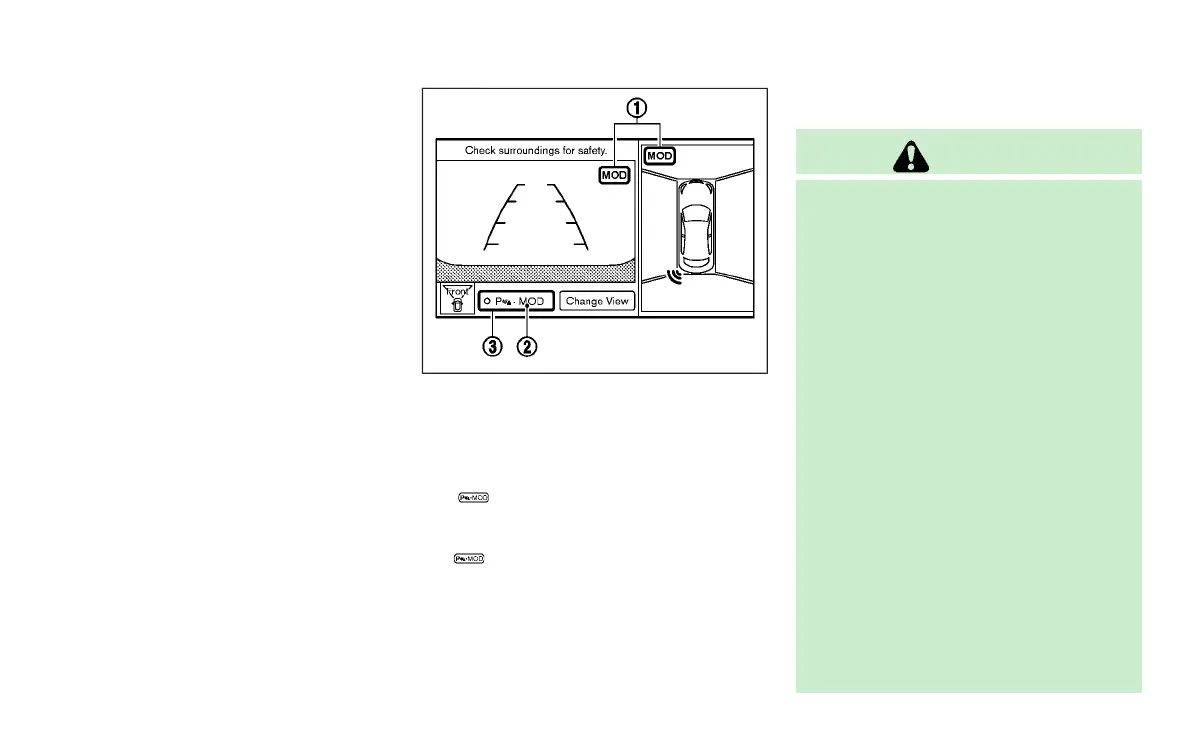
To activate or deactivate the MOD function,
push the SETTING button, select “Others”
key, select the “Camera” key on the center
display, and then select the “Moving
Object Detection (MOD)” key.
JVH0269X
When this item is turned on, the MOD is
activated. When this item is turned off
(indicator turns off), the MOD system is
deactivated. When the MOD system is
deactivated, “MOD”
*
2
will disappear on
the
*
3
and the MOD icon
*
1
will
disappear as well. When the sonar is
turned off on the setting menu as well,
the
*
3
will disappear.
MOD SYSTEM LIMITATIONS
GUID-BE004BD9-1974-4F0A-A558-2E5CAC8C2A69
WARNING
Listed below are the system limitations for
MOD. Failure to operate the vehicle in
accordance with these system limitations
could result in serious injury or death.
. Excessive noise (for example, audio
system volume or open vehicle window)
will interfere with the chime sound, and
it may not be heard.
. The MOD system performance will be
limited according to environmental con-
ditions and surrounding objects such as:
—
When there is low contrast between
background and the moving objects.
—
When there is blinking source of
light.
—
When strong light such as another
vehicle’s headlight or sunlight is
present.
—
When camera orientation is not in
its usual position, such as when
mirror is folded.
—
When there is dirt, water drops or
Monitor, climate, audio, phone and voice recognition systems 4-53
Condition:



 To Next Page