[ Edit: 2016/ 8/ 1 Model: 2017MY INFINITI Q70(Y51) OM17E00Y51U0 ]
4-52 Monitor, climate, audio, phone and voice recognition systems
JVH1148X
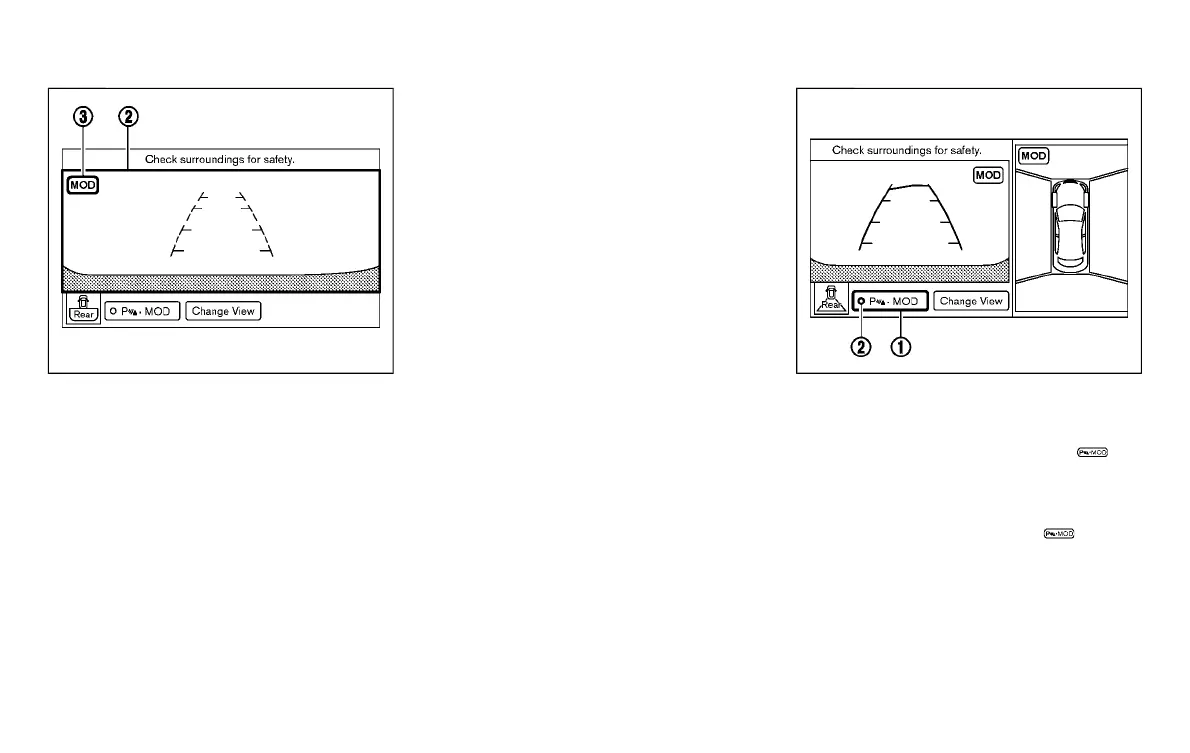
Front-wide view / rear-wide view
In the bird’s-eye view, the yellow frame
*
1
is displayed on each camera image (front,
rear, right, left) depending on where
moving objects are detected.
The yellow frame
*
2
is displayed on each
view in the front view, front-wide view, rear
view and rear-wide view modes.
While the sonar is beeping, the MOD
system does not chime.
A blue MOD icon
*
3
is displayed in the
view where the MOD system is operative. A
gray MOD icon
*
3
is displayed in the view
where the MOD system is not operative.
If the MOD system is turned off, the MOD
icon
*
3
is not displayed.
The MOD system operates in the following
conditions when the camera view is dis-
played:
. When the shift lever is in the “P” (Park)
or “N” (Neutral) position and the
vehicle is stopped, the MOD system
detects the moving objects in the
bird’s-eye view. The MOD system will
not operate if the outside mirror is
moving in or out or if either door is
opened.
. When the shift lever is in the “D” (Drive)
position and the vehicle speed is below
approximately 5 MPH (8 km/h), the
MOD system detects moving objects in
the front view or front-wide view.
. When the shift lever is in the “R”
(Reverse) position and the vehicle
speed is below approximately 5 MPH
(8 km/h), the MOD system detects
moving objects in the rear view or
rear-wide view. The MOD system will
not operate if the trunk lid is open.
The MOD system does not detect moving
objects in the front-side view. The MOD
icon is not displayed on the screen when in
this view.
JVH1149X
TURNING ON AND OFF THE MOD
SYSTEM
GUID-F3D2C256-3461-4799-AAAA-87FFE4C4A426
When the MOD is active and the “ ”
*
1
is selected, the MOD system will turn off
temporarily and the indicator
*
2
will turn
off. (A camera-aiding sonar will turn off at
the same time.) When the “
”
*
1
is
selected again, the indicator will turn on
and the MOD system will turn back on.
To enable or disable the MOD, use the
“Camera” menu. See “MOD function
setting” (P.4-53).
Condition:


 To Next Page
 Loading...
