[ Edit: 2016/ 8/ 1 Model: 2017MY INFINITI Q70(Y51) OM17E00Y51U0 ]
/ Next/Previous Chapter:
Select the “
” or “ ” key to skip the
chapter(s) of the disc forward/backward.
The chapters will advance/go back the
number of times this key is selected.
/ Commercial Skip:
This function is only for DVD-VIDEO, DVD-
VR. Select the “
” or “ ” key to skip
forward or backwards by the set amount as
defined in the DVD Settings menu.
Top Menu:
Y51D-V-E01-0C7E1D71-A6F1-42BF-B173-75161AE80F27
When the “Top Menu” key is selected in the
screen while a DVD is being played, the top
menu specific to each disc will be dis-
played. For details, see the instructions on
the disc.
SAA2498
Example
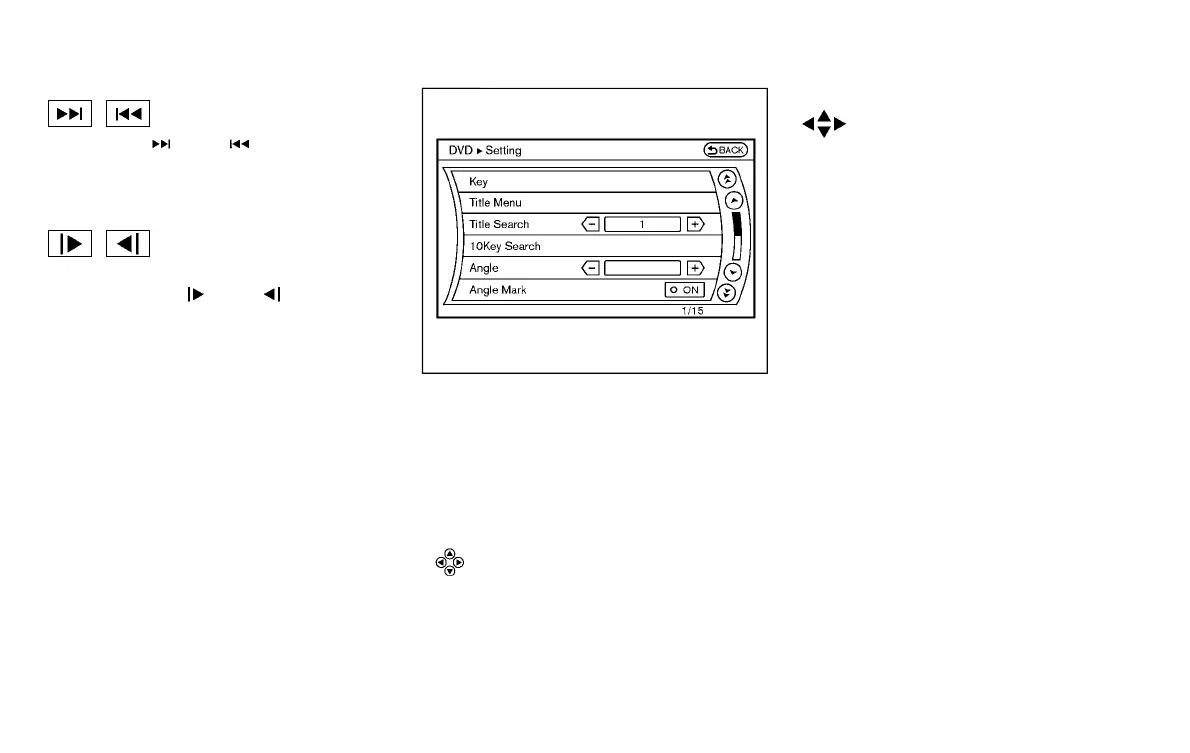
DVD settings
Y51D-V-E01-7632A88E-BE7F-42D4-940A-0741B878503A
Select the “Settings” key to adjust the
following settings.
Key (DVD-VIDEO):
Y51D-V-E01-F4CB507A-FB4E-4969-BC44-EF845C82C70C
Keys for the DVD menu operation are
displayed.
: Move the cursor to select a DVD menu.
Enter: Enter the selected menu.
Move: Change the display location by moving the
operation key.
Back:
Return to the previous screen.
Hide: Hide the operation key.
Title Menu (DVD-VIDEO):
Y51D-V-E01-828CC8E3-DFF4-40B2-8AC2-5D582CD758BB
Some menus specific to each disc will be
shown. For details, see the instructions on
the disc.
Title Search (DVD-VIDEO, DVD-VR):
Y51D-V-E01-0127EC79-84D8-4AF5-A2AF-8AC054B4AC9D
The scene with the specified title will be
displayed each time the “+” side or “−”
side is selected.
Group Search (VIDEO CD):
Y51D-V-E01-3F63B89A-2D07-4613-987F-198AC1934ABD
A scene in the specified group will be
displayed each time the “+” side or “−”
side is selected.
10 Key Search (DVD-VIDEO, VIDEO-CD,CD-
DA, DVD-VR):
Y51D-V-E01-41F5C1F6-6E48-4980-A3F7-74A881989C20
Select the “10 Key Search” key to open the
number entry screen. Input the number to
be searched and select the “OK” key. The
specified Title/Chapter or Group/Track will
be played.
Select No. (VIDEO-CD):
Y51D-V-E01-2F0779F0-C8DD-44BF-A3A2-1BB3A202F030
Select the “Select No.” key to open the
number entry screen. Input the number to
be searched and select the “OK” key. The
specified scene will be played.
Monitor, climate, audio, phone and voice recognition systems 4-81
Condition:


 To Next Page
 Loading...
