[ Edit: 2016/ 8/ 1 Model: 2017MY INFINITI Q70(Y51) OM17E00Y51U0 ]
4-82 Monitor, climate, audio, phone and voice recognition systems
Angle (DVD-VIDEO):
Y51D-V-E01-75A3EF98-2AC5-4A66-B817-BC77857A6451
If the DVD contains different angles (such
as moving images), the current image
angle can be switched to another one.
Select the “Angle” key. The angle will
change each time the “+” side or “−” side
is selected.
Angle Mark (DVD-VIDEO):
Y51D-V-E01-CF817EC0-2201-42CF-A374-D9D75779ED73
When this item is turned on, an angle mark
will be shown on the bottom of the screen
if the scene can be seen from a different
angle.
Menu Skip (DVD-VIDEO):
Y51D-V-E01-919F75BF-EA84-46AF-8CA6-104570DCA6A7
DVD menus are automatically configured
and the contents will be played directly
when the “Menu Skip” key is turned on.
Note that some discs may not be played
directly even if this item is turned on.
CM Skip (DVD-VIDEO):
Y51D-V-E01-38D793F4-F2B0-478A-8976-7714C424BBC3
Select the “CM Skip” key. Choose the
setting time from 15, 30 or 60 seconds by
selecting the “+” side or “−” side.
DRC (DVD-VIDEO, DVD-VR):
Y51D-V-E01-54C05378-042E-4AB2-99DC-87603A83AE36
DRC (Dynamic Range Compression) auto-
matically adjusts the soundtrack volume
level to maintain a more even sound to the
speakers.
DVD Language (DVD-VIDEO, VIDEO-CD):
Y51D-V-E01-8E7F4FA4-9533-444A-A1EB-32F4E5162CE3
Select the “DVD Language” key to open the
number entry screen. Input the number
corresponding to the preferred language
and select the “OK” key. The DVD top menu
language will be changed to the one
specified.
Display:
Y51D-V-E01-7C0F1A0E-FA28-4567-BC8C-188E8D1FA799
To adjust the image quality of the screen,
select the preferred adjustment items.
Audio:
Y51D-V-E01-810FF7E4-1047-4F99-904A-1EE698F4DBA4
Select the preferred language for audio.
Subtitle (DVD-VIDEO, DVD-VR):
Y51D-V-E01-D2BE570D-C660-4F90-AAA7-36F94C30283C
Select the preferred language for subtitles.
Display Mode (DVD-VIDEO, VIDEO-CD, DVD-
VR):
Y51D-V-E01-83088CFB-BE06-4306-A81B-3CF0CBD9BFA3
Select from the “Full”, “Wide”, “Normal” or
“Cinema” modes.
Title List (DVD-VR):
Y51D-V-E01-B880EDF6-495E-442E-A4EC-745DFED59C65
Select the preferred title from the list.
Play Mode:
Y51D-V-E01-BEC5BA48-F3DC-4136-8EE9-8ACC7E19A7F5
Select the preferred play mode.
PG/PL Mode (DVD-VR):
Y51D-V-E01-8F04B1B0-6B66-48E5-9777-9E41F1537DAC
Select the “PG” or “PL” mode.
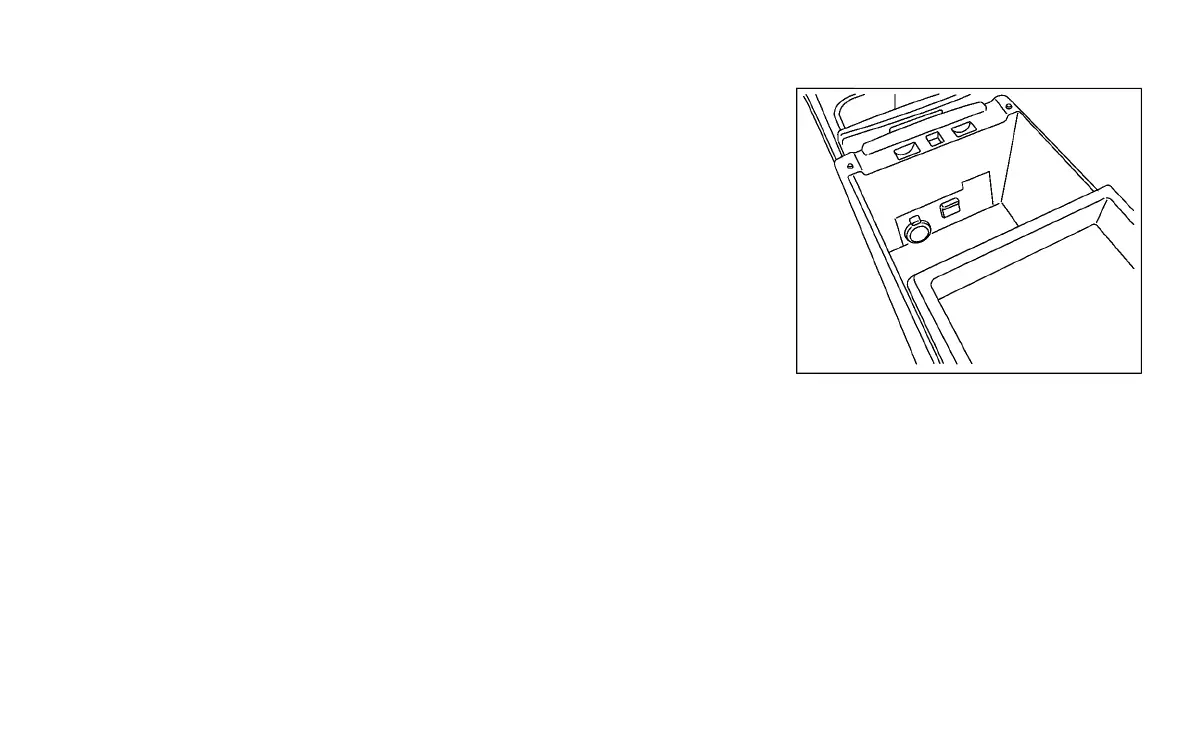
SAA2963
USB (Universal Serial Bus) CON-
NECTION PORT
Y51D-V-E01-3E714A7F-A0E3-4C4C-9CA0-B2922C07F381
Audio main operation
Y51D-V-E01-A1CC1578-7D9C-45BB-A45E-F8FED83A8FE3
Open the console lid and connect a USB
memory. Then, push the DISC·AUX button
repeatedly to switch to the USB memory
mode.
If the system has been turned off while the
USB memory was playing, pushing the
ON·OFF/VOL control knob will start the USB
memory.
Use the USB cable if you have difficulty
inserting the USB memory device to the
USB connection port.
Condition:


 To Next Page
 Loading...
