[ Edit: 2016/ 8/ 1 Model: 2017MY INFINITI Q70(Y51) OM17E00Y51U0 ]
WARNING
Do not connect, disconnect or operate the
USB device while driving. Doing so can be a
distraction. If distracted you could lose
control of your vehicle and cause an
accident or serious injury.
CAUTION
. Do not force the USB device into the USB
port. Inserting the USB device tilted or
up-side-down into the port may damage
the port. Make sure that the USB device
is connected correctly into the USB port.
. Do not grab the USB port cover (if so
equipped) when pulling the USB device
out of the port. This could damage the
port and the cover.
. Do not leave the USB cable in a place
where it can be pulled unintentionally.
Pulling the cable may damage the port.
Refer to your device manufacturer’s owner
information regarding the proper use and
care of the device.
SAA2500
File selection (models with naviga-
tion system)
Y51D-V-E01-FDC0EF15-8245-4C0C-9A38-69A54A70412B
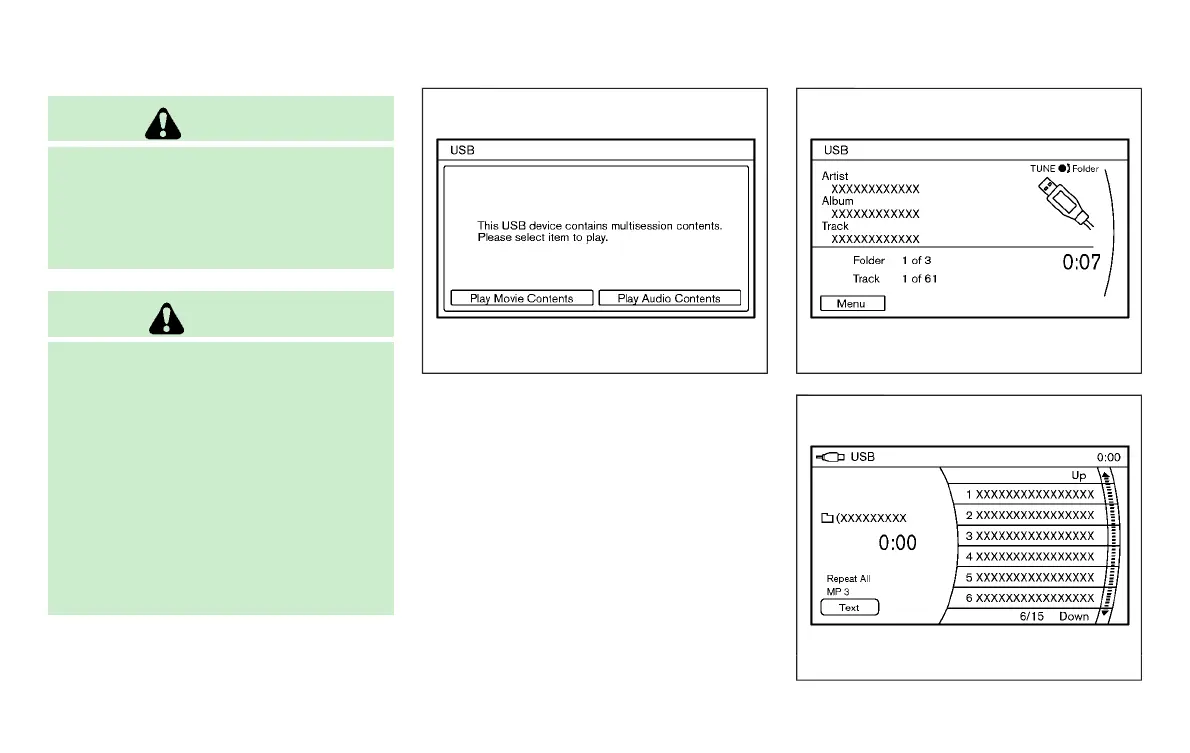
When there are both audio and movie files
in the USB memory, the mode select screen
is displayed. Select the preferred contents
to play.
When there is only one type of file, the
audio or movie operation screen is dis-
played and starts to play.
If a video file restricts the number of
playbacks, a pop-up screen will appear to
confirm it is ok to play. Answer yes or no as
requested by the display.
SAA2501
Models with navigation system
SAA2611
Models without navigation system
Monitor, climate, audio, phone and voice recognition systems 4-83
Condition:



 To Next Page