[ Edit: 2016/ 8/ 1 Model: 2017MY INFINITI Q70(Y51) OM17E00Y51U0 ]
4-86 Monitor, climate, audio, phone and voice recognition systems
mode.
Operation keys:
Y51D-V-E01-26CDE24F-DC69-4813-B375-52D99A5101DB
To operate the USB memory, select the
desired key displayed on the operation
screen using the INFINITI controller.
Pause
Select the “
” key to pause the movie
file. To resume playing the movie file,
select the “
” key.
Play
Select the “
” key to start playing a
movie file, for example, after pausing a
movie file.
STOP
Select the “
” key to stop playing a
movie file.
Skip (Next chapter)
Select the “
” key to skip the chapter(s)
of the disc forward. The chapters will
advance the number of times the ENTER
button is pushed.
Skip (Previous chapter)
Select the “
” key to skip the chapter(s)
of the disc backward. The chapters will go
back the number of times the “
” key is
selected.
List:
Y51D-V-E01-4AB3C3C5-8FFF-483D-9759-49EB25321178
Select the “List” key on the movie file
operation screen to display the file list.
SAA2504
Example
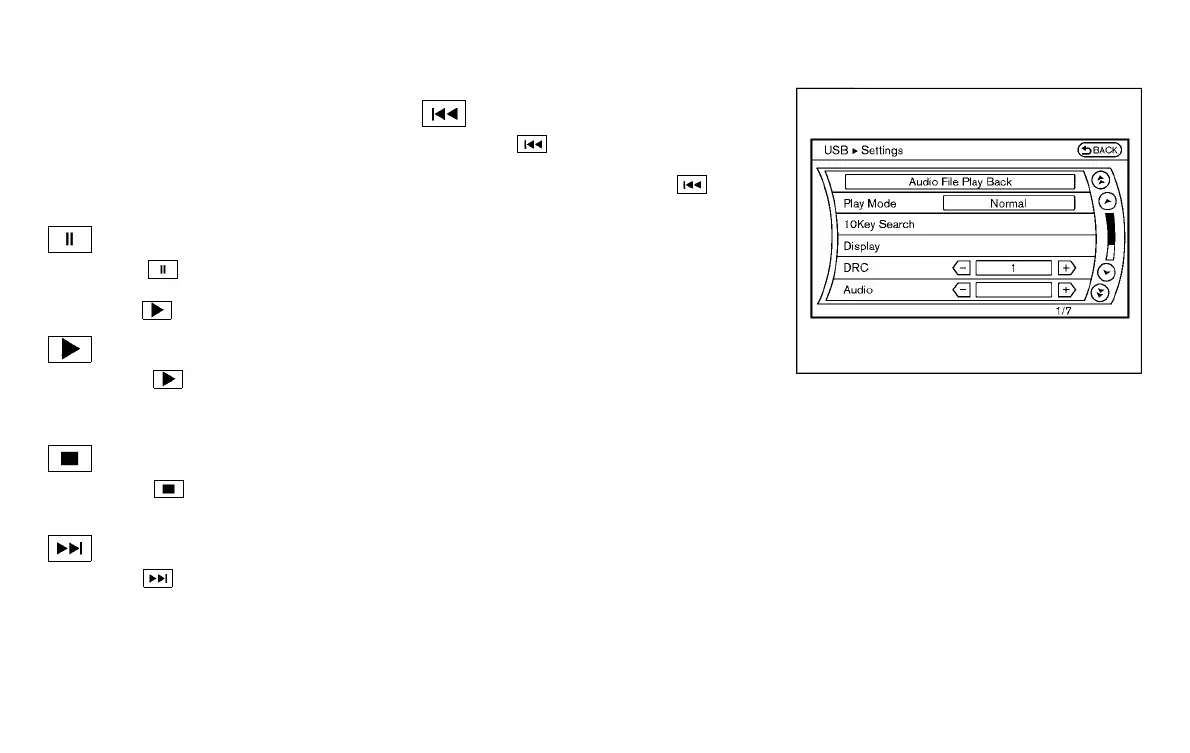
Settings:
Y51D-V-E01-D90CBB17-ADD0-4D6F-8008-1DE3771B904C
Select the “Settings” key to adjust the
following settings.
. Audio File Playback
Switch to the audio playback mode.
This item is displayed only when the
USB memory contains the audio files.
. Play Mode
Select the “Normal” or “1 Track Repeat”
play mode.
. 10 Key Search
Select the “10 Key Search” key to open
the number entry screen.
Condition:



 To Next Page