[ Edit: 2016/ 8/ 1 Model: 2017MY INFINITI Q70(Y51) OM17E00Y51U0 ]
4-100 Monitor, climate, audio, phone and voice recognition systems
JVH0473X
CONNECTING PROCEDURE
Y51D-V-E01-0AB19846-AE5C-4A0C-9F99-267A23455265
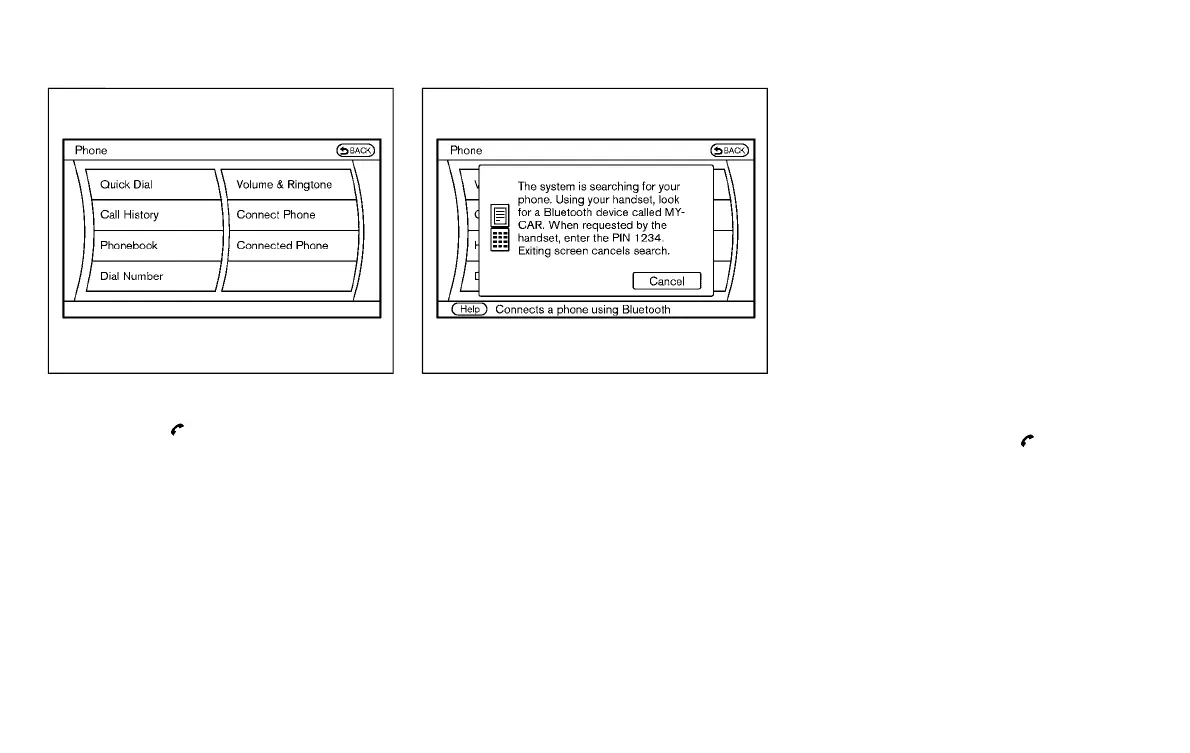
1. Push the button, and select the
“Connect Phone” key.
SAA2520
2. When a PIN code appears on the
screen, operate the compatible Blue-
tooth
®
cellular phone to enter the PIN
code (if so equipped).
If you have the phone corresponding to
Bluetooth
®
Secure Simple Paring, the
screen will change automatically when
user select MY-CAR on the cellular
phone device searching screen.
a. Touch [Yes] if the PIN code displayed
on the cellular phone is the same
value displayed screen.
b. Both vehicle system and mobile side
approve operation on the screens
will make Bluetooth
®
connection.
The connecting procedure of the cellu-
lar phone varies according to each
cellular phone. See the cellular phone
Owner’s Manual for the details. You can
also visit
www.InfinitiUSA.com/bluetooth or call
INFINITI Consumer Affairs Department
for instructions on pairing INFINITI
recommended cellular phones.
When the connection process is com-
pleted, the screen will return to the
Phone menu display.
PHONE SELECTION
Y51D-V-E01-B388C981-3742-4101-9797-34FA44AEA7DD
Up to 5 cellular phones can be registered to
the system. To switch to connect another
cellular phone, push the
button and
select the “Connected Phones” key. The
registered cellular phones are shown on
the list. If you select a cellular phone that is
different from the one currently connected,
the newly selected phone will be con-
nected to the system.
Condition:



 To Next Page