[ Edit: 2016/ 8/ 1 Model: 2017MY INFINITI Q70(Y51) OM17E00Y51U0 ]
QUICK DIAL
Y51D-V-E01-F8E80B5A-7C98-4E86-A3CE-921ABF5E1A77
This vehicle has two phonebooks available
for hands-free use. Depending on the
phone, the system may automatically
download the entire cell phone’s phone-
book into the “Phonebook”. For the details
about downloading a phonebook, see
“Phone setting” (P.4-105). If a phonebook
does not automatically download, the
Quick Dial may be set for up to 1,000
entries. This phonebook allows the record-
ing of a name to speak while using voice
recognition.
JVH1509X
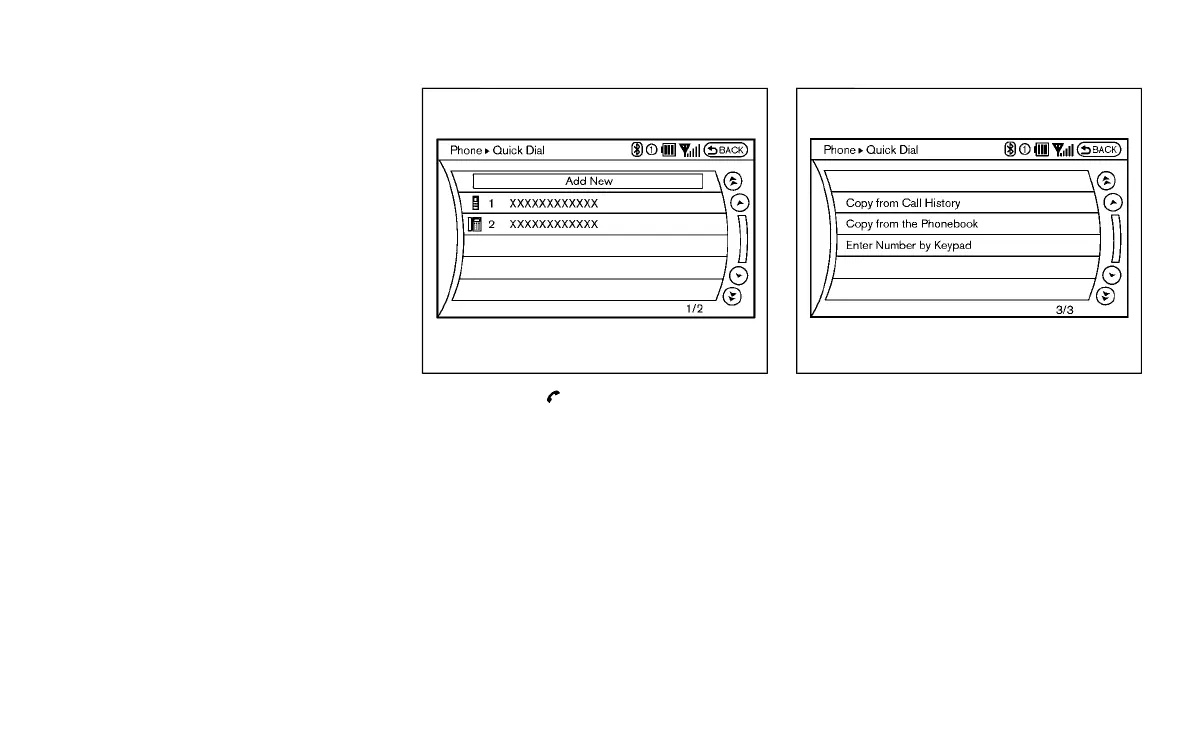
1. Push the button and select the
“Quick Dial” key.
2. Select the “Add New” key at the top of
the screen.
JVH1407X
3. Choose the method for entering the
Quick Dial entry. For this example,
select “Enter Number by Keypad”.
4. Enter the digits and select the “OK”
key. (See “How to use touch screen
(models with navigation system)” (P.4-
6).)
Monitor, climate, audio, phone and voice recognition systems 4-101
Condition:



 To Next Page