[ Edit: 2016/ 8/ 1 Model: 2017MY INFINITI Q70(Y51) OM17E00Y51U0 ]
4-102 Monitor, climate, audio, phone and voice recognition systems
JVH1194X
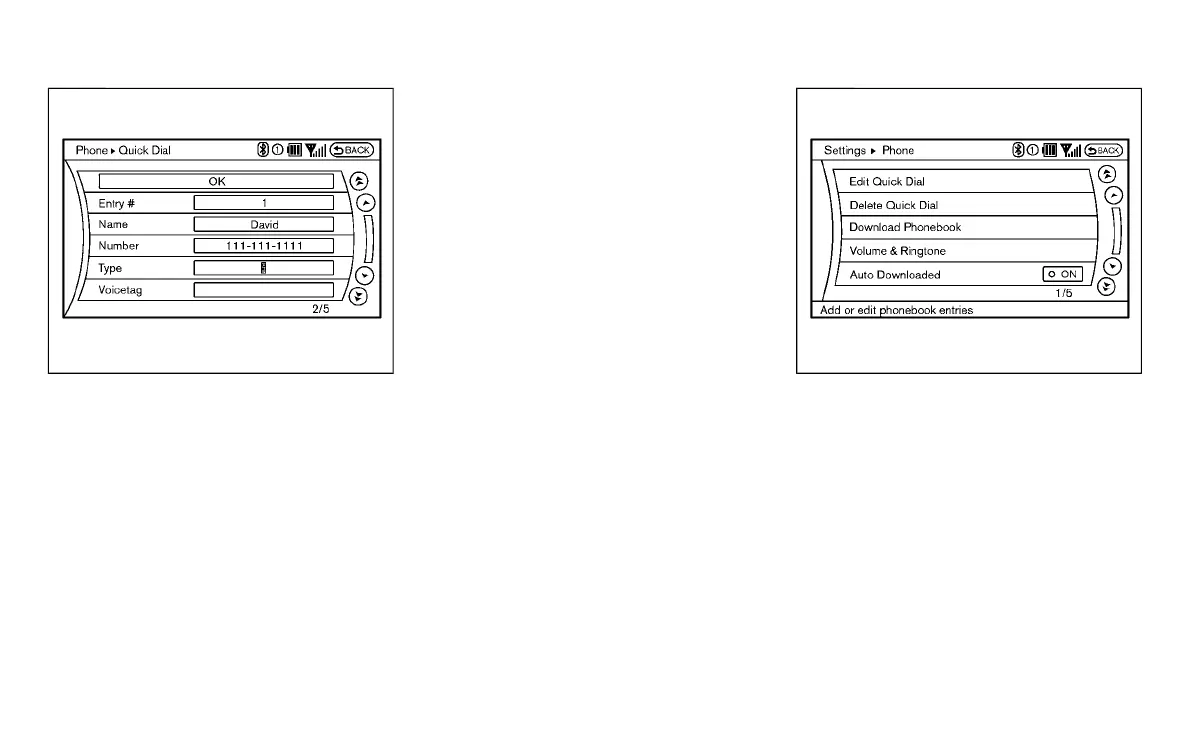
5. Select the “Voicetag” key to record a
name to speak when using the INFINITI
Voice Recognition system.
6. Select the “Store” key and prepare to
speak the name after the tone.
7. When the voicetag is successfully
saved, select the “OK” key to save the
Quick Dial entry.
8. After the Quick Dial entry is saved, it
will show a screen that is ready to call
the number. Press the BACK button to
return to the Quick Dial.
There are different methods to input a
phone number. Select one of the following
options instead of “Enter Number by Key-
pad” in step 3.
. Copy from Call History
The system will show a list of incoming,
outgoing or missed calls that were
downloaded from the connected cellu-
lar phone (depending on the phone’s
compatibility). Select one of these
entries to save in the Quick Dial.
. Copy from the Phonebook
The system will show the connected
cellular phone’s phonebook that was
downloaded (depending on the
phone’s compatibility). Select one of
these entries to save in the Quick Dial.
JVH0480X
Editing the Quick Dial
Y51D-V-E01-DCD8B817-3911-4504-B9DE-D58C13DF8656
1. Push the SETTING button and select the
“Phone” key.
2. Select the “Edit Quick Dial” key.
3. Select the desired entry from the
displayed list.
4. Select the desired item to change.
Condition:



 To Next Page