[ Edit: 2016/ 8/ 1 Model: 2017MY INFINITI Q70(Y51) OM17E00Y51U0 ]
SAA3587
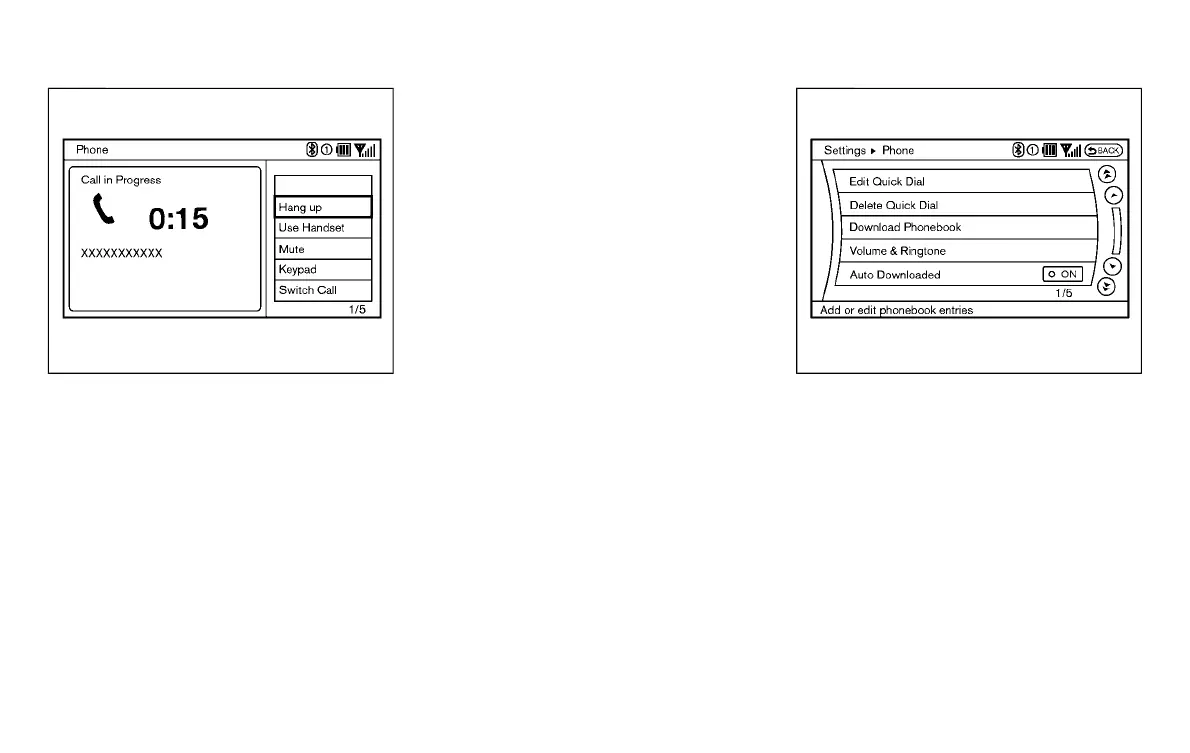
DURING A CALL
Y51D-V-E01-3D66C91E-8364-4FF3-AA23-98671BCB35D6
There are some options available during a
call. Select one of the following displayed
on the screen if necessary.
. Hang up
Finish the call.
. Use Handset
Transfer the call to the cellular phone.
. Mute
Mute your voice to the person.
. Keypad
Using the touch tone, send digits to the
connected party for using services such
as voicemail.
. Cancel Mute
This will appear after “Mute” is se-
lected. Mute will be canceled.
. Switch Call*
Select “Switch Call” to answer another
incoming call. By selecting “Hang up”,
you can end a call and can speak to a
caller who is on hold again.
* This function may not be usable,
depending on the model of phone.
JVH0480X
PHONE SETTING
Y51D-V-E01-79FAA1A1-6189-4BAB-93B5-0B421EDA5BC9
To set up the Bluetooth
®
Hands-Free Phone
System to your preferred settings, push the
SETTING button on the instrument panel
and select the “PHONE” key.
Edit Quick Dial
Y51D-V-E01-D8141334-BE04-4E73-B76B-672B0835273B
To edit the Quick Dial, use the same
procedure as described in “Quick Dial”
(P.4-101).
Delete Quick Dial
Y51D-V-E01-F32F8097-F478-499A-84E9-8FACDF341DDC
The Quick Dial entries can be deleted all at
the same time or one by one.
Monitor, climate, audio, phone and voice recognition systems 4-105
Condition:



 To Next Page