[ Edit: 2016/ 8/ 1 Model: 2017MY INFINITI Q70(Y51) OM17E00Y51U0 ]
4-104 Monitor, climate, audio, phone and voice recognition systems
. Quick Dial
Select an entry stored in the Quick Dial.
. Call History
Select an outgoing, incoming or missed
call downloaded from your cell phone
(depending on your phone’s compat-
ibility).
. Dial Number
Input the phone number manually
using the keypad displayed on the
screen. (See “How to use touch screen
(models with navigation system)” (P.4-
6).)
SAA2525
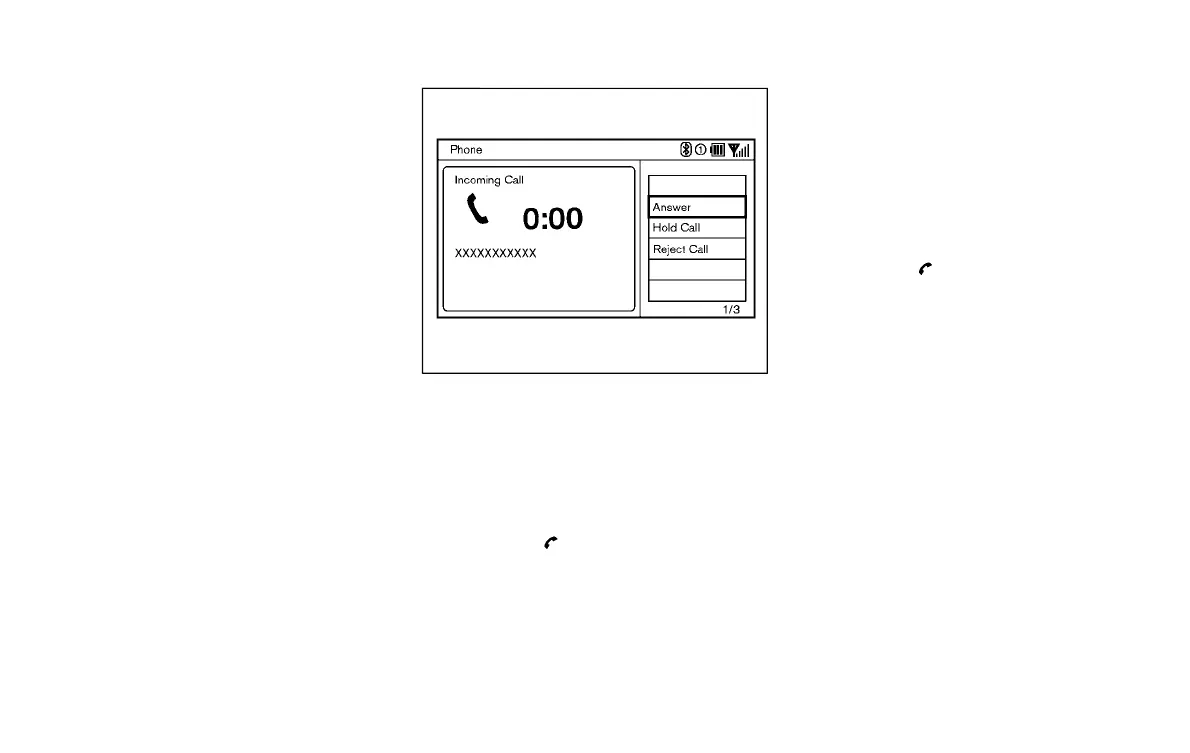
RECEIVING A CALL
Y51D-V-E01-96225A79-E5D6-488C-BD03-CE33B487476D
When you hear a phone ring, the display
will change to the incoming call mode. To
receive a call, perform one of the following
procedures listed below.
1. Select the “Answer” key.
2. Push the
button on the steering
wheel.
There are some options available when
receiving a call. Select one of the following
displayed on the screen.
. Answer
Accept an incoming call to talk.
. Hold Call
Put an incoming call on hold.
. Reject Call
Reject an incoming call.
To finish the call, perform one of the
following procedures listed below.
1. Select the “Hang up” key.
2. Push the
button on the steering
wheel.
Condition:



 To Next Page