[ Edit: 2016/ 8/ 1 Model: 2017MY INFINITI Q70(Y51) OM17E00Y51U0 ]
following:
. Keep the interior of the vehicle as quiet
as possible. Close the windows to
eliminate the surrounding noises (traf-
fic noises, vibration sounds, etc.),
which may prevent the system from
recognizing the voice commands cor-
rectly.
. Wait until a tone sounds before speak-
ing a command.
. Speak a voice command within 5
seconds after the beep sound. If no
voice command is given, the system
will ask you for a number. If no further
command is given, the session ends.
. Speak in a natural voice without paus-
ing between words.
JVH0135X
Giving voice command:
Y51D-V-E01-C5B60255-9AE0-4D31-B592-4A8AB3DF2354
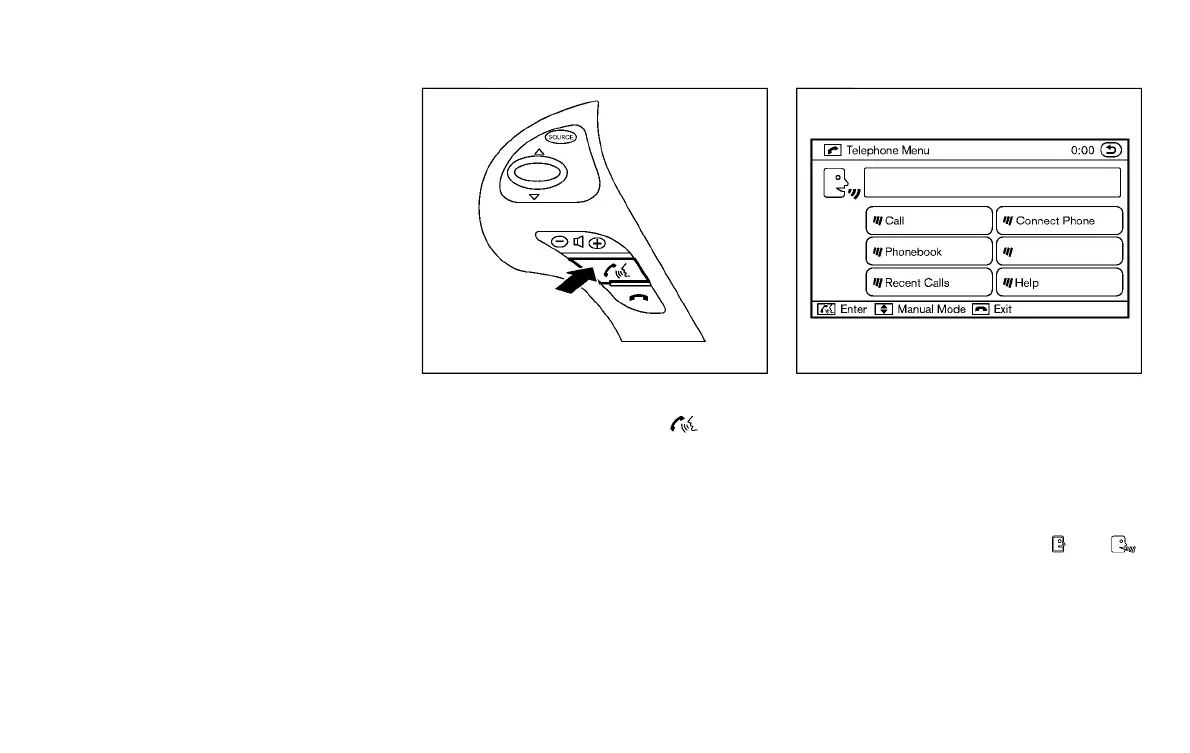
1. Push and release the button
located on the steering wheel.
SAA2574
2. A list of commands appears on the
screen, and the system announces,
“Please say a command after the beep.
Available commands are: Call, Phone-
book, Recent Calls, Connect Phone or
Help”.
3. After the tone sounds and the icon on
the screen changes from
to ,
speak a command. See the “List of
voice commands” (P.4-114) for the
voice command list. Speak “Call” for
example.
INFO
Voice commands cannot be recognized
as long as the screen icon is not in the
Monitor, climate, audio, phone and voice recognition systems 4-111
Condition:



 To Next Page