WARNING
•
Do not adjustthe heater and air conditioner con-
trols or audio controls while driving so that full
attentionmay be giventovehicle operation.
•
Ifyounoticed any foreign objectsentering thesys-
tem hardware, spilled liquid on the system, or no-
ticed smoke or fumes coming out from the system,
or any other unusual operation is observed, stop
using the system immediately and contact the
nearest INFINITI Centre or qualified workshop.Ig-
noringsuchconditionsmay lead to an accident,
fire or electric shock.
•
Do not disassemble or modifythissystem. If you
do, it mayleadtoanaccident, fire, or electric
shock.
CAUTION
Do not usethe system when the engine is not running
for extended periods of time to prevent battery dis-
charge.
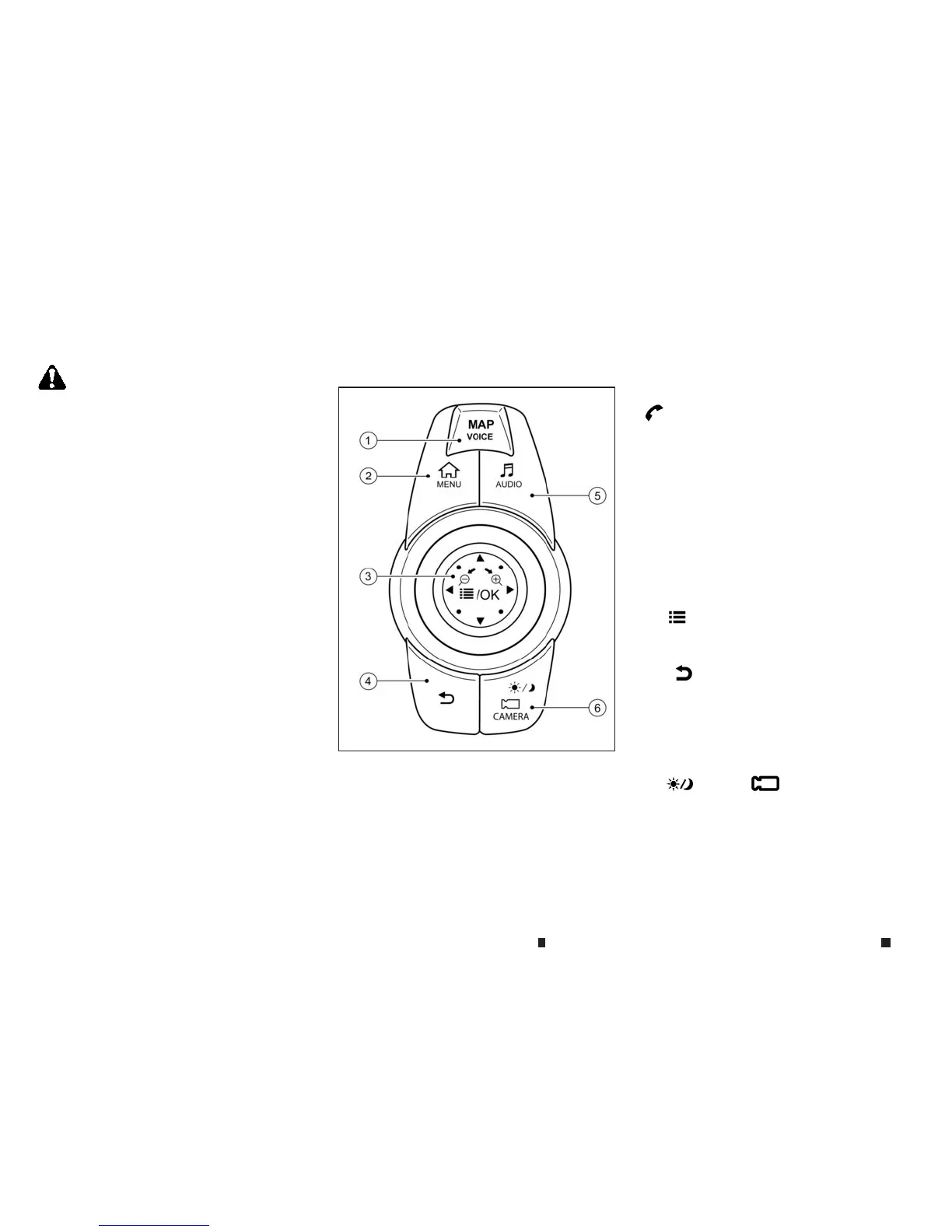
INFINITI CONTROLLER
j
1 <MAP/VOICE> (models with navigation sys-
tem)
Push to display the vehicle’s current location on
the map.
Push again to display the Display View Barand
the display views.
Push and hold to hear the current guidancefor a
programmed route.
<
m
> (modelswithout navigation system).
Push to display the hands-free phone operation
screen.
When youreceive aphone call,pushthisswitch
to answer the call.
j
2 <MENU> Almostall functions, suchasnavi-
gation, apps, phone connection, information
screen display and other settings canbeac-
cessed from thismenu. Iconsand menusdis-
played on the screen maydiffer depending on
the models and spe
ci
fications.
j
3 <
m
/OK> Push to enter the selected item.
Nudgeorrotate to select an item on the screen
or to adjust asetting (volume, brightness, etc.).
j
4 <
m
> Push to go backtothe previous
screen.
j
5 <AUDIO> Display the audio screen.
When <AUDIO>is pushed while the audio screen
is displayed, the sourcelistscreen will be dis-
played.
j
6 <
m
/CAMERA
m
> (modelswith Around
View Monitor system).
Push to view the Around View Monitor screen.
Push and hold to control the brightness.
NAA1625
SAFETYPRECAUTIONS CENTRE MULTI FUNCTION CONTROL PANEL
4-2 Displayscreen, heater and air conditioner,and audio system


 To Next Page
 Loading...