– When there is dirt, water dropsorsnow
onthe cameralens.
– When theposition of the moving objects
in the display is not changed.
•
TheMODsystemmightdetectsomethinglikeflow-
ing water droplets on the cameralens, white
smoke from the muffler,moving shadows, etc.
•
The MOD system maynot function properly de-
pendingon thespeed,direction, distanceorshape
of themoving objects.
•
If your vehicle sustainsdamagetothe parts where
thecameraisinstalled, leaving it misaligned or
bent, the sensing zone maybealtered and the
MODsystem maynot detect objects properly.
•
When thetemperature is extremely high or low,
thescreen maynot display objects clearly.Thisis
not amalfunction.
MOD MALFUNCTION
If the orangeMOD icon is displayed in the view,
the system is not functioning properly.Thiswill
nothinder normaldrivingoperation,butthesys-
temshould be inspected by an INFINITI centre or
qualifiedworkshop.
SYSTEM MAINTENANCE
CAUTION
•
Do notuse alcohol, benzine or thinner to clean the
cameras.Thiswillcause discoloration.To cleanthe
cameras,wipe with acloth dampened with diluted
mildcleaning agentand thenwipe withadrycloth.
•
Do not damagethe cameras as the monitor screen
maybeadversely affected.
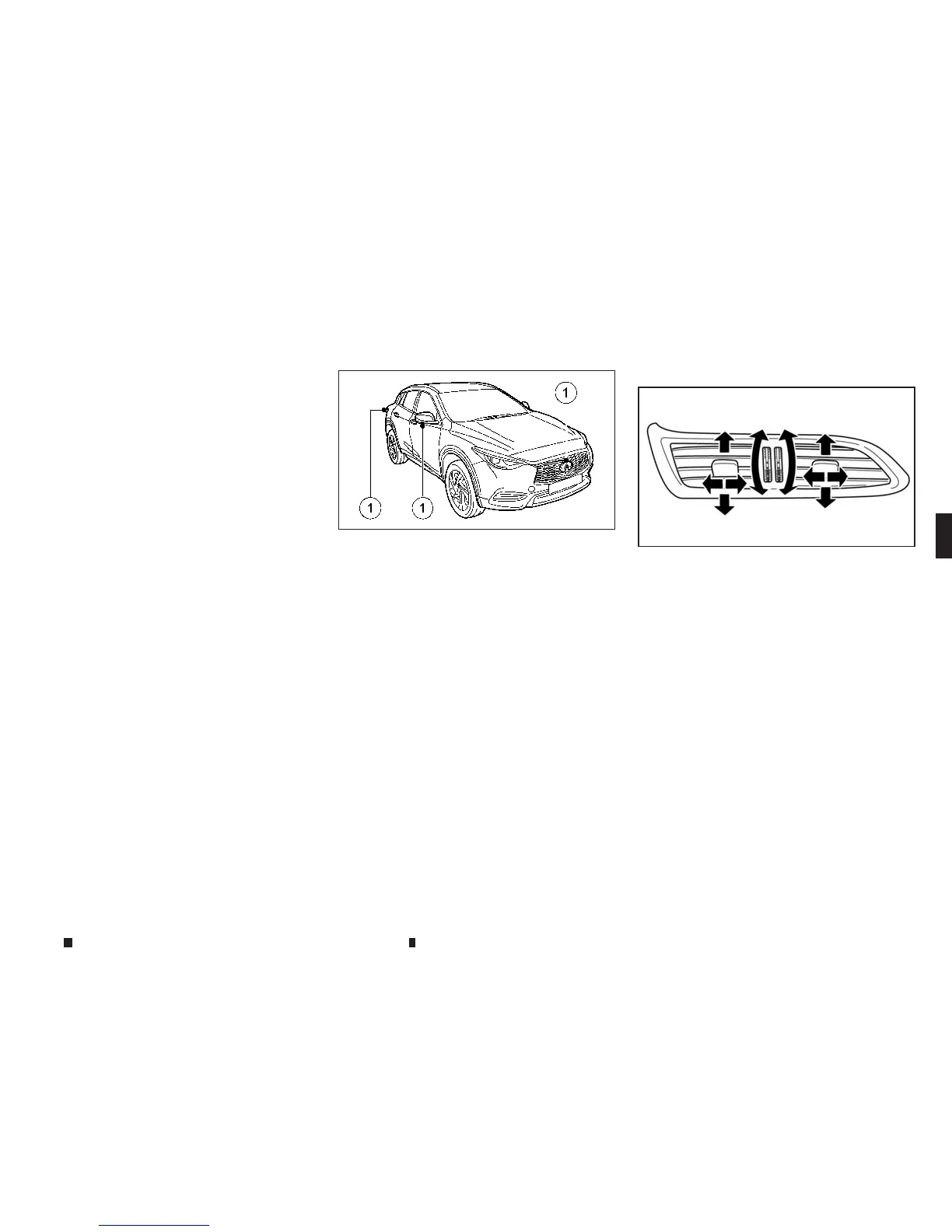
If dirt, rain or snow accumulates on any ofthe
cameras
j
1,the MOD system maynot operate
properly.Clean the cameras by wiping with a
clothdampened with adiluted mild cleaning
agentand then wiping with adry cloth.
CENTRE VENTS
Open/close thevents by turning the control
wheel.
Adjust the air flow direction of the vents by mov-
ing the centre knob (up/down, left/right) until
the desired positionisachieved.
NAA1689
NAA1636
Centre
VENTS
Display screen, heater and air conditioner,and audio system 4-33


 To Next Page
 Loading...