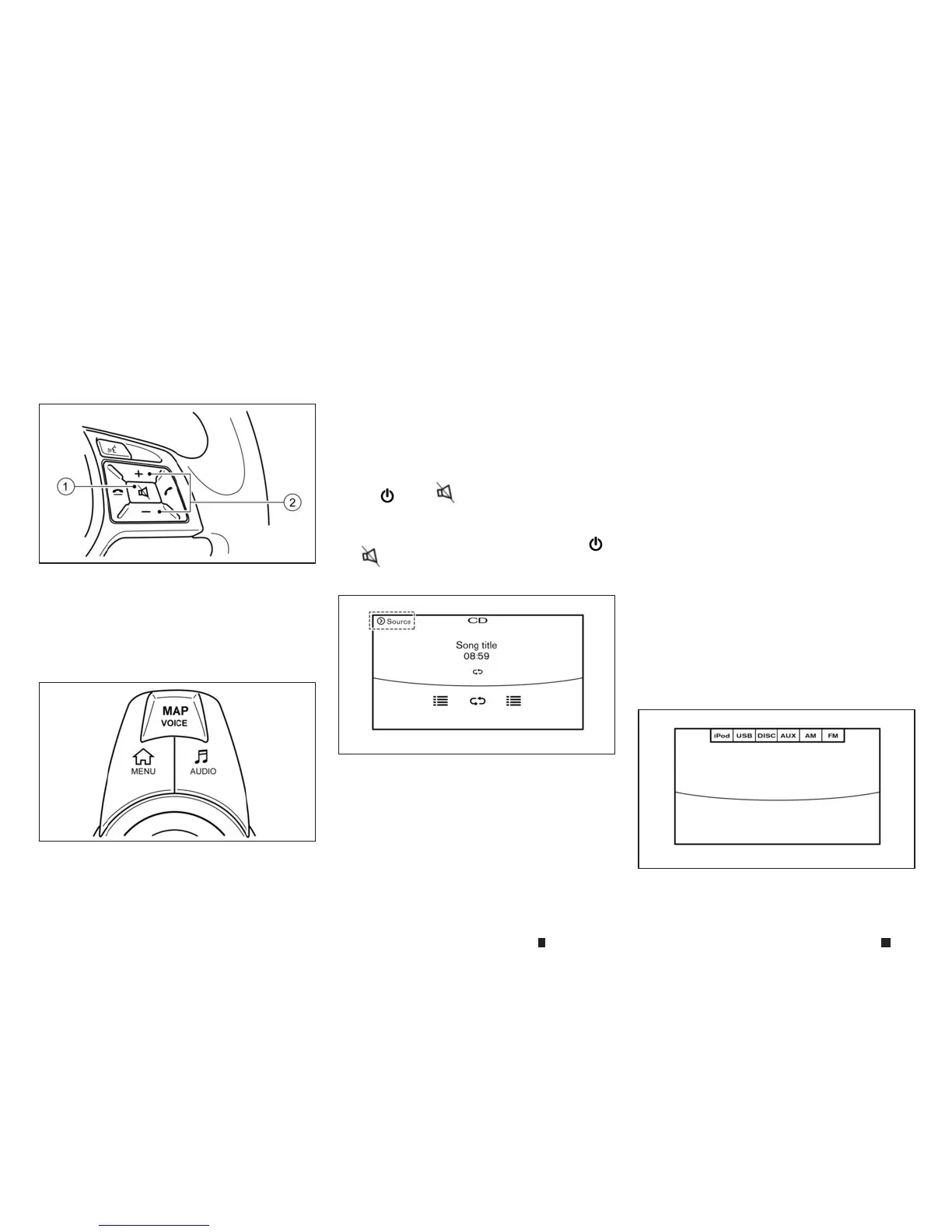
Steering wheel mounted audio control
buttons
j
1Mute: Push to mute the audio.
j
2
Volume control: Push theupper <+> or
lower<-> buttonstoincreaseordecrease
the volume.
INFINITI controller AUDIO button
Push <AUDIO> to display the current audio
screen.
MAIN AUDIO OPERATION
Turning audio system on/off
The ignitionswitchmustbeinthe ACCorON
position to turn on the audio system. Push
<VOL/
m
> or <
m
> on the steering wheel to
turn on the lastaudio sourcewhichwas playing
immediately before the system was turned off.
To turn off the audio system, push <VOL/
m
>
or <
m
> on the steering wheel again.
Selectingaudio source
1. Turn on the audio sourcemenu screen by
touching [Source] on the upper left corner of
the audio screen.
2. Select an item from the audio sourcemenu
screen.
•
Pushing <RADIO>
or <MEDIA> canalsochange
the audio source.
See
“Main audio buttons” earlier in thissection
.
•
If the audio system has been turned off while one
of the audio sources was playing,turning the audio
system back on will play the audio sourcethatwas
playing when the system was turned off.
•
The audio sourcecan alsobechanged with the
sourcebar on topofthe audio screen.
•
Audio APPSinformation will be displayed when
musicisplayed viaINFINITI InTouchApps.
Audio sourcebar
The audio sourcecan be changed with the
sourcebar on topofthe audio screen.Thesource
bardisplay canbeturned on/off.
Turning sourcebar on/off:
Youcan select whether the sourcebar on topof
the audio screensisdisplayed or not.
NAA1620
NAA1619
5GA0034XZ
5GA0035XZ
4-58 Displayscreen, heater and air conditioner,and audio system


 To Next Page
 Loading...