•
Some mobile phones or other devices maycause
interferenceorabuzzing noise to be emitted from
the audiosystem speakers. Storing the deviceina
different location mayreduceoreliminate the
noise.
•
Refer to the owner’s manual for the mobile phone
for information regardingthe telephone pairing
procedure specific to your phone, batterycharg-
ing, and mobile phone antenna, etc.
•
The antennadisplay on the monitor maynot match
the antennadisplay of some mobile phones.
•
The batterydisplay on the monitor maynot match
the batterydisplay of some mobile phones.
•
Keep the interior of thevehicle as quiet as possible
to hear the caller’s voiceclearly as wellastomini-
mise echoes.
•
If the audio of acallisunclear,adjusting the in-
coming or outgoing call volume mayimprove the
clarity.
•
The microphoneislocated near the maplight.
PHONE
Connecting Bluetooth® Hands-Free
Phone
Themobile phone must be connected to the
Bluetooth® Hands-Free PhoneSystem before
commencing operation. Up to 5mobile phones
canbeconnected to the system.
See
“Pairing Bluetooth® device” later in thissection
Phone selection
Select one of the connected devices for opera-
tion.
1. Push <MENU> and touch [Phone], then touch
[SelectPhone]. Alistofthe connected mobile
phones is displayed.
2. Select oneofthe connected mobile phones
from thelist.
3. When selection of the deviceissuccessful, a
messageonthe display indicates that the
mobile phone was selected.
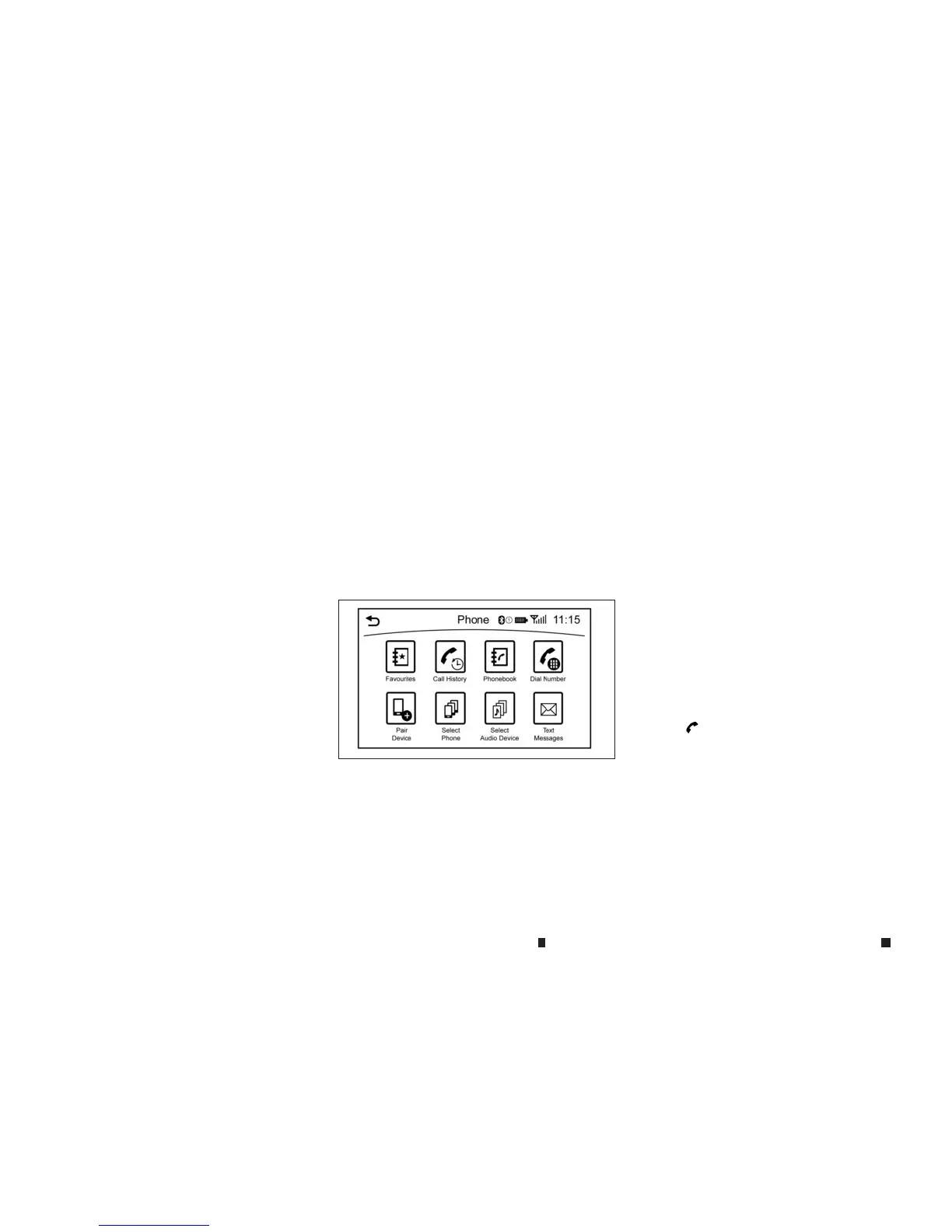
Making acall
1. Push <MENU> and touch[Phone].
2. Select oneofthe following methods to make
acall.
Available methods
•
[Favourites]:
Selectatelephone number from alistof
personally selected numbers.
•
[CallHistory]:
Select atelephone numberfrom recentin-
coming or outgoing calls.
•
[Phonebook]:
Select atelephone number from the
phonebook.
The telephone number must be trans-
ferred to thephonebook from the mobile
phoneprior to using thismethod.
“Phone and text message settings” earlier in
this section
•
[DialNumber]:
Input the phone number manually using
thekeypaddisplayedonthescreen.Touch
[
m
]tocallthe number.
“Touchpanel operation” earlier in thissection
3. Thenumber will be dialled and the screen
will changetothe call in progressscreen.
NAA1614
4-76 Displayscreen, heater and air conditioner,and audio system


 To Next Page
 Loading...