System operation
The driver sets the desired vehicle speed based
on the road conditions. The ICCsystem main-
tainsthe set vehicle speed, similartostandard
cruise control, as long as no vehicle is detected
in the lane ahead. The ICCsystem displaysthe
set speed for
5s
econds after the cruise
co
ntrol
lever is activated.
Vehicle detected ahead:
When avehicle is detected in the lane ahead,
theICC system decelerates the vehicle by con-
trolling the throttle and applying the brakes to
matchthe speed of aslower vehicle ahead. The
systemthen controls the vehicle speed based
on the speed of the vehicleahead to maintain
the driver selected distance.
Thebrake lights of the vehicle come on when
braking is performed by the ICCsystem. When
the brakeoperates, anoise maybeheard. This
is not amalfunction.
When avehicle ahead is detected, the vehicle
ahead symbol
j
1appearsinthe vehicle infor-
mation display.
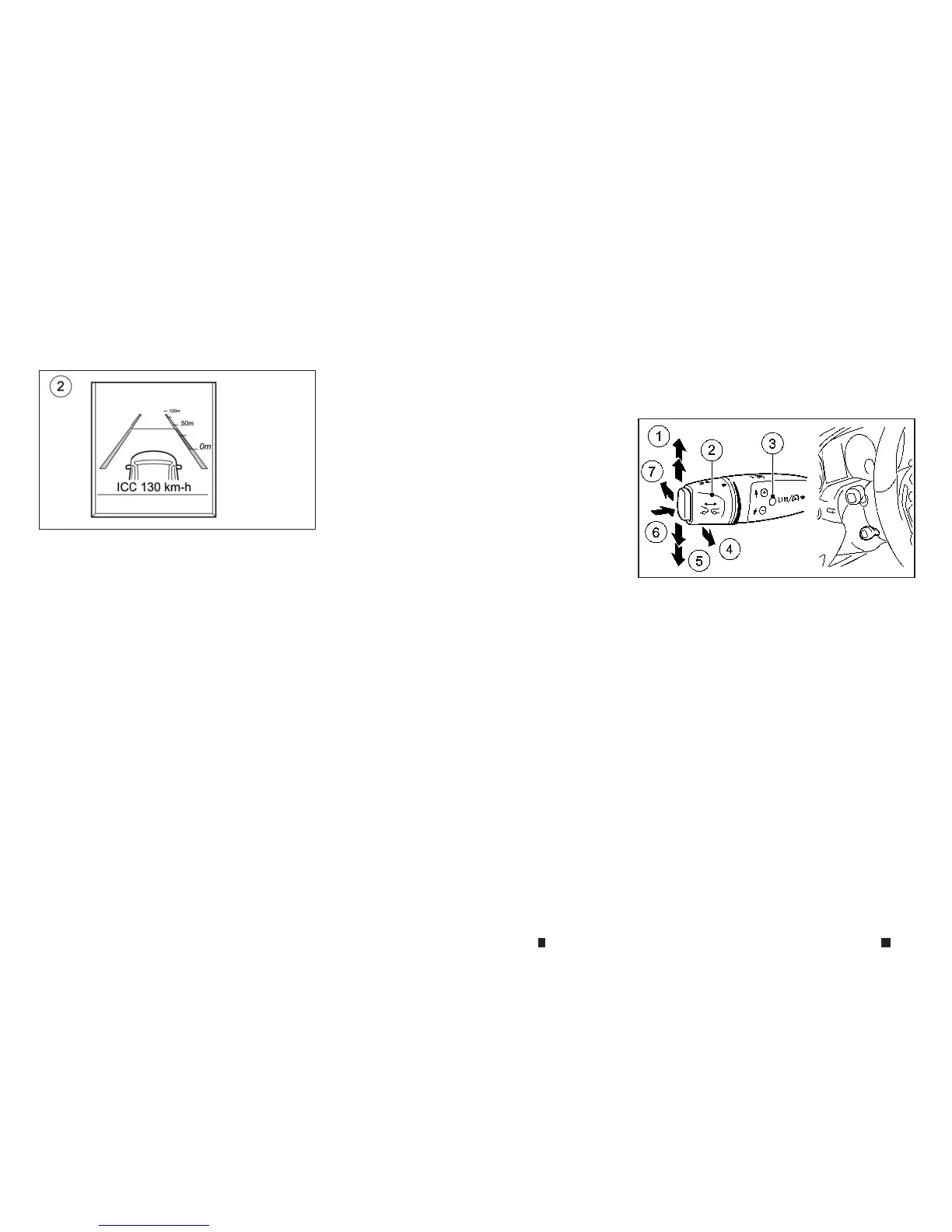
Vehicle ahead not detected:
When avehicle is no longer detected ahead, the
ICCsystem graduallyaccelerates your vehicle to
resumethepreviouslysetvehicle speed.The ICC
system then maintainsthe set speed.
When avehicle is no longer detected, the ve-
hicleahead display turnsoff
j
2.
If avehicle ahead appears during acceleration
to the set vehicle speedorany time the ICCsys-
tem is in operation, thesystem controls the dis-
tancetothatvehicle.
Changinglane for overtaking another
vehicle:
Whenyou changethe lane for overtaking, ICC
supports the overtaking if:
•
The vehicle speed is more than 70 km/h
•
The ICCismaintaining the distancetoavehicle in
front
•
The respective turn signal is activated
•
ICCdoes not detect adanger of collision
If these conditionsare met, the vehicle will be
accelerated. Acceleration will be interrupted if
changing lanes takestoo long or if the distance
between your vehicle and the vehicle in front
becomes toosmall.
How to change the set vehicle speed
To cancel the preset speed, useany of these
methods:
•
Push the cruise control lever in the direction of ar-
row
j6.Note that thiswillactivate the Speed Lim-
iter.
•
Tapthe brakepedal when the vehicle is moving.
•
Quicklypushthe cruise control lever in the direc-
tion of arrow
j7.
The message [ICCOFF] appears inthe vehicle
information display for 5seconds.
NSD616
System set display without vehicle ahead
NSD582
5-46 Startingand driving


 To Next Page
 Loading...