2. Push the SOSswitch
j
3.An emergency call
is sent to the emergency call centre. At the
same time, the vehicle information (location
of the vehicle, vehicle speed, and the direc-
tionoftravel) is also transferred.
3. When the call is connected, speak to the
emergencysupportstaff.
If youwant to cancel the emergency call,push
and hold the SOSswitchfor afew seconds.
NOTE
•
During the emergency call,the volume of the voice
of the operator cannot be adjusted.
•
During the emergency call,the volume of the ve-
hicl
eaudio will be muted.
•
Afterthe SOSswitchispushed, it maytakesome
time until the system initiates connection.
•
To avoid disconnecting the call,donot turn off the
engine.
•
During the emergency call or communication with
operators, the Bluetooth®Hands-Free Phone con-
nectionwil lbedisabledand the phone operation
will only be available on themobile phone. Upon
connection to the emergency call staff,the phone
connectionwill beswitched automaticallyfromthe
Hands-Free Phonetothe mobile phone. Thisisto
avoid connectionswith the emergency support
staffbeing interrupted by incoming calls.
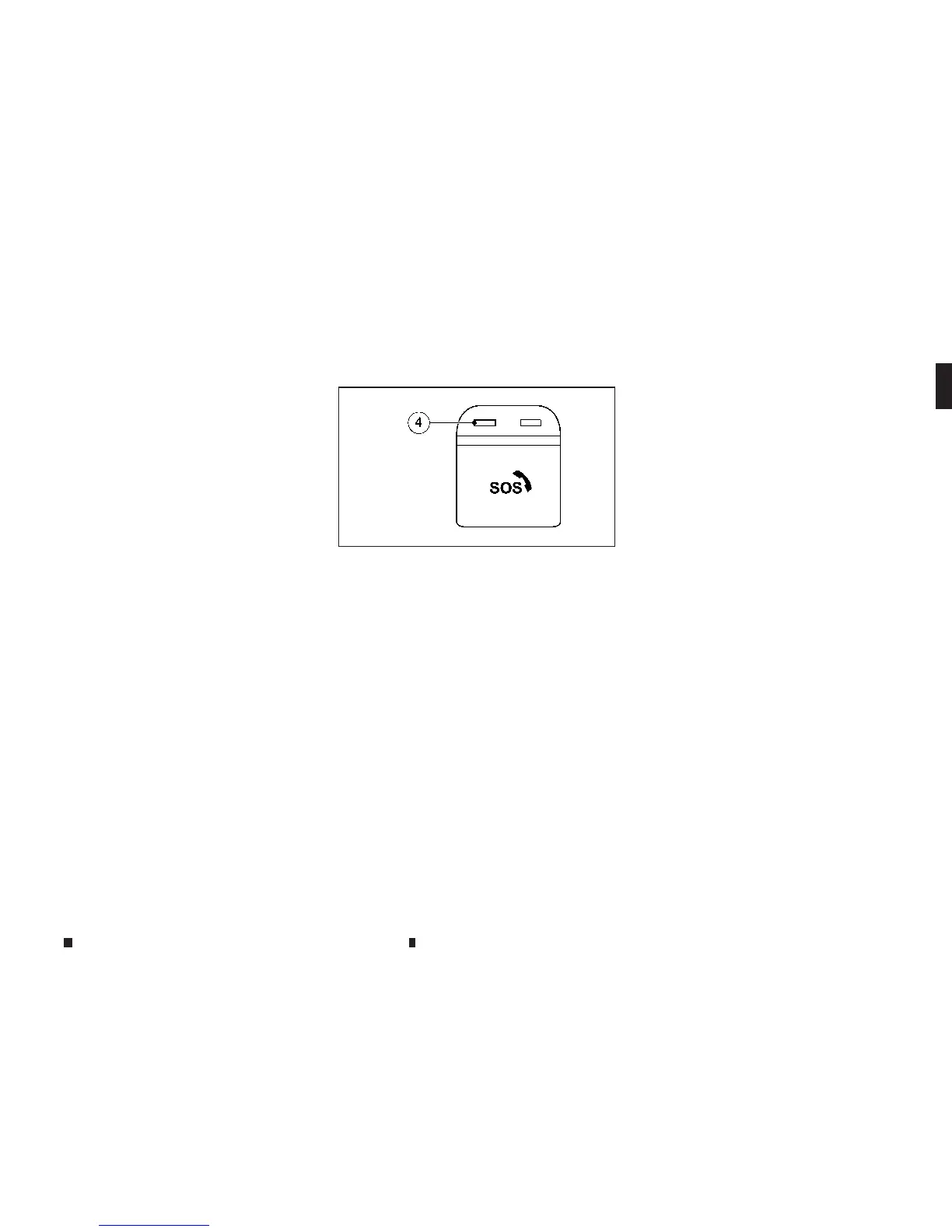
INDICATORLIGHT
The indicator light
j
4nearthe SOSswitch
shows the status of the ERA-GLONASS.
If the indicator light is illuminated green, the
ERA-GLONASS is available andworking.
If the indicator light is illuminated red, amal-
functionhas been detected in the ERA-GLONASS
system. Pushing the SOSswitchmay not con-
nect your vehicle to the emergency call center.
Also, an automatic emergency call maynot be
made when acollision occurs. If the red indica-
torlightisilluminated,contactan INFINITI centre
or qualified workshop for assistance.
NOTE
Even when the red indicator light
j4isnot illumi-
nated, connection to the emergency call center may
not be possible. In suchcases contact with the police
or emergency servicesshould be made using other
de
vi
ce
ss
uc
ha
st
elephones.
TESTING THE SYSTEM
Thetest mode is designed to verifythatthe com-
ponentsofthe ERA-GLONASSsystem are work-
ing correctly.Test mode checks,and indicates,
the status of the microphone, speaker,battery
backup, and other internal components.
To startthe test:
1. Turn the ignition switch to the ON position.
2. Push the cover
j
1and open
j
2the SOS
switch cover.
3. Push and hold the SOSswitch
j
3for at least
3seconds, two times, within 10 seconds.
4. Oncethe test mode is activated, the indica-
tor light
j
4willblink. After afew seconds
the light will stop blinking if the system is
working correctly.Ifthe light continues to
blink, contact an INFINITI centre or qualified
workshop for further assistance.
Once the test has been completed, or if you
wishtocancel the test, Turn the ignition
switch to the OFF position.
CAUTION
The system will not transmit automatic or manual
emergencycalls while the test mode is activated.
NIC2843
Safety — seats, seat belts and supplemental restraint system 1-45


 To Next Page
 Loading...