NOTE
Foranoverview see “Cockpit” in the “0. Illustrated
tableofcontents” section, “Instrument panel” in the
“0. Illustratedtableofcontents” section,and “Meters
and gauges” in the “0. Illustrated tableofcontents”
section
NOTE
The needle indicators maymoveslightly after the ig-
nition switch is put in the “OFF” position. Thisisnot a
malfunction.
CAUTION
•
Forcleaning, useasoft cloth, dampened with wa-
ter.Neverusearough cloth, alcohol,benzine,thin-
ner or any kind of solvent or paper towel with a
chemicalcleaningagent.They willscratchor cause
discoloration to the lens.
•
Do notspray any liquid such as water on the meter
lens.Spraying liquid maycausethe systemto mal-
function.
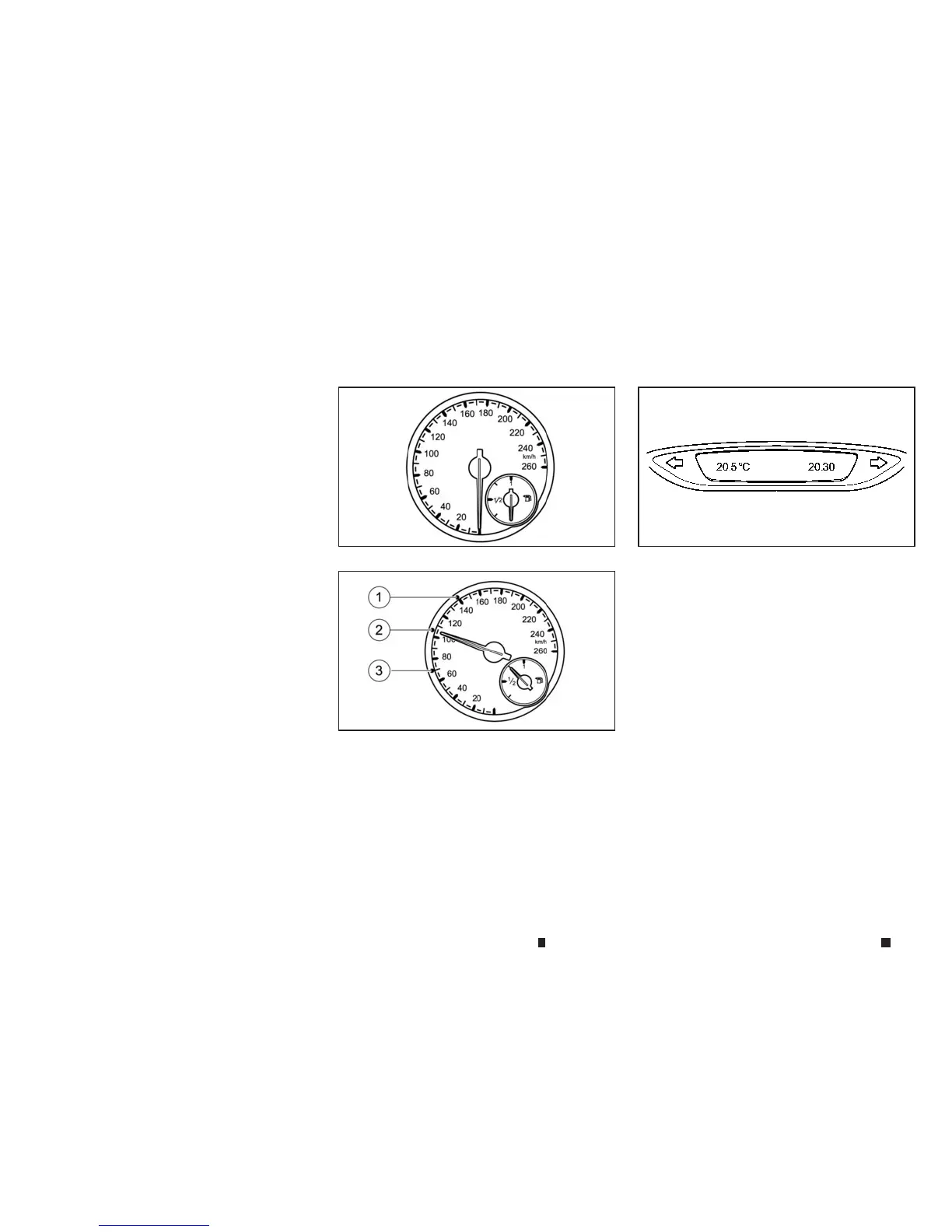
SPEEDOMETER
Thespeedometer is divided into segments
j
1,
j
2and
j
3only on vehicles with Intelligent
Cruise Control.
The segments in the speedometer indicate
whichspeed rangeisavailable (see
“Displays in
the speedometer” in the “5. Starting and driving” sec-
tion
).
OUTSIDE TEMPERATURE DISPLAY
Youshould pay special attention to road condi-
tionswhen temperatures are aroundfreezing
point.
Bearinmind that the outside temperature dis-
playindicatesthemeasuredairtemperatureand
not the road surface temperature
Depending onthe vehicle specification, the out-
side temperature display is in either the upper
display or the main screen of the vehicle infor-
mation display.See
“Vehicle information display”
later in thissection
.
NIC2655
Without segments
NSD600
With segments
NSD619
METERSAND GAUGES
2-2 Instrumentsand controls


 To Next Page
 Loading...