EasyManua.ls Logo

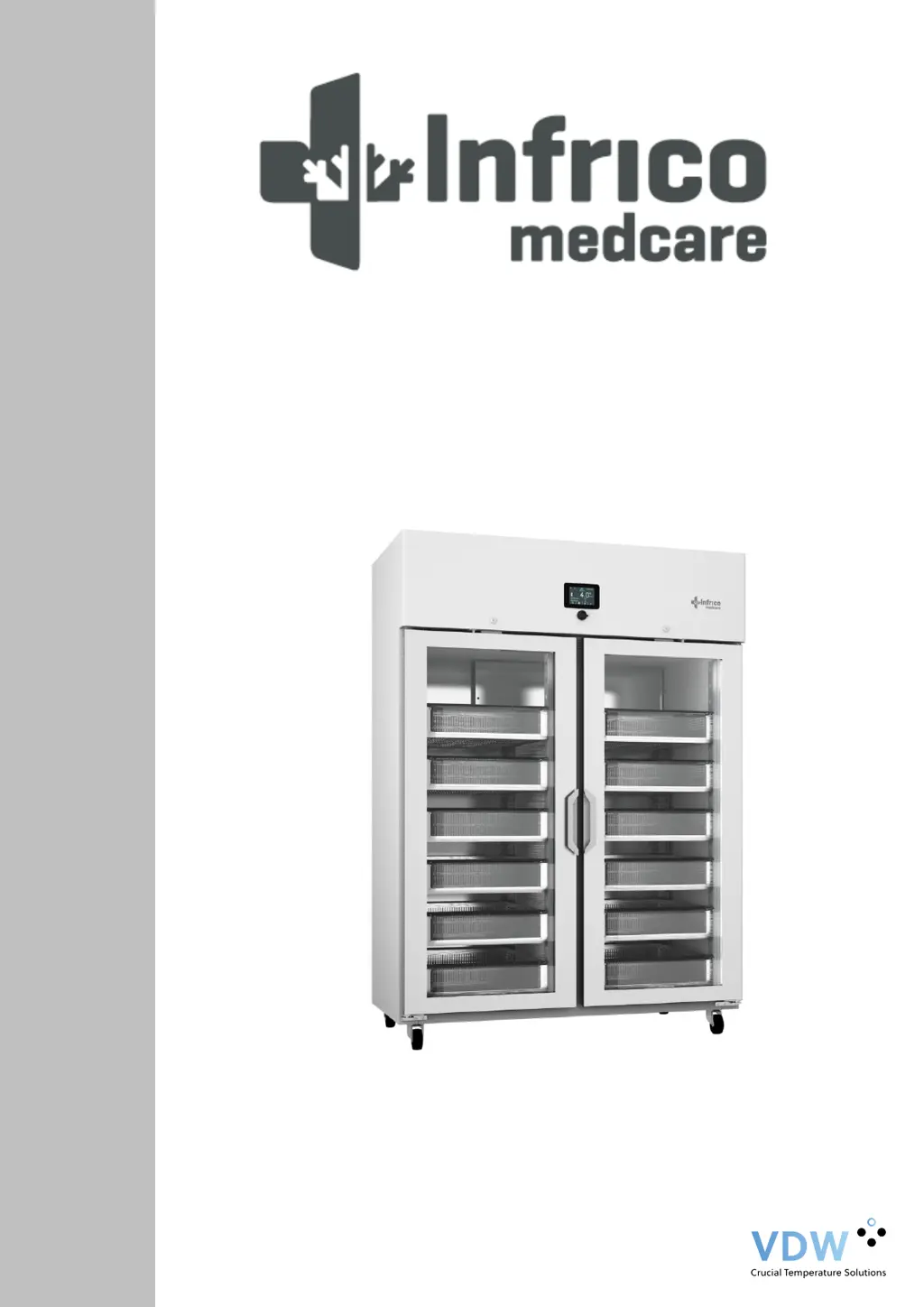
Infrico medcare BBMD Series - User Manual

Infrico medcare BBMD Series
46 pages
Print Icon
To Next Page IconTo Next Page
Loading...
Cabinets
BBMD Series
User Manual and Warranty

Table of Contents

Questions and Answers

Summary

1 INTRODUCTION

1.1 Intended use

Specifies the intended purpose of the blood bank refrigerators.

1.2 Intended User

Defines the target users for the equipment.

2 SAFETY INFORMATION

2.1 Symbols

Explains the meaning of various warning and information symbols used in the manual.

3 LABELLING

3.1 Technical label

Details the information found on the equipment's technical label.

4 RECEIPT AND INSPECTION

5 INSTALLATION

5.1 Location

Provides guidelines for selecting a suitable location for the equipment.

5.2 Environmental operating conditions

Outlines the required environmental conditions for proper operation.

5.3 Environmental conditions for transport and storage

Specifies the conditions for safe transport and storage of the unit.

5.4 Unpacking

Instructions on how to safely unpack the equipment.

5.5 Electrical connection

Details the procedure and requirements for connecting the device to power.

5.6 Battery

Information about the equipment's battery and its connection.

5.7 Levelling

Instructions on how to ensure the unit is level for optimal performance.

5.8 Door gasket seal

Guidance on checking and maintaining the door gasket seal.

5.9 Remote Alarm Installation

Information on setting up the remote alarm connection.

5.10 Final Verification

Steps to perform before the initial start-up of the device.

5.11 Cleaning and Disinfection

Procedures for cleaning and disinfecting the cabinet before use.

6 DRAWERS (OPTIONAL)

6.1 Removing Drawers

Step-by-step guide on how to remove the drawers from the unit.

6.2 Reinstalling Drawers

Instructions for correctly reinstalling the drawers.

6.3 Changing drawer position

How to adjust the height and position of the drawer sliding guides.

7 DIGITAL PLUS CONTROL

7.1 Preliminary notes

Explains the different operating modes of the control system.

7.2 First switching on of the Device

Guides users through the initial power-on procedure.

7.3 Switching the device on;off

Instructions on how to turn the equipment on and off.

7.4 The display screen

Details the information displayed on the device's home screen.

7.5 Setpoint Adjustments

How to adjust the working temperature setpoint of the unit.

7.6 Battery Status

How to check the status and charge level of the backup battery.

7.7 Temperature graph

Explains how to view and interpret the temperature history graph.

7.8 Interior light Switching On;Off

Instructions for controlling the interior light.

7.9 Mute Alarm

Procedure to silence audible alarms.

7.10 User Login

How to access the system using user credentials.

7.11 Battery Operation During Power Failure

Describes how the backup battery operates during power outages.

8 ADJUSTMENTS

8.1 Main Menu

Overview of the main menu options available on the controller.

8.1.1 Setpoint Adjustments

How to access and modify the temperature setpoint.

8.1.2 Defrost Start Up

Instructions to initiate a manual defrost cycle.

8.1.3 Battery Status

How to check the status of the internal battery.

8.1.4 Alarm;Data Historical Record Menu

Accessing historical records for alarms and data.

8.1.4.1 Alarms List

How to view the list of recorded alarms and their details.

8.1.4.2 Defrost Historical Data

Viewing historical data related to defrost cycles.

8.1.4.3 Door open duration

Reviewing records of door opening events and their duration.

8.1.4.4 Uptime Counter

Displaying equipment and compressor uptime statistics.

8.1.4.5 Historical data deletion

Procedure for deleting historical data records.

8.1.4.6 Logger Data Configuration;Download Management

Managing and downloading logged data.

8.2 Alarms Setup

Configuring temperature alarm limits and settings.

8.3 User Identification Function

Managing user access and security levels.

8.4 Language Selection

Changing the display language of the interface.

9 SERVICE MENU

9.1 Date and Time Adjustment

Setting the internal clock and date of the device.

9.2 Sensor Readings

Displaying current readings from the temperature sensors.

9.3 Alarms List

Viewing a list of active and deactivated alarms.

9.4 Unit Name

Assigning a name and serial number to the unit.

9.5 Welcome Page

Configuration options for the initial welcome screens.

9.6 Advanced functions

Accessing advanced settings like calibration and test options.

9.6.1 Product;Cabinet Sensor Calibration

Calibrating product and cabinet sensors for accuracy.

9.6.2 Online production test

Performing manual tests on controller outputs.

9.7 Parameters

Accessing and adjusting internal device parameters.

10 OPERATION

10.1 Start Up

Step-by-step guide for initial startup of the refrigerator.

10.2 Product Loading Guidelines

Best practices for loading products into the refrigerator.

10.3 Automatic Defrost

Explanation of the automatic defrost process.

11 TEMPERATURE CONTROL

11.1 Setpoint Control

Information on factory setpoint and how to adjust it.

11.2 Liquid immersed sensor bottle

Details about the sensor bottle used for temperature measurement.

12 ALARMS

12.1 Alarms

Overview of alarm warnings, types, and muting procedures.

13 MAINTENANCE, CLEANING AND CARE

13.1 Cleaning Procedure

Step-by-step guide for cleaning the device.

13.2 Battery Replacement

Instructions and precautions for replacing the battery.

13.3 Spare Parts and Service

Information on obtaining spare parts and contacting service.

14 TROUBLESHOOTING

15 USEFUL LIFE OF THE EQUIPMENT

15.1 End of the useful life

Guidelines for disposal and recycling at the end of the equipment's life.

16 Pen recorder (Optional)

17 WARRANTY MANAGEMENT

17.1 Warranty Certificate

Infrico medcare BBMD Series Specifications

General IconGeneral
BrandInfrico
Modelmedcare BBMD Series
CategoryCommercial Food Equipment
LanguageEnglish

Related product manuals