– 31 –
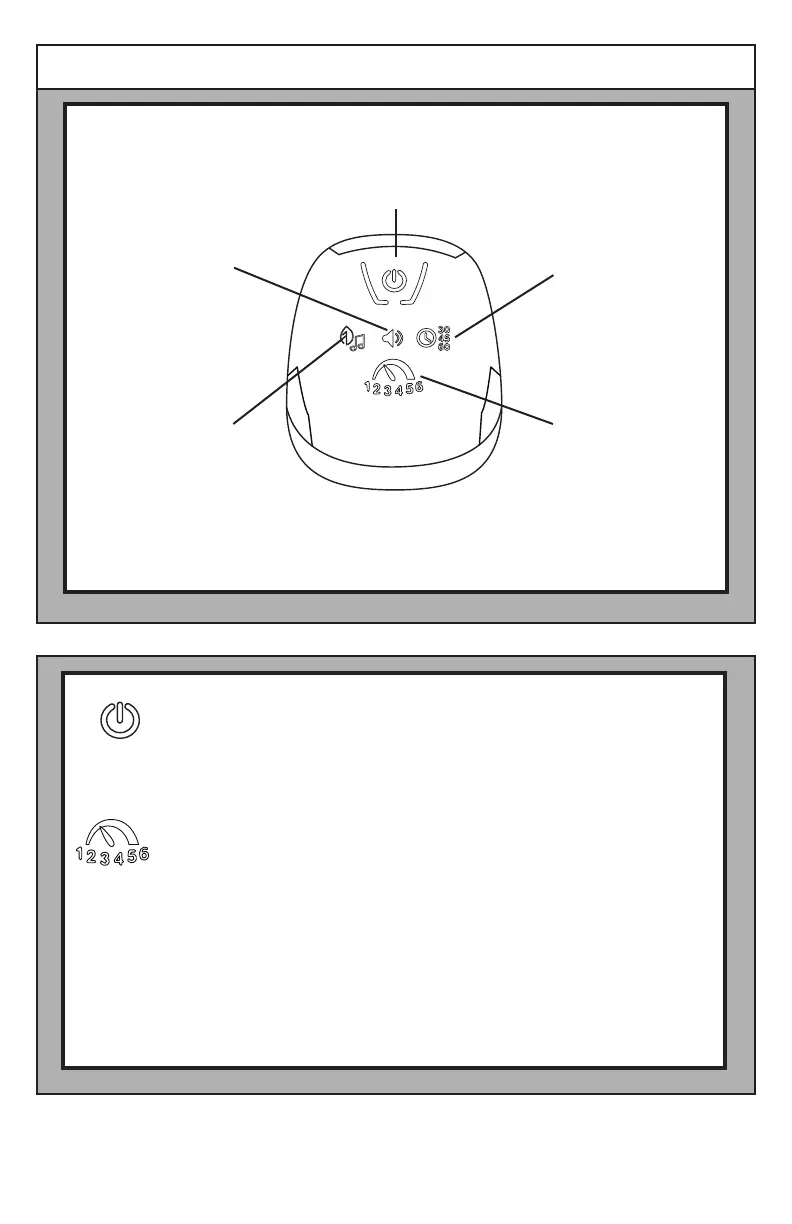
Touch the Power switch to power the Swing Control Module.
The Speed Selector function provides 6 speed settings and OFF.
The LEDs operate sequentially and in bar graph mode. To start
the swing function, touch the button until the ashing LED bar
graph displays the desired setting.
When you change the speed setting during swing motion,
the LED bar graph will ash for ve seconds during the speed
adjustment. When the swing timer expires, the swing stops and
the Speed Selector and Timer LEDs turn OFF.
ENGLISH
Using the Swing Control Module
Power Switch
Speed Selector Button
and Indicator
Nature Sounds/
Music
Volume Control Swing Timer Select
Button and Indicator






 To Next Page