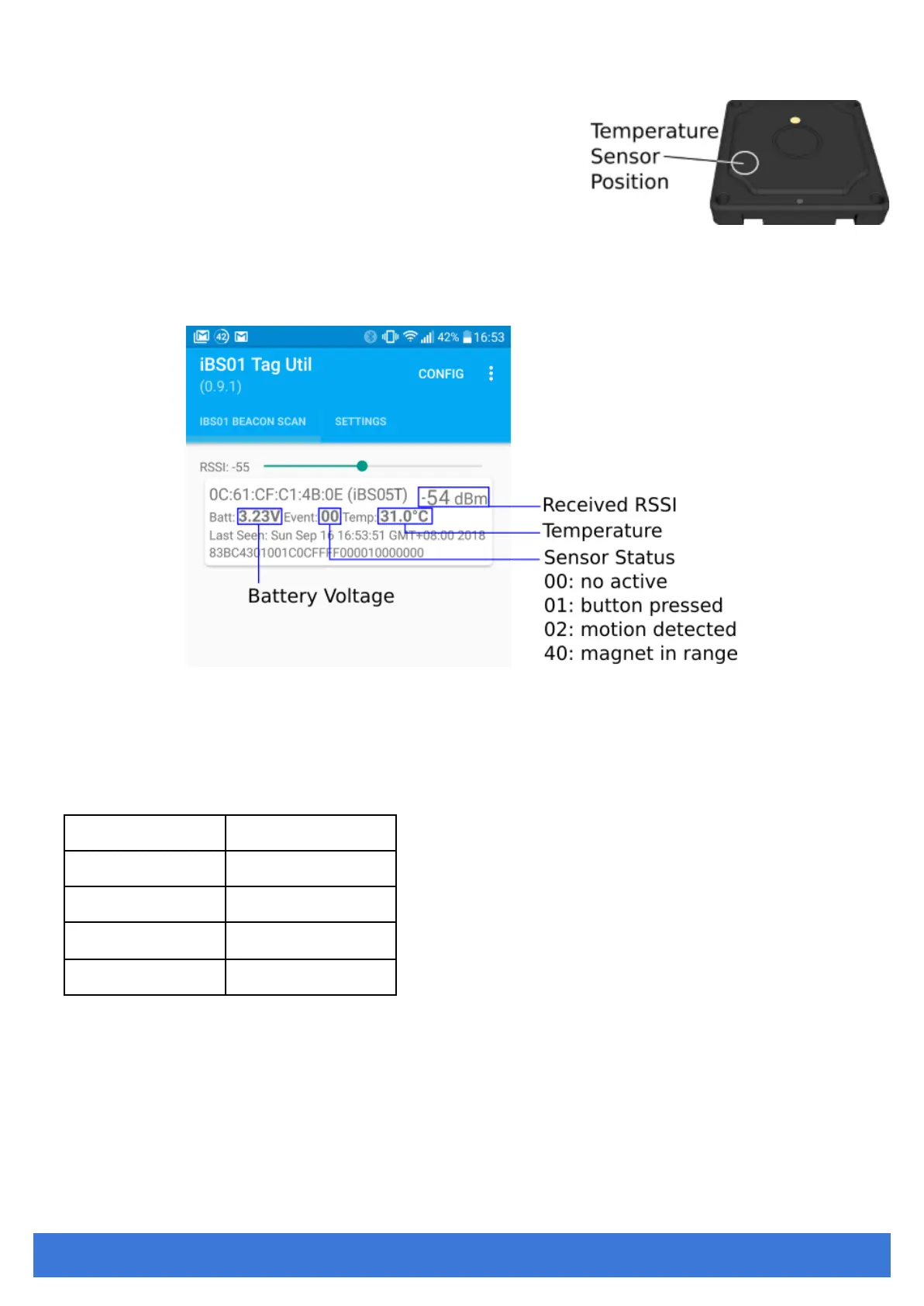
Temperature Sensor (iBS05T)
iBS05T is always monitoring the environment temperature and transmitting the
temperature value in the configured time interval .
Verifying
1. Power on iBS05
2. Open iBS01 Tag Utility APP and Press “START SCAN”.
3. Wait for a while, you should see the BLE payload of iBS05 received by the APP.
Below is an explanation of the payload shown in the APP.
Battery
Level
iBS05 uses a CR2032 coin battery as the power source. It consumes only a little power and keeps working for a long time.
Below is a suggestion for translating the battery voltage to the remaining capacity at room temperature.
Remember, a proper filtering on the voltage is necessary. When iBS05 works in a low temperature environment, the battery
voltage will be lower. For example, in -20 º C, the voltage should be adjusted to 0.1V~0.3V lower.


 To Next Page