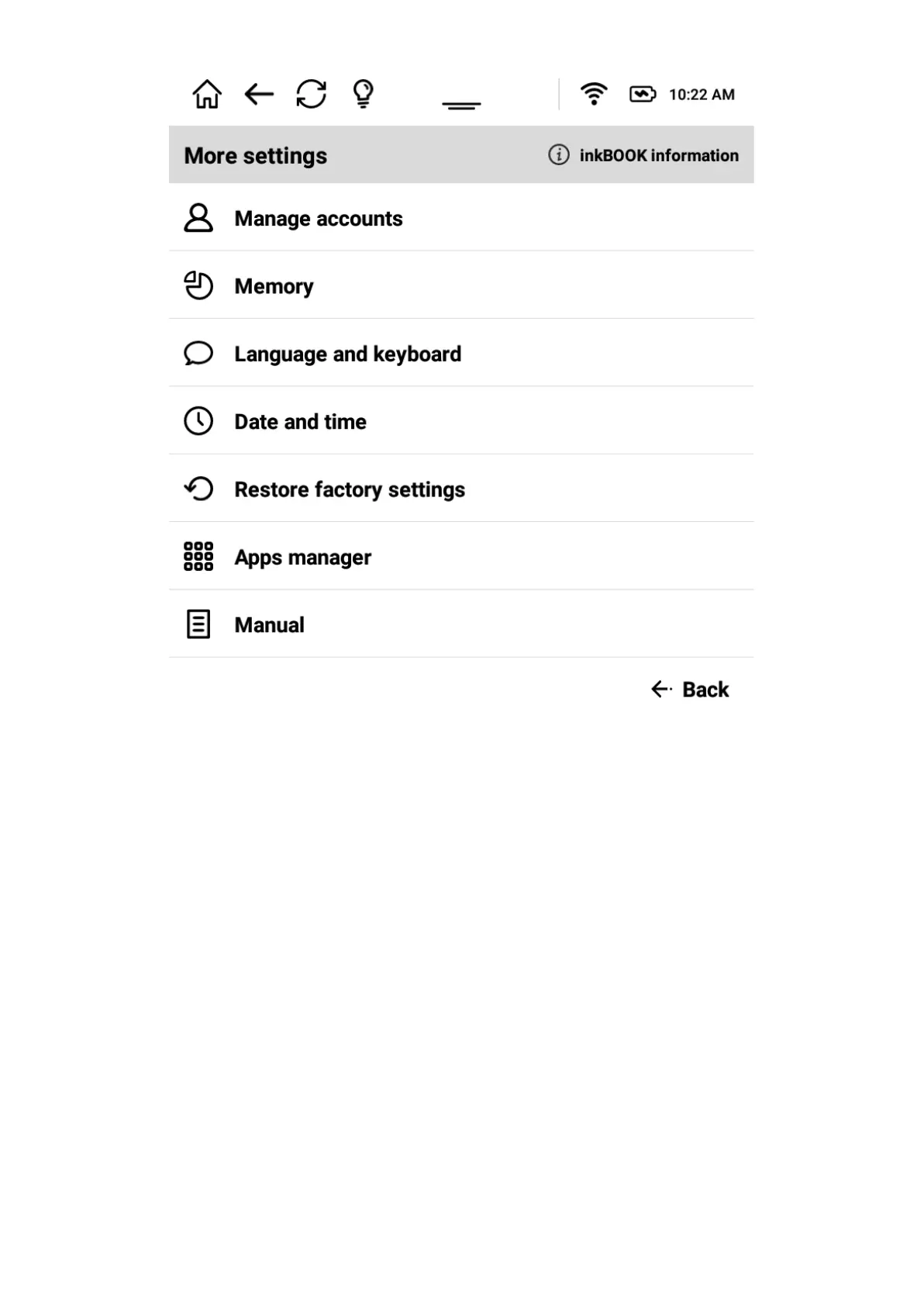
MANAGE ACCOUNTS
Allows to access your account information, add them or delete.
MEMORY
Allows to access memory/ storage information on your inkBOOK.
LANGUAGE AND KEYBOARD
Allows to change the language of the user interface (Menu), as well as set up a preferred
screen keyboard.
Please note that getting further into Keyboard Settings allows you to change and adjust
more advanced options, such as typing suggestions, auto capitalisation, etc.
DATE AND TIME



 To Next Page