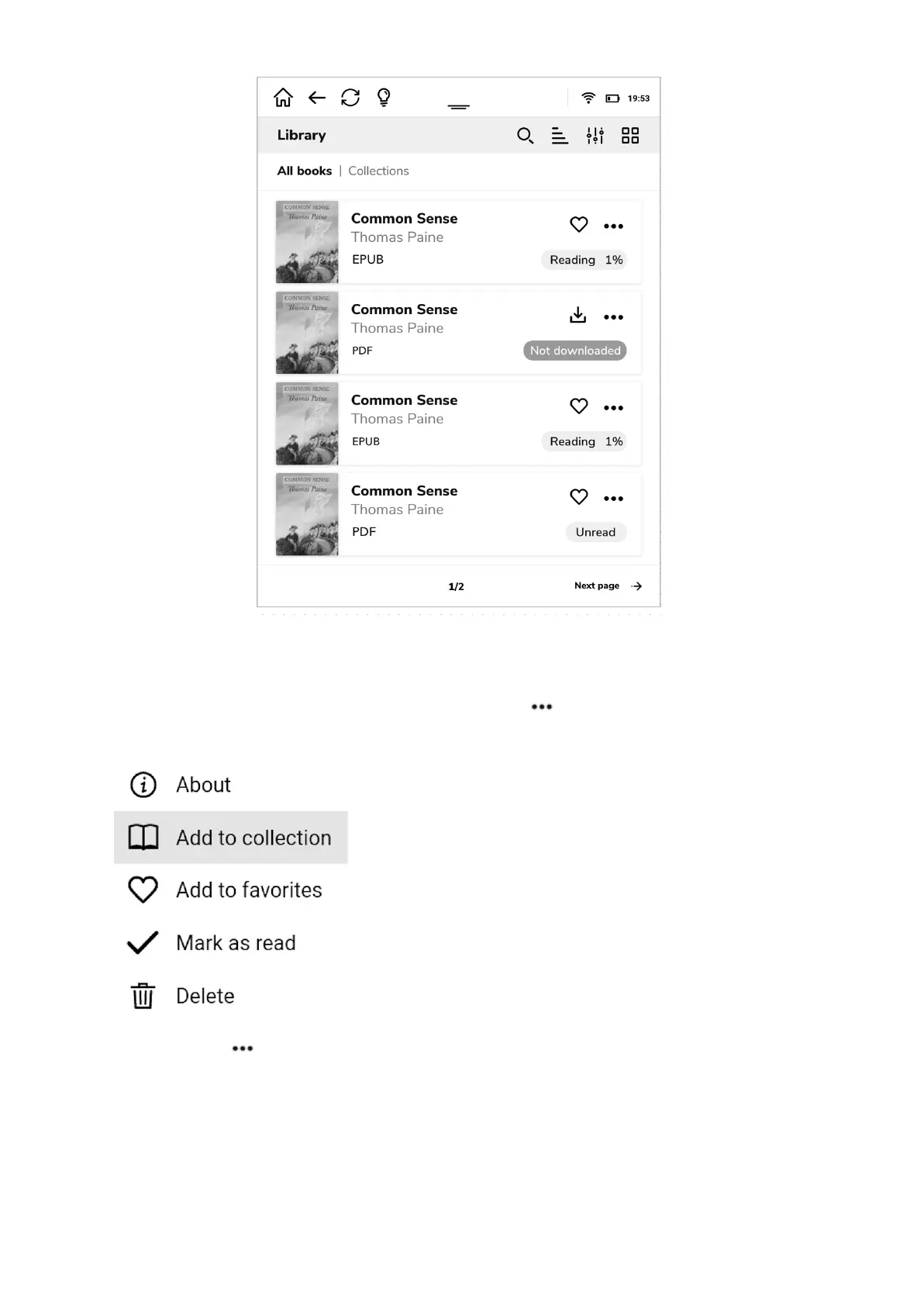
On the right you will find an information about reading progress (or information, that your
book has not been read yet or downloaded). There will be an indicator in the shape of heart
that shows if the book is your favorite one and 3 dots that access the further menu.
By clicking on you will be able to see even more information about e-book as well as
manage your e-book.
All the information that the publisher has included as well as your settings concerning the
book will be available as on the screen below.


 To Next Page