Bookmarks, highlights and notes.
Your inkBOOK will always remember where you have finished reading your book recently.
So, do not bother, an used ticket, a lover’s letter, or an old restaurant bill is not needed to
mark the last reading page. You do not need also to create a bookmark for that.
Create bookmarks only if you need to return to certain page.
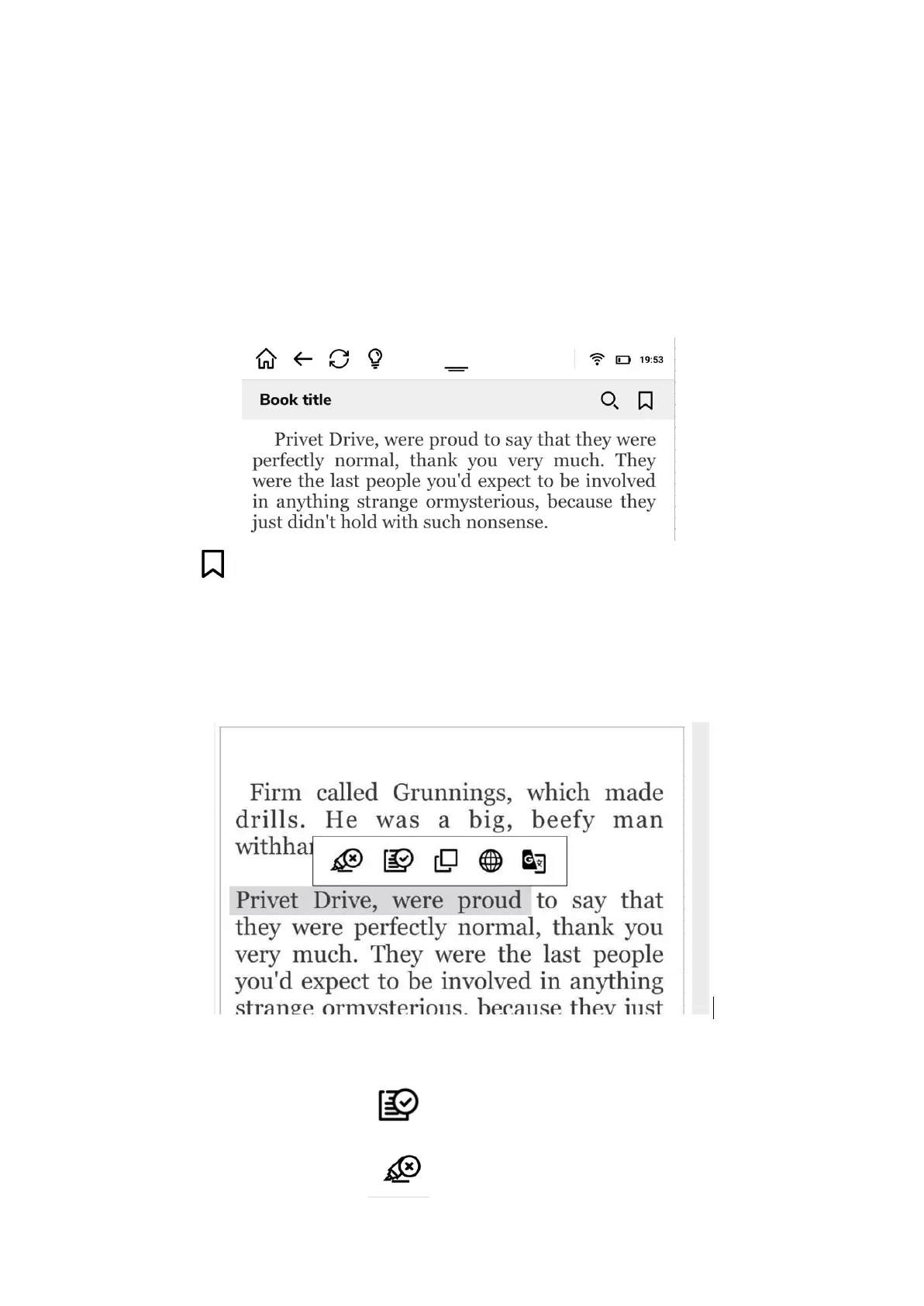
How to create a bookmark? Nothing simpler, just tap in the middle of the screen while
reading e-book, the menu will pop up
and touch icon above near the book title . It is done!
If you want to work with the part of the text you need first to select that part. Just touch and
hold the text of interest. Now you can adjust selection range by dragging the quote markers.
It is up to you what you want to do with such selected text. As you can see there is a toolbar
displayed next to the text you have selected.
You can:
1. Make a note by touching icon
2. To save your highlight tap


 To Next Page
 Loading...